 Owner’s manual
 Error Codes







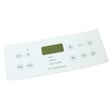
How do you reset a Kenmore electric stove?
To reset your Kenmore electric range model 79045069401, turn the range off, shut off power at the breaker (or unplug it), wait about 1 minute, then restore power. This clears many control glitches after a power surge or error.
Reset steps (safe and effective)
- Turn all surface element knobs to OFF.
- Press STOP/CLEAR on the control panel (if it responds).
- Switch the range circuit OFF at the home breaker (preferred) or unplug the cord.
- Wait 60 seconds.
- Restore power, then set the clock and test BAKE.
- If the oven was running when power failed, make sure it is OFF before power returns (the oven can restart when power comes back).
What a reset fixes (and what it does not)
| Symptom | Reset often helps | Likely needs troubleshooting/parts |
|---|---|---|
| Display frozen or beeping | Yes | Sometimes |
| Oven will not start after outage | Yes | Sometimes |
| Oven temperature seems wrong | Sometimes | Yes (sensor/heating circuit) |
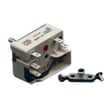
| Burner will not heat | Sometimes | Yes (switch, receptacle, element) |
If it still will not heat after the reset
Use these quick checks before replacing anything:
- Confirm the range has 240V power (a tripped double breaker can leave you with lights but no heat).
- Try BAKE, then BROIL; if one works and the other does not, the problem is usually in that heating circuit.
- If baking temperatures are consistently off, the oven temperature sensor is a common cause; see oven temperature sensor 316217002.
- If a surface burner cuts in and out or will not heat, inspect the element and the receptacle; the surface element receptacle is listed as support 5303935058.
Why it matters
A proper power reset is the fastest way to clear minor electronic control issues on the 79045069401. It also helps you separate a simple control glitch from a true heating, wiring, or sensor failure.
For model-specific operating details and safety notes, follow the 79045069401 owner's manual.
Last updated: February 2026
What causes a Kenmore oven to stop working?
On the Kenmore 79045069401 electric range, an oven that “stops working” is usually caused by a power problem (tripped breaker or outage), a control fault (often shown as an F-code), or a failed heating or sensing part such as the bake element or oven temperature sensor. See the 79045069401 owner's manual for model-specific checks.
Quick checks we recommend first
- Confirm the range has power; check the house breaker(s) and that the cord/plug is fully seated.
- If there was a power failure, turn the oven off; do not try to operate it during an outage.
- Look at the display for an error code (for example F1, F3, or F9) and clear it once.
- Test Bake and Broil separately; if one works and the other does not, a heating element is often the issue.
- If the oven light is out too, try replacing the bulb; it is a quick way to rule out a simple lighting issue.
Common causes and what they point to
| Symptom | Most likely cause | What to do next |
|---|---|---|
| No heat, no display response | No power to the appliance | Check breaker, outlet, cord connection |
| Beeping with F1/F3/F9 | Electronic control detected a fault | Clear the code; if it returns, service is needed |
| Oven heats inconsistently | Sensor or control issue | Check/replace the frigidaire range oven temperature sensor 316217002 |
| Oven light does not work | Loose or failed bulb/socket | Replace the range oven light bulb 316538904 and inspect the socket |
Why it matters
An oven can appear “dead” when it is actually protecting itself after a power event or reporting a control fault. Narrowing the symptom (power, error code, heat source, or sensor feedback) prevents replacing the wrong part and gets your Kenmore range cooking safely again.
Last updated: February 2026
Where can I find my Kenmore electric range model number?
On Kenmore electric range model 79045069401, the model and serial number are printed on an identification plate that’s typically visible when you open the oven door. Common locations are the left side of the range (door open) or inside the storage drawer along the side of the frame; see the 79045069401 owner's manual.
Quick places to check
- Open the oven door and look along the left side frame
- Pull out the bottom storage drawer and check the inside side wall of the frame
- Look for a label that includes Model No. 790. plus a longer number and a Serial No.
- Wipe grease or dust off the plate so the digits are readable
- Take a photo of the label before ordering parts or scheduling service
What the label looks like
The identification plate usually lists these fields:
| Label field | What it means | Why you need it |
|---|---|---|
| Model No. | The full model number (example: 79045069401) | Ensures parts fit your exact range |
| Serial No. | Your unit’s unique serial number | Helps with service history and age |
| Date of purchase (sometimes recorded by owner) | When it was bought | Useful for your records |
Why it matters
Kenmore 790-series ranges can look similar but use different oven controls, surface elements, and wiring. Using the exact model number helps us match the correct parts diagrams and avoid ordering the wrong component.
Last updated: February 2026
Where is the fuse on a Kenmore oven?
On the Kenmore 79045069401 electric range, the “fuse” people mean is usually a thermal fuse or high-limit safety device; it’s typically mounted on the back of the range (rear panel area) near the oven wiring and heating-circuit components. Use the 79045069401 owner's manual for the safest access and power-off steps.
Where to look (most common locations)
After shutting off power, pull the range out and inspect the rear access area. On many Kenmore electric ranges, the thermal fuse or high-limit device is found in one of these spots:
- On the rear panel behind the oven cavity
- Near the bake or broil circuit wiring and terminals
- Close to the terminal block where the power cord connects
- In the wiring path near the oven temperature sensor harness
- Near the cooling fan area on models equipped with a blower
Safe access checklist
We recommend these steps before removing any panels:
- Turn off the breaker (240V range circuit) and confirm the cooktop and oven are dead
- Let the oven cool completely; internal metal and wiring can stay hot
- Pull the range forward carefully to avoid stressing the cord
- Remove the rear panel screws and keep them organized
- Take a quick photo of wiring before disconnecting anything
What “fuse” symptoms look like
A failed thermal fuse or high-limit device often shows up as one of these issues:
| Symptom | Commonly points to |
|---|---|
| Oven won’t heat but surface elements work | Oven safety device, wiring, or control issue |
| Oven heats briefly then shuts down | Overheat condition, cooling airflow issue |
| Completely dead range | Power supply, cord/terminal block, or main wiring problem |
Why it matters
The thermal fuse/high-limit device is a safety cutoff. Finding it quickly helps you diagnose “no heat” or shutdown problems without replacing major parts unnecessarily.
If you find heat damage or loose connections at the power-cord connection, inspect the terminal block 5304409888 because overheating there can mimic a blown fuse.
Last updated: February 2026





