Owner’s manual
 Error Codes




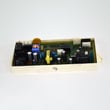
How to fix hE error on Samsung dryer?
On our Samsung DV56H9100GG dryer, an hE/HC heating error points to overheating, most often from restricted airflow (lint screen, blower housing, or vent duct). Fix it by restoring airflow first; then check the temperature-sensing safety parts if the code returns.
- Unplug the dryer (or switch off the breaker) for safety.
- Clean the lint screen completely (wash with water if it has a film, then dry it).
- Inspect and clear the exhaust duct from the dryer outlet to the outside hood.
- Confirm the outside vent hood opens freely and is not blocked.
- Run a timed dry cycle and watch for strong airflow at the outside vent.
- If your display has a duct warning, follow the Vent Sensor guidance in the DV56H9100GG owner's manual.
Overheating can also happen when a sensor or safety thermostat is out of range. These parts are commonly involved:
| Symptom you notice | Most likely area | Example part to check on DV56H9100GG |
|---|---|---|
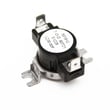
| Dryer runs, then stops and shows hE/HC | Overheat protection opening | Dryer high-limit thermostat DC47-00017A |
| Dryer heats briefly, then loses heat | Safety cut-off opened | Dryer thermal cut-off thermostat DC47-00016A |
| Temps seem erratic, cycles end early/late | Temperature sensing | Dryer thermistor DC32-00007A |
When airflow is restricted, heat stays trapped in the drum and heater area. That triggers the dryer’s safety controls and can cause long dry times, repeated error codes, and premature failure of thermostats and sensors.
If your dryer supports Smart Care, you can use it to read the error and recommended countermeasures; the steps are in the DV56H9100GG owner's manual.
Last updated: February 2026
How to test Samsung dryer?
To test your Samsung dryer model DV56H9100GG, we recommend using its built-in diagnostic and sensor checks described in the DV56H9100GG owner's manual. Start with an empty drum, then verify the door switch and moisture sensors respond correctly before running a normal cycle.
- Empty the dryer; close the door firmly.
- Press Power, then try the dryer’s diagnostic mode steps listed in the DV56H9100GG owner's manual.
- Open the door and confirm the interior light and display behavior changes as expected.
- Touch the moisture sensor bars inside the drum (the display should react during the sensor test).
- Press Start/Pause to confirm the control responds and the cycle begins.
Child Lock can make the dryer seem “dead” even though it has power.
- Look for a Child Lock indicator on the display.
- Turn Child Lock off using the control-panel steps in the DV56H9100GG owner's manual.
- Retry Power and Start/Pause.
If the dryer shows an information code, Smart Care can help you identify it.
- Turn the dryer on.
- Press and hold the Time button for 3 seconds to enable Smart Care.
- Use the Samsung Laundry app to scan the display.
- If scanning fails, enter the code manually.
- Cross-check the meaning in our Samsung smart care dryer error codes reference.
| What you observe | Most likely area to check | Common next step |
|---|---|---|
| Dryer will not start | Door switch, controls, Child Lock | Verify door closes and Child Lock is off |
| Starts but stops quickly | Door switch, control sensing | Re-close door, retry cycle |
| Long dry times, vent light on | Exhaust duct restriction | Clean venting and lint path |
| Error code displayed | Sensor or control input | Use Smart Care and code guide |
A correct test helps separate a control issue from airflow, door-latch, or sensor problems. On DV56H9100GG, airflow restrictions can also trigger the Vent Sensor warning, which affects drying performance and cycle time.
Last updated: February 2026
How do I find the model number on my DV56H9100GG?
The model number for your Samsung dryer is printed on the appliance’s rating label; on DV56H9100GG units, it’s typically located on the door opening area or on the cabinet frame just inside the door. Use the exact model number when ordering parts or checking specifications in the owner's manual.
Check these common label locations first:
- Inside the dryer door opening on the cabinet frame
- On the back panel of the dryer cabinet
- Along the door opening edge near the lint screen housing
- On the side panel near the front (visible with the door open)
Record the full model number and any additional identifiers on the label so we can match the correct diagrams and parts list.
- Model number (example: DV56H9100GG)
- Version or suffix (often shown after a slash, such as “/A2-00”)
- Serial number (helps identify production run)
- Fuel type (gas or electric), if listed
Samsung dryers often share similar designs across model families; the exact model and suffix ensure the right fit for components like the control board, door switch, and thermostats.
| What you see on the label | How to use it |
|---|---|
| DV56H9100GG | Use this to find the correct model page and diagrams |
| /A2-00 (or similar suffix) | Confirms the exact version for parts compatibility |
| Serial number | Helps with service history and production variations |
Last updated: March 2026