Owner’s manual
 Error Codes


What is the average lifespan of a Kenmore washer?
A Kenmore washer typically lasts 10 to 15 years. For the Kenmore Elite 11045996400, good care (proper loading, routine cleaning, and checking hoses) helps you reach the higher end of that range; the 11045996400 owner’s manual covers washer care and troubleshooting.
Most Kenmore washers fall into these ranges:
| Washer type | Typical lifespan | Notes |
|---|---|---|
| Top-load (traditional) | 12 to 15 years | Simpler mechanical design often lasts longer |
| Front-load (HE) | 10 to 12 years | More seals, bearings, and drain components to maintain |
| High-efficiency top-load | 10 to 14 years | Depends heavily on load balance and suspension wear |
We see these issues reduce lifespan more than anything else:
- Overloading the drum (stresses bearings, belt, and suspension)
- Too much detergent (causes residue, odors, and drainage problems)
- Skipping routine cleaning (buildup can affect sensors and water flow)
- Ignoring small leaks (can damage the motor area and controls)
- Running with chronic vibration or “walking” (wears suspension and tub components)
Use these habits to keep a Kenmore Elite washer running longer:
- Clean the washer regularly using the care steps in the 11045996400 owner’s manual
- Check inlet hoses for bulges, cracking, or seepage; replace at the first sign of wear
- Keep the door slightly open between loads (helps prevent odor and boot mildew)
- Level the washer and keep loads balanced to reduce vibration
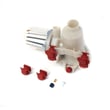
- Address slow draining early; a failing water pump 280187 is a common cause
A washer that is kept clean, level, and leak-free runs cooler and quieter, drains more reliably, and puts less strain on high-wear parts like the drive belt, suspension, and pump. That directly translates into fewer breakdowns and a longer service life.
Last updated: January 2026
How many cubic feet is my Kenmore Elite washer?
The exact wash capacity (cubic feet) for Kenmore Elite model 11045996400 is listed in the specifications section of the 11045996400 owner's manual. If you are comparing washers, most Kenmore front-load units in this style typically fall in the 3.5 to 4.5 cu. ft. range.
We recommend using the model-specific specs so you get the correct number for 11045996400 (capacity can vary by revision).
- Open the 11045996400 owner's manual
- Look for Specifications, Features, or Product dimensions
- Check for wording like capacity, volume, or IEC capacity
- If you see multiple capacities, use the one labeled for the washer (not the pedestal or packaging)
These ranges help when you are planning laundry loads or matching a dryer.
| Washer type | Typical capacity range | Best for |
|---|---|---|
| Compact front-load | 2.0 to 2.8 cu. ft. | Apartments, small loads |
| Standard front-load | 3.5 to 4.5 cu. ft. | Most households |
| Large front-load | 4.6 to 5.2 cu. ft. | Bulky items, larger families |
Capacity affects how full you should load the drum, cycle performance, and spin efficiency. Overloading can increase vibration, reduce cleaning, and contribute to out-of-balance behavior.
If you are measuring for a laundry space, the manual also provides installation dimensions and clearance guidance.
- Overall width and height
- Door swing clearance
- Recommended spacing around the cabinet
- Water pressure and electrical requirements
Last updated: January 2026
How to do a hard reset on a Kenmore washer?
For the Kenmore Elite washer model 11045996400, a reliable hard reset is to disconnect power for 2 minutes, then restore power and start a fresh cycle. If the control is unresponsive or an error won’t clear, cancel the cycle using PAUSE/CANCEL and restart.
- Press PAUSE/CANCEL twice to stop the current cycle.
- Unplug the washer (or switch the breaker off).
- Wait 2 minutes.
- Restore power.
- Select a cycle and press and hold START for about 1 second to begin.
The user manual for this model supports canceling and restarting the control logic without unplugging.
- To cancel a cycle: press PAUSE/CANCEL twice.
- To restart at the beginning of a new cycle:
- Press PAUSE/CANCEL twice
- Choose the new cycle, options, and modifiers
- Press and hold START for about 1 second
Reference: 11045996400 owner's manual
On front-load washers like this Kenmore Elite model, the door can stay locked if the water level or water temperature is too high; the washer may drain automatically before unlocking.
- Wait for the automatic drain to finish.
- If you need to force a drain: select DRAIN & SPIN, then press and hold START for about 1 second.
- Once the spin completes, the door unlocks and you can remove items.
| Situation | Best reset to try | What it does |
|---|---|---|
| Control is frozen or acting erratic | Power reset (unplug 2 minutes) | Reboots the electronic control |
| Wrong cycle selected or need to clear a running cycle | PAUSE/CANCEL twice | Cancels the cycle and powers down |
| Door won’t unlock | DRAIN & SPIN then START | Removes water so the lock can release |
A “hard reset” clears temporary control glitches and safely stops a cycle. Using PAUSE/CANCEL and DRAIN & SPIN also protects the door lock system and helps prevent water from being trapped in the tub.
Last updated: January 2026
Does my Kenmore Elite washing machine have a filter?
Yes. The Kenmore Elite washer model 11045996400 uses a drain pump clean-out (often called a pump filter or coin trap) that catches lint and small items before they reach the drain pump; cleaning it helps prevent slow draining and drain errors. See the 11045996400 owner's manual for the exact access and care steps.
On front-load Kenmore Elite washers like 11045996400, the filter is typically part of the drain system:
- It’s accessed from the lower front area (behind a small access panel or toe panel).
- It’s attached to the drain pump housing and unscrews to remove debris.
- It may hold water; plan for a spill.
- If your washer has a small drain hose nearby, you can use it to drain water first.
- Unplug the washer.
- Place towels and a shallow pan under the access area.
- Drain remaining water (use the small drain hose if equipped, or loosen the filter slowly).
- Remove the filter cap and clear coins, lint, buttons, and hair pins.
- Rinse the filter and wipe the sealing surface; reinstall snugly.
- Run a short rinse and drain to confirm there are no leaks.
| What you notice | What it usually means |
|---|---|
| Slow drain or water left in tub | Debris restricting the pump filter or hose |
| Loud humming during drain | Pump struggling against a blockage |
| Musty odor | Standing water and residue in the drain path |
| Intermittent drain problems | Debris shifting and re-blocking the filter |
If the filter is clear but the washer still will not drain, the drain pump or drain path may be failing or obstructed. For this model, common drain-related parts include the water pump 280187 and the washer tub-to-pump hose WPW10467168.
A clean pump filter protects the drain pump, improves spin performance, and reduces the chance of leaks caused by debris preventing the filter seal from seating correctly.
Last updated: January 2026