Owner’s manual
 Error Codes




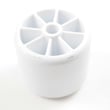
How do I remove the base grille on my Whirlpool refrigerator?
On the Whirlpool WRX735SDBM00 bottom-mount refrigerator, the base grille typically pulls straight forward to release from its mounting clips; if your grille has retaining screws, remove those first, then pull the grille off and lift it away. For the exact clip and screw locations, use the WRX735SDBM00 user manual.
- Unplug the refrigerator (or switch off power at the breaker) for safety.
- Open both fresh food doors for better access.
- Look along the top edge and ends of the base grille for screws.
- If screws are present, remove them and set them aside.
- Grip the grille near both ends and pull straight toward you to pop it off the clips.
- If it feels stuck, pull evenly from both sides; do not twist the grille.
- Confirm the grille is not pinned by the leveling legs or front roller brackets.
- Check for hidden screws at the far left and right ends.
- If the grille has a water line cover section, make sure it is not hooked under the cabinet lip.
- Use a towel or cardboard on the floor to prevent scratches.
Align the ends of the grille with the leveling/roller area, then press firmly until the clips snap into place. Reinstall any screws you removed.
| What you see | What it usually means | What to do |
|---|---|---|
| No screws visible | Clip-on grille | Pull straight forward evenly |
| Screws at ends/top | Screw-retained grille | Remove screws first, then pull |
| Grille won’t release | Clip tension or misalignment | Pull from both ends, check for hidden screws |
Removing the base grille gives you access for routine maintenance like cleaning condenser coils and checking for debris that can restrict airflow and reduce cooling performance.
Last updated: January 2026
What is the most common problem with a Whirlpool refrigerator?
The most common Whirlpool refrigerator issue we see, including on the Whirlpool WRX735SDBM00, is a cooling problem (warm fridge, weak cooling, or temperature swings). In many cases it traces back to airflow restrictions, dirty condenser coils, or a failed fan or defrost-related component; not a sealed-system failure.
- Confirm the temperature settings were not accidentally changed.
- Make sure vents inside the fresh food section are not blocked by food packages.
- Clean the condenser area (dust buildup can raise temperatures and run time).
- Check that doors close fully and gaskets seal all the way around.
- Listen for the evaporator fan: it should run when the compressor is running (door switch may need to be held).
For model-specific operating tips and control settings, use the WRX735SDBM00 manual.
If basic checks do not help, these WRX735SDBM00-COMPATIBLE parts are commonly involved in “not cooling well” complaints:
- Evaporator fan not running or noisy: evaporator motor W11334745
- Frost buildup from a defrost heat issue: refrigerator defrost heater WP12729123
- Temperature sensing drift or erratic readings: refrigerator temperature sensor kit W10316760
- Air not moving from freezer to fridge (warm fresh food, cold freezer): refrigerator damper control assembly WPW10196393
- Intermittent cooling or dead display symptoms: electronic control board (match by exact part ID for your symptom)
| What you notice | Most likely area | What to check |
|---|---|---|
| Freezer cold, fridge warm | Airflow/damper or evaporator fan | Vents, fan sound, damper movement |
| Both sections warm | Condenser airflow or compressor start | Coils, condenser fan area, run time |
| Frost/ice on freezer back wall | Defrost system | Heater circuit, defrost pattern |
| Temps swing up and down | Sensor/control | Sensor placement, error codes |
Cooling problems can spoil food quickly and also force the compressor to run longer than normal, which increases energy use and can accelerate wear on fans, controls, and door gaskets.
Last updated: January 2026
Do you remove cardboard from the bottom of a Whirlpool refrigerator?
For Whirlpool model WRX735SDBM00, we do not recommend removing the cardboard-like panel on the bottom rear area of the refrigerator. That panel is typically a protective air-flow cover for the machine compartment; removing it can expose components and reduce cooling efficiency (or increase noise).
On many bottom-mount and French door refrigerators, the material that looks like cardboard is a factory-installed machine compartment cover (sometimes fiberboard). It is designed to:
- Protect the condenser area, wiring, and fan from dust and damage
- Help direct airflow across the condenser coils for proper heat removal
- Reduce vibration and operating noise
- Keep pets and debris away from moving parts
For model-specific handling and access points, follow the guidance in the WRX735SDBM00 user manual.
It is normal to remove shipping materials, but not permanent covers.
- Remove: tape, foam blocks, plastic film, door spacers, shelf packing
- Remove: cardboard used only as a shipping base or corner protection
- Leave installed: any screwed-on or clipped-on bottom rear cover/panel
- Leave installed: any cover that shields the compressor/condenser fan area
If it is held on with screws and spans the lower back of the unit, treat it as a do-not-remove cover.
If the bottom cover area is loose or you see gaps that could affect airflow, a gasket may be involved. One compatible option for this model is the refrigerator machine compartment cover gasket B5759655.
| What you see | Most likely meaning | What we recommend |
|---|---|---|
| Fiberboard/cardboard panel at lower back | Protective airflow cover | Keep installed |
| Loose panel, rattling, or visible gaps | Cover not secured or gasket issue | Inspect fasteners and sealing surfaces |
| Dust buildup under/behind fridge | Normal maintenance need | Clean coils per manual guidance |
That bottom cover helps the condenser system shed heat. If airflow is disrupted, the refrigerator can run longer, cool poorly, or sound louder.
Last updated: January 2026
What's the average lifespan of a Whirlpool refrigerator?
Most Whirlpool refrigerators, including the Whirlpool WRX735SDBM00 bottom-mount style, commonly last about 10 to 20 years; many owners see around 10 to 15 years depending on use, installation conditions, and maintenance. For model-specific care and cleaning intervals, follow the WRX735SDBM00 user manual.
A refrigerator’s life is usually determined by heat load, airflow, and how hard the sealed system has to work.
- Keeping condenser coils clean so the compressor runs cooler
- Maintaining proper airflow around the cabinet (especially behind and underneath)
- Door gasket condition (air leaks cause longer run times)
- Ice maker and water system upkeep (clogs and leaks create extra wear)
- Stable temperatures (avoid frequent warm-ups from long door openings)
- Vacuum dust from the grille and condenser area regularly
- Confirm doors close and seal fully; clean gasket surfaces with mild soap and water
- Keep vents inside the fresh food section unblocked
- Set temperatures to typical targets (about 37°F fresh food, 0°F freezer)
- Replace water filters on schedule if your unit uses one
Use this simple guide to decide what to do as your WRX735SDBM00 ages.
| If your refrigerator is... | Usually best next step |
|---|---|
| Under ~8 years old | Repair is often worthwhile |
| 8 to 12 years old | Compare repair cost vs. condition |
| Over ~12 to 15 years old | Consider replacement if major sealed-system parts fail |
A refrigerator that’s struggling (dirty coils, weak door seal, airflow issues) runs longer and hotter. That can shorten the life of key components like the compressor and control boards, and it can also increase energy use.
If you’re troubleshooting cooling performance or long run times, these model-compatible parts are often involved:
- Compressor W10233960 (sealed-system component; typically a pro repair)
- Refrigerator run capacitor WPW10350564 (helps the compressor start and run)
- Refrigerator condenser WPW10346415 (heat rejection; airflow and cleanliness matter)
Last updated: January 2026