Owner’s manual
 Error Codes

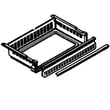
What are the dimensions of the Samsung RF24FSEDBSR?
For the Samsung RF24FSEDBSR bottom-mount refrigerator, most installations need a cabinet opening that fits a unit about 35 3/4 in wide and about 70 in tall; depth varies depending on whether handles and hinges are included. For the exact configuration dimensions, use the RF24FSEDBSR owner's manual.
Common dimension sets you will see
Refrigerator dimensions are usually listed in a few “depth profiles” because hinges and handles change the front-to-back measurement.
- With hinges, handles, and doors: widest real-world footprint for clearance planning
- Without hinges and doors: smallest “box” measurement (useful for moving through doorways)
- With hinges and doors, no handle: helpful when comparing counter-depth feel
- Weight: important for flooring and moving equipment
How to measure your space correctly
Use a tape measure and confirm the opening before ordering trim kits, planning cabinetry, or scheduling delivery.
- Measure width at the front and back of the opening
- Measure height to the lowest overhead cabinet or soffit
- Measure depth from the back wall to the front edge of counters
- Add clearance for door swing and drawer pull-out
- Leave airflow space behind and above as specified in the manual
Quick planning table (what each number is for)
| Measurement listing | What it includes | Best use |
|---|---|---|
| WxHxD with hinges/handles/doors | Full installed footprint | Cabinet fit and clearance |
| WxHxD without hinges/doors | Cabinet “box” only | Moving and tight doorways |
| WxHxD with hinges/doors, no handle | Reduced depth | Counter projection planning |
Why it matters
Getting the right dimensions prevents delivery day surprises, protects door seals from rubbing, and helps the Samsung refrigerator cool efficiently by maintaining proper airflow.
Last updated: February 2026
Why does my Samsung fridge keep freezing up?
Your Samsung RF24FSEDBSR keeps freezing up when warm, humid air gets into the fresh food section or airflow is restricted; moisture then turns to frost and can build into ice. The fastest fixes are improving door sealing, restoring airflow, and correcting temperature settings (see the RF24FSEDBSR owner's manual).
Most common causes (and what to do first)
- Door not sealing: Clean the door gaskets and make sure doors fully close after loading.
- Blocked vents: Keep food packages from covering air vents in the back wall.
- Overpacked shelves: Leave space so the evaporator fan can circulate cold air.
- Temperature set too cold: Raise the fresh food setting 1 to 2 degrees and recheck in 24 hours.
- Frequent door openings: Limit long openings that pull in humid room air.
- High humidity items uncovered: Cover liquids and high-moisture foods.
Quick checks you can do in 10 minutes
- Inspect the gasket for rips, gaps, or sticky residue; wipe with mild soap and warm water, then dry.
- Close a dollar bill in the door; if it slides out easily, the seal needs attention.
- Verify nothing is preventing the door from closing (bins, shelves, tall containers).
- Look for frost concentrated on the back interior panel; that often points to an airflow or defrost issue.
When it points to a part problem
If icing returns quickly after you clear it, a sensor or airflow component can be involved.
| Symptom you see | What it often indicates | Example part for this model |
|---|---|---|
| Temps swing, then frost builds | Temperature sensing issue | Refrigerator temperature sensor DA32-10104N |
| Heavy frost behind rear panel, weak airflow | Evaporator area icing/airflow restriction | Samsung refrigerator fresh food evaporator cover assembly DA97-13757A |
| Fresh food too cold even at normal setting | Damper not regulating airflow | Refrigerator air damper assembly DA97-08430A |
Why it matters
Ice buildup reduces airflow across the evaporator, so the refrigerator can run longer, warm unevenly, and eventually stop cooling properly. Fixing the air leak or airflow restriction early helps protect food and reduces strain on the compressor.
Last updated: February 2026
How do I find the model number on my RF24FSEDBSR?
On your Samsung refrigerator, the model number is printed on the rating label; for RF24FSEDBSR units it is typically inside the fresh food compartment on a side wall or near the ceiling. Use the full model number from that label when ordering parts or checking specs in the owner's manual.
Where to look on the refrigerator
Check these common label locations first:
- Inside the refrigerator section on the left wall near the crisper drawers
- Inside the refrigerator section on the right wall near the front frame
- On the ceiling of the fresh food compartment near the light housing
- Along the door frame (hinge side) when the door is open
- Behind the lower kick plate or near the bottom front edge (less common)
What to write down (and why)
Record the information exactly as shown on the label:
- Model number (example format: RF24FSEDBSR)
- Version or revision code (often shown after the model, such as a suffix)
- Serial number (helps match production run details)
- Electrical ratings (useful for diagnosing control board or compressor issues)
Quick guide: model vs. serial
| Item | What it identifies | When you need it |
|---|---|---|
| Model number | The design and parts family | Ordering the correct shelves, hinges, sensors, ice maker, etc. |
| Serial number | The specific unit built | Verifying exact configuration when parts vary by production run |
Why it matters
Samsung refrigerators can have small part variations by revision. Using the complete model information from the rating label helps ensure you get the correct fit for items like a temperature sensor, ice maker assembly, or door hinge.
Last updated: March 2026