Installation guide
 Owner’s manual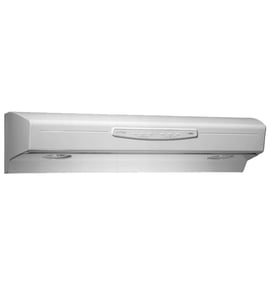



How to find GE range hood model number?
On the GE JVW5361SJ1SS range hood, the model number is printed on a label inside the hood. The label is typically visible when you look up into the hood area (often after removing the grease filter), and it will list both the model and serial number. See the owner's manual for the exact label location callout.
Where to look on the hood
Check these common label locations first:
- Inside the hood canopy, facing downward when you look up into the hood
- Behind or near the grease filter area (remove the filter to improve visibility)
- On an interior side wall of the hood cavity
- Near the wiring or junction box area (do not remove covers unless power is off)
Quick steps to find it fast
- Turn the hood lights on so you can see the interior clearly.
- Remove the grease filter (if your hood has one) and look for a white or silver rating label.
- Write down both the model and serial number; you often need both for parts lookup.
- If the label is greasy, wipe it gently with a damp cloth and a drop of dish soap, then dry.
What the label usually includes
| Label item | What it’s used for |
|---|---|
| Model number (example: JVW5361SJ1SS) | Matching the correct parts list and diagrams |
| Serial number | Identifying production details for service and compatibility |
| Electrical ratings | Confirming power requirements during troubleshooting |
Why it matters
Using the exact model number prevents ordering the wrong GE range hood parts (like a grease filter, light bulb, or electronic control board) and helps ensure the replacement part matches your hood’s wiring and mounting.
Last updated: February 2026
How to order GE appliance parts?
You can order replacement parts for your GE JVW5361SJ1SS range hood by matching your model number and selecting the exact part from the parts list for this model. For correct fit and safe installation, we recommend confirming the part and procedure in the JVW5361SJ1SS owner's manual before you buy.
How we recommend ordering parts for JVW5361SJ1SS
- Confirm the full model number: JVW5361SJ1SS
- Identify the symptom or the part you need (light, fan, controls, filters)
- Match the part by part ID and description (not just by appearance)
- Check whether the part is listed as In Stock or Check Availability
- Review the install steps and wiring notes in the JVW5361SJ1SS installation guide
Common parts customers order for this model
If you are not sure what failed, these are frequent replacement items on range hoods like the JVW5361SJ1SS:
| What you are fixing | Part to check first | What it affects |
|---|---|---|
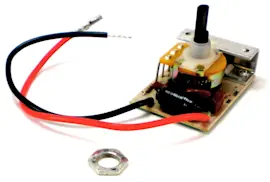
| Hood has no response or acts erratically | Range hood electronic control board WB27X24860 | Buttons, speeds, lights logic |
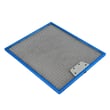
| Poor airflow or greasy buildup | Range hood grease filter WB02X24871 | Airflow and grease capture |
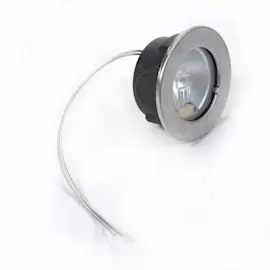
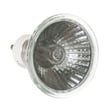
| Lights are out or dim | Range hood light bulb WB25X24863 | Cooktop lighting |
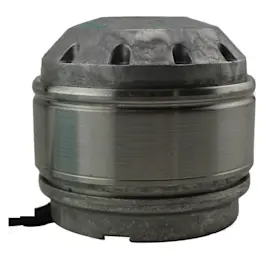
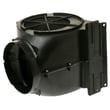
| Fan is loud, weak, or not running | Range hood blower assembly WB26X24861 | Venting performance |
Why it matters
Ordering by the exact JVW5361SJ1SS model and the exact part ID helps prevent fit issues (mounting holes, connectors, and ducting alignment). It also reduces repeat repairs caused by installing a similar looking, but incompatible, control board, filter, or blower.
Last updated: February 2026
What are the parts of a range hood called?
On the GE JVW5361SJ1SS range hood, the main parts are typically called the canopy section (hood body), upper and lower duct covers (chimney pieces), damper, mounting hardware, and filters and lights. The exact names and locations match the component list in the installation guide.
Common range hood part names (and what they do)
- Canopy section: the main hood body that houses the blower and controls
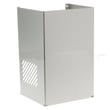
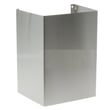
- Upper duct cover and lower duct cover: the decorative chimney pieces that hide ducting or recirculation venting
- Damper: helps prevent backdraft and directs airflow into the duct
- Grease filter: captures grease before it reaches the blower and ductwork
- Lights: illuminate the cooktop area
- Control board or controls: runs fan speeds, lighting, and timing features
Model-specific examples you can order for JVW5361SJ1SS
| Part name (common term) | What it affects | Example part for this model |
|---|---|---|
| Grease filter | Airflow and grease capture | Range hood grease filter WB02X24871 |
| Damper | Venting performance and backdraft control | Damper WB34X30282 |
| Light bulb | Cooktop lighting | Range hood light bulb WB25X24863 |
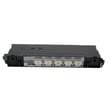
| Control board | Fan and light operation | Range hood electronic control board WB27X24860 |
Why the names matter
Using the correct part name helps you match the right diagram and order the right replacement. For example, “duct cover” usually means the chimney cover pieces, while “damper” is the flap at the exhaust outlet that directly impacts venting.
Quick tips when identifying parts
- Check whether your hood is ducted (vents outside) or recirculating (vents out the sides of the duct cover).
- If airflow is weak, inspect the grease filter first, then the damper for sticking.
- If the fan or lights act erratically, the control board is a common suspect.
- For recirculation setups, charcoal filters may be used on the blower (often sold separately from the hood).
Last updated: February 2026
How to replace GE range hood light socket?
On the GE JVW5361SJ1SS range hood, we replace the light socket by shutting off power, removing the light support/trim, disconnecting the socket wiring, and installing the new socket so the light locks in place. Follow the access steps in the JVW5361SJ1SS owner's manual to avoid damaging the light support.
Before you start (safety and prep)
- Turn the hood light switch off.
- Shut off power at the circuit breaker (not just the wall switch).
- Let the light cool completely before touching it.
- Wear gloves or use a paper towel to handle the bulb (skin oils can shorten bulb life).
- Protect the cooktop with a towel so dropped screws do not chip surfaces.
Light socket replacement steps (typical for this model family)
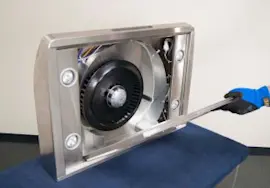
- Remove the bulb and light support: Use a flathead screwdriver to unclip the wire lighting support and gently pull it down.
- Remove the bulb from the socket: Hold the socket and twist the GU-10 bulb counterclockwise to remove.
- Access the socket wiring: With the support lowered, locate the socket leads and connector (or wire nuts, depending on how your hood is wired).
- Disconnect and remove the socket: Release any retaining clip(s) holding the socket in the support, then disconnect the wiring.
- Install the new socket: Seat the socket fully in the support and secure the retaining clip.
- Reconnect wiring and reassemble: Reinstall the light support, install the bulb, then restore power and test.
Quick checks if the new socket still does not work
| What to check | What it tells you |
|---|---|
| Breaker is on and hood has power | Confirms power supply to the hood |
| Bulb is the correct type and seated/locked | Prevents false “bad socket” symptoms |
| Connector is fully seated, no pinched wires | Fixes intermittent or dead light |
| Light switch/control responds normally | Points to control issue if not |
If the lights and fan act erratically or do not respond, the issue can be in the control system; for this model, a common repair path is testing the range hood electronic control board WB27X24860.
Why it matters
A loose socket, overheated connection, or damaged light support can cause flickering, repeated bulb failures, or a dead light. Replacing the socket correctly restores reliable lighting and prevents heat damage to wiring.
Last updated: February 2026