 Installation guide
 Owner’s manual
 Error Codes






How do I clear the error code on my GE dishwasher?
On the GE DDT575SMF8ES dishwasher, we clear many error codes by canceling the current cycle: press and hold Start for 3 seconds so the unit drains and resets. If the code returns right away, troubleshoot the cause (door latch, draining, filling, or a leak) before restarting.
Quick reset steps (most common)
- Press and hold Start for 3 seconds to cancel; the dishwasher should begin to drain.
- Wait for draining to finish, then close the door firmly.
- Start a new cycle and watch for the code to reappear.
- If the dishwasher will not start, confirm the door is fully latched.
For model-specific operating details and button behavior, follow the DDT575SMF8ES installation guide.
If the code comes back: what to check first
Many “error code” situations are caused by a condition the control is detecting. Check these common items:
- Door not latching: make sure the door closes smoothly and latches; inspect the latch area.
- Not draining: check for a kinked drain hose and confirm the disposer plug (if connected to a disposer) is removed.
- Not filling: confirm water supply is on and the inlet line is not restricted.
- Leak detection: look under the unit for water and around the door for rubbing or misalignment.
- Overfill protection: check that the float moves freely and is not blocked by debris.
Parts that commonly relate to “won’t run” or recurring codes
If a physical problem is found, these model-compatible parts are common fixes:
| Symptom you see | Part to inspect | Example part for this model |
|---|---|---|
| Door won’t latch or cycle won’t start | Door latch/lock | GE dishwasher door latch lock WD21X10490 |
| Water in tub, won’t drain | Drain path and drain hose | Dishwasher drain hose WD24X10062 |
| Overfill or fill-related issues | Float and float switch | Dishwasher float switch WD21X10519 |
Why it matters
Clearing the code without fixing the underlying issue usually makes the code return. Canceling the cycle (3-second Start hold) resets the control, but the dishwasher will keep protecting itself if it still detects a drain, fill, latch, or leak problem.
Last updated: January 2026
What is the most common problem with a GE dishwasher?
The most common GE dishwasher problem is a drain issue: water stays in the tub because the filter area, drain hose, or sink connection is restricted. On the GE DDT575SMF8ES, “won’t start” problems are also common and often trace back to the door latch or an electronic control issue; use the DDT575SMF8ES installation guide for safety and access basics.
Most common symptoms and what they usually mean
- Standing water after the cycle: clogged filter area, kinked drain hose, or blocked sink/disposal inlet
- Won’t start or stops quickly: door not fully latched, failed latch switch, or control not sensing a safe start
- Not cleaning well: spray arm ports blocked, low water fill, or circulation problem
- Not drying: heater circuit issue, venting problem, or cycle options not using heat
- Leaks: door seal/tub gasket issue, loose hose connections, or overfill protection triggering
Quick checks we recommend first (fast, no parts)
- Confirm the door closes smoothly and fully latches (misalignment can prevent a proper latch).
- Check the drain path: look for kinks or pinches in the drain hose and confirm the sink connection is clear.
- Inspect spray arms for clogs and remove debris from the sump area.
- Run hot water at the sink before starting a cycle to improve wash performance.
- Look for error indications and match them to GE electronic dishwasher error codes.
Parts that commonly solve these problems on DDT575SMF8ES
| Symptom | Common part to check | What it affects |
|---|---|---|
| Won’t start / won’t run | GE dishwasher door latch lock WD21X10490 | Confirms the door is locked so the control can run |
| Not cleaning well | Dishwasher spray arm, lower WD22X33499 | Wash coverage and water spray pattern |
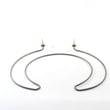
| Not drying / water not heating | Dishwasher heating element WD05X30818 | Water heating and heated drying |
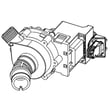
| Poor wash pressure / noisy wash | Dishwasher circulation pump WD26X23258 | Water circulation through spray arms |
Why it matters
Drain and latch problems are the most common because they stop the dishwasher from completing normal wash and drain steps. Catching a restriction early helps prevent odors, poor cleaning, and repeat cycle failures.
Last updated: January 2026
Are all GE dishwashers the same size?
No. GE dishwashers are not all the same size; most built-in models are designed for a standard 24-inch cabinet opening, but height, depth, and clearances vary by model. For GE model DDT575SMF8ES, follow the cutout and clearance specs in the DDT575SMF8ES installation guide.
What sizes GE dishwashers commonly come in
GE offers multiple dishwasher formats, so you should size to the cabinet opening, not just the brand.
- Full-size built-in models typically fit a 24-inch-wide opening
- Compact built-in models are commonly 18 inches wide
- Height is adjustable using leveling legs, but the allowed opening range is model-specific
- Depth and door clearance vary with the door style and surrounding cabinetry
DDT575SMF8ES cabinet opening and clearance requirements
The DDT575SMF8ES installation instructions specify these key fit targets for the enclosure:
- Opening width: approximately 24 inches
- Opening depth: at least 24 inches
- Countertop-to-floor height: 33-1/2 to 34-3/4 inches
- Corner installs: allow 2 inches minimum clearance to adjacent surfaces
- Front clearance for door opening: allow 28-5/8 inches minimum
| Measurement | DDT575SMF8ES target | What it affects |
|---|---|---|
| Opening width | Approx. 24 in. | Slide-in fit and side-to-side leveling |
| Opening height | 33-1/2 to 34-3/4 in. | Ability to level and secure under the counter |
| Front clearance | 28-5/8 in. min. | Door opening without hitting nearby cabinets |
Why it matters
A dishwasher can be “24-inch class” and still not install correctly if the opening height range, toe-kick space, or door swing clearance is wrong. Correct sizing prevents door rubbing, poor leveling, and sealing problems.
Quick sizing checklist before you buy or install
- Measure the opening width at the top, middle, and bottom
- Measure countertop-to-floor height at the front and back of the opening
- Confirm the opening depth is at least 24 inches and the rear wall area is clear of pipes and wiring
- If installing in a corner, confirm the 2-inch side clearance and 28-5/8-inch front clearance
Last updated: January 2026
What is the error code F128 on a GE dishwasher?
On the GE dishwasher model DDT575SMF8ES, “F128” is not a standard consumer-facing error code. When customers see F128, it is usually a diagnostic or display interpretation issue, so the right fix is to confirm the exact code shown and then follow the model’s reset and troubleshooting steps.
Confirm the code before troubleshooting
Because GE dishwashers can show different formats (letters, numbers, or blinking patterns), we recommend verifying what the control is actually indicating.
- Recheck the display for similar-looking characters (for example: F12, 128, 1:28, or “H2O” style messages)
- Note whether it appears during fill, wash, drain, or dry
- Watch for any blinking lights (Start, Clean, or other indicators)
- If the unit beeps, count the beeps and note the pattern
Quick reset steps for DDT575SMF8ES
Try these in order; they resolve many one-time control glitches.
- Press Cancel/Drain to end the cycle
- Turn power off at the breaker for 1 minute, then restore power
- Start a Normal cycle and see if the code returns
What to check if the code returns
If the dishwasher stops mid-cycle or behaves abnormally, these checks target the most common causes.
- Door closure and latch engagement (a loose latch can interrupt operation)
- Water supply is fully on and inlet hose is not kinked
- Drain hose routing is not pinched (especially after installation)
- Signs of a leak or water in the base pan
| What you notice | Most likely area to check | Example part that can be involved |
|---|---|---|
| Stops when door is bumped | Door latch system | GE dishwasher door latch lock WD21X10490 |
| Overfills or won’t fill | Water level sensing | Dishwasher float switch WD21X10519 |
| Poor cleaning, weak spray | Wash circulation | Dishwasher circulation pump WD26X23258 |
Why it matters
Using the correct code definition prevents replacing good parts. Confirming the exact display message and matching it to the DDT575SMF8ES diagnostics gets you to the right system (fill, wash, drain, heat, or control) faster.
Where to find the correct GE code list for this dishwasher
Use the error-code and diagnostics information in the DDT575SMF8ES owner’s manual. For hose routing, leveling, and installation-related checks that can trigger operational problems, use the DDT575SMF8ES installation guide.
Last updated: January 2026





