 Installation guide
 Owner’s manual



Can a clogged drain cause an FTD error?
Yes. On the GE GDF540HMF2ES dishwasher, an FTD (fail to drain) error commonly happens when water cannot pump out due to a clog in the drain path, such as a blocked air gap, disposer connection, filter area, or a kinked drain hose. See the drain and air gap checks in the GDF540HMF2ES owner's manual.
What to check first (fast, common fixes)
- Turn the dishwasher off, then check for standing water in the tub.
- Clean the air gap (if your installation has one); a clogged air gap is a common “won’t drain” cause.
- If the dishwasher drains into a garbage disposer, run the disposer to clear it.
- Confirm the kitchen sink drains normally; a slow sink often points to a plumbing restriction.
- Inspect the drain hose for kinks, crushing, or a low spot that traps debris.
- Clean the filter area in the bottom of the tub so water can reach the pump inlet.
Parts that can be involved
If the drain path is clear but the unit still shows FTD, a failed drain component is a common next step.
| Symptom | Most likely area | Example part for this model |
|---|---|---|
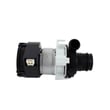
| Hums but won’t drain | Drain pump or blockage at pump inlet | Dishwasher drain pump WD19X25187 |
| Drains slowly | Partial clog in hose or air gap | Drain hose routing per GDF540HMF2ES installation guide |
| Overfills or won’t stop filling | Float/float switch issue | Dishwasher float switch WD21X10519 |
Why it matters
FTD is the dishwasher protecting itself. If water cannot leave the tub, the cycle can stop mid-program, leave dirty water behind, and strain the drain pump.
Last updated: January 2026
How do I reset the error code on my dishwasher?
On the GE GDF540HMF2ES dishwasher, we clear many error conditions by canceling the current cycle: press and hold Start for 5 seconds, then close the door so the unit drains and the cycle light turns off. After that, restart a cycle and see if the code returns. See the GDF540HMF2ES owner’s manual.
Quick reset steps (most effective first)
- Cancel and drain: Press and hold Start for 5 seconds, then close the door; the dishwasher drains and beeps.
- Restart the cycle: Press Start again and close the door within about 10 seconds to begin.
- Power reset (hard reset): Turn the dishwasher off at the breaker for 1 to 5 minutes, then restore power and try a cycle.
- Confirm the door is fully latched: A door that is not latched can prevent a proper restart.
- If the code returns: Use the code to guide the fix (drain, fill, heating, or wash performance issue). The GE electronic dishwasher error codes guide helps match symptoms to likely causes.
What the dishwasher is doing during a “reset”
When you cancel correctly, the dishwasher is not just clearing the display; it is ending the active program and draining water. That is why closing the door after holding Start matters.
| Reset method | What it does | When to use it |
|---|---|---|
| Cancel/drain (hold Start 5 sec) | Ends cycle, drains, turns cycle light off | Most error codes during a cycle |
| Power reset (breaker off 1 to 5 min) | Reboots controls | Glitches, unresponsive keypad |
| Restart cycle (Start + close door) | Begins a new wash program | After cancel/drain or power reset |
If the code keeps coming back
Focus on the system tied to the symptom:
- Not draining: Check the drain hose routing for kinks and confirm the disposer plug is removed (new installs).
- Poor cleaning: Clean filters and check spray arms for clogs; a damaged arm can reduce wash pressure (example: dishwasher spray arm, lower WD22X33499).
- Not drying or heating-related issues: Heating problems can trigger repeat faults; inspect for obvious damage and consider the heater circuit (example: dishwasher heater element WD05X30818).
Why it matters
Resetting clears temporary interruptions, but a repeating error code usually points to a real condition (drain restriction, fill problem, heating issue, or wash pressure loss). Fixing the cause prevents mid-cycle stops and protects wash performance.
Last updated: January 2026
What is the error code F128 on a GE dishwasher?
On the GE GDF540HMF2ES dishwasher, F128 is not a “low rinse aid” code. Low rinse aid is normally shown by a rinse aid light or indicator, not an F-series fault. Treat F128 as an electronic fault code and use GE’s error-code chart to pinpoint the failed system.
What to do when you see F128
- Cancel the cycle and let the dishwasher sit 5 minutes to reset the control.
- Restore power (breaker or wall switch) and start a quick cycle to see if the code returns.
- If the code returns, record when it appears (start, fill, wash, heat, drain).
- Check for obvious issues: door fully latched, standing water, or unusual beeping.
- Use the model’s troubleshooting and error-code references before replacing parts.
Where to look up the meaning for your model
Use these resources in this order:
| Resource | Best for | What you get |
|---|---|---|
| GDF540HMF2ES owner’s manual | Operating issues and basic troubleshooting | Common symptoms, checks, and control behavior |
| GE electronic dishwasher error codes | Decoding electronic fault codes | Code definitions and next diagnostic steps |
Common systems that trigger electronic fault codes
F-series codes on GE dishwashers commonly relate to one of these areas. Start with the symptom you see:
- Heating and drying: water not heating, poor drying, cycle stopping mid-cycle (heater circuit, thermistor, control).
- Filling and water level: not filling, overfilling, or stopping early (float, float switch).
- Draining: water left in the tub, humming during drain (drain hose, drain pump, filters).
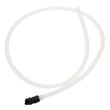
If you have a drain problem along with the code, inspect the drain path and consider the dishwasher drain hose WD24X10062 if the hose is kinked, split, or restricted.
Why it matters
Misreading F128 as “low rinse aid” delays the real fix. Rinse aid affects drying and spotting, but an electronic fault code points to a control-detected problem that can stop a cycle or reduce cleaning performance.
Last updated: January 2026





