 Installation guide
 Owner’s manual







How to hard reset a Kenmore dryer?
To hard reset your Kenmore gas dryer model 11078002012, unplug it (or switch the breaker off) for 5 minutes, then restore power and try a normal cycle. This clears many temporary control glitches and can restore an unresponsive panel or odd cycle behavior.
Hard reset steps (safe, quick)
- Turn the dryer OFF.
- Unplug the power cord (or turn the dryer circuit breaker OFF).
- Wait 5 minutes.
- Restore power.
- Close the door firmly and start a Timed Dry cycle to test.
- If the dryer runs, re-try your preferred cycle.
If the dryer still will not start after a reset
A reset will not fix a failed safety switch, airflow problem, or worn drive parts. Check these common causes next:
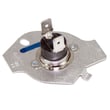
- Door not fully closed or a failed door switch (test the dryer door switch WP3406107)
- Broken belt or a stuck drum (often linked to rollers or idler pulley)
- Overheating from lint buildup in the ducting or exhaust vent
- Moisture sensor bars coated with residue (can cause odd auto-dry behavior)
- Gas heat issues that look like a “reset problem” (igniter or coils)
Quick part-to-symptom guide
| Symptom after reset | Most likely area | Example part for this model |
|---|---|---|
| No start, door feels “fine” | Door switch circuit | Dryer door switch WP3406107 |
| Runs but drum squeals/thumps | Drum support and belt path | Dryer drum support roller WPW10314173 |
| Runs but stops heating mid-cycle | Gas valve coils | Dryer gas valve coil kit 279834 |
Why it matters
Resetting restores the control to a known state, but your dryer still needs proper door-switch operation, correct drum movement, and clear venting. On gas dryers, good airflow is also critical for stable burner operation.
Model-specific notes from the installation guide
Your 11078002012 dryer must be installed with proper venting and leveling; a crushed or kinked vent can cause performance problems that a reset will not solve. For vent connection and leveling details, use the installation guide.
Last updated: February 2026
What model Kenmore dryer do I have?
Your Kenmore dryer’s model number is printed on the model and serial rating plate; on Kenmore model 11078002012, that plate is typically in the door opening (door well). Once you match that number exactly, you can pull the right parts list, specs, and gas type details.
Where to find the model number
Check these common locations on Kenmore dryers:
- In the door opening on the rating plate (often the most common spot)
- On the inside of the door well area near the opening
- On the back panel (less common, but possible)
- On the cabinet frame just inside the front panel
For diagrams and location notes, use the 11078002012 installation guide.
How to read the tag so you get the right parts
Write the model number exactly as shown, including all digits.
- Use the full model number (example: 11078002012, not just “110”)
- Record the serial number too; it helps confirm production details
- If the tag is worn, take a clear photo and zoom in to read it
- Match letters and numbers carefully (0 vs O, 1 vs I)
Quick checklist
| What to capture | Why it matters |
|---|---|
| Model number | Ensures correct Kenmore parts diagrams and compatibility |
| Serial number | Helps confirm the correct version/production run |
| Gas type info on rating plate | Confirms Natural gas vs LP conversion requirements |
Why it matters (especially on a gas dryer)
On a gas dryer like Kenmore 11078002012, the rating plate also lists burner and gas information. That matters for safe installation and correct troubleshooting, including verifying the dryer is set up for the gas type in your home.
If you already have the model number and need help next
Once you confirm the model, common repair parts for this model include wear items like the dryer drum support roller WPW10314173 and dryer idler pulley W10837240 when you’re chasing squeaks, thumps, or a slipping belt.
Last updated: February 2026
What is the code F01 on a Kenmore dryer?
On the Kenmore gas dryer model 11078002012, the F01 (F1) error code points to a problem in the temperature-sensing circuit, most commonly the thermistor or its wiring, which can stop the dryer mid-cycle or prevent proper heating.
What to check first (fast, no tools)
- Unplug the dryer for 2 minutes, then restore power and try a timed dry cycle.
- Clean the lint screen and confirm strong airflow at the outside vent hood.
- Make sure the door closes firmly; a weak door switch can interrupt operation.
- If the code returns quickly, plan to test the sensor circuit and connections.
Likely causes and the most common fixes
In this model family, F01 is usually tied to temperature feedback. Start with the thermistor and its harness connections.
- Thermistor out of range or shorted: consider replacing the dryer thermistor WP8577274.
- Loose or damaged wiring at the thermistor or control: reseat connectors; repair any burnt or broken terminals.
- Poor airflow causing overheating and shutdowns: clear vent restrictions and crushed ducting.
- Intermittent heat on a gas dryer: if the burner lights then quits, the dryer gas valve coil kit 279834 is a common fix.
Quick symptom-to-part guide
| What you notice | What it usually means | Part to consider |
|---|---|---|
| F01 appears early in the cycle | Sensor circuit fault | Dryer thermistor WP8577274 |
| Dryer runs but heat cuts in and out | Gas valve coils weakening | Dryer gas valve coil kit 279834 |
| Long dry times, very hot cabinet | Venting restriction | Check venting per installation guide |
Why it matters
The thermistor helps the control regulate drum temperature. When the control cannot trust that signal, it may stop the cycle to prevent overheating, poor drying performance, and repeated shutdowns.
Safety notes for this gas dryer
- Disconnect power before accessing internal wiring.
- Follow venting and gas installation requirements in the installation guide; flexible venting that collapses can trap lint and restrict airflow.
Last updated: February 2026









