 Installation guide
 Owner’s manual




How to find model number on Hotpoint dishwasher?
On Hotpoint dishwasher model HDA2100H65WW, the model and serial number are on a label on the tub wall just inside the door. Open the door fully and look along the inner tub wall near the door opening; write the numbers down exactly as shown for parts lookup.
Where to look (fast checklist)
- Open the dishwasher door and look inside the tub (not on the outer door panel).
- Check the tub wall just inside the door opening.
- Look for a rectangular rating label with Model and Serial fields.
- Wipe the label gently if it is cloudy from detergent film.
- Copy the full model number, including all letters and numbers (example: HDA2100H65WW).
What the label typically shows
| Label field | What it’s used for | Why we need it |
|---|---|---|
| Model number | Identifies the exact dishwasher design | Ensures diagrams and parts match your unit |
| Serial number | Identifies production run details | Helps confirm compatible revisions when ordering |
Why it matters
Hotpoint dishwashers can look similar across multiple model families, but parts like the timer, door switch, racks, and pump assemblies can vary by model. Using the exact model number helps us match the correct replacement part the first time.
Tips if the label is hard to read
- Take a clear photo with your phone and zoom in.
- Use a flashlight from the side to reduce glare.
- If the label is worn, copy every character you can and compare it to the format shown in the HDA2100H65WW owner’s manual.
Last updated: February 2026
Why is my Hotpoint dishwasher leaking underneath?
A Hotpoint HDA2100H65WW dishwasher that leaks underneath is usually leaking from a loose water connection, a drain leak during pump-out, or water escaping the tub area because the dishwasher is not level or is rubbing adjacent cabinets. We focus first on leveling, mounting, and checking for leaks during fill and drain.
Quick checks we recommend first
- Turn off power at the breaker before inspecting wiring or components under the unit.
- Pull the dishwasher out slightly and look for wet spots at the water inlet, pump area, and drain hose routing.
- Verify the dishwasher is level; racks should stay put when pulled halfway out.
- Confirm the door closes without hitting the tub opening or nearby cabinets.
- Run a short cycle and watch for leaks during fill and again during drain.
Most common causes (and what to do)
| What you see | Most likely cause | What to check next |
|---|---|---|
| Water appears early in the cycle | Loose fill connection or inlet area seep | Tighten fittings; check for drips while filling |
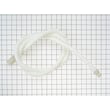
| Water appears when it starts draining | Drain line leak or hose issue | Inspect the dishwasher drain hose WD24X10014 for cracks, loose clamps, or rubbing |
| Water near the front or corners | Door alignment issue from poor leveling or cabinet interference | Re-level and re-center the dishwasher in the opening |
| Sudsy water on the floor | Wrong detergent creating excess suds | Use only automatic dishwasher detergent (never hand dish soap) |
Leveling and mounting matter more than most people think
If the dishwasher is not centered or level, the door can rub adjacent cabinets and allow water to escape around the door area. The installation instructions also call out that interference with cabinets or the countertop can cause leaks and damage; correcting the position often stops “mystery” leaks underneath. Use the HDA2100H65WW installation guide to follow the leveling and fastening steps.
Why it matters
A small drip underneath can quickly damage flooring and cabinets, and it can also point to a drain or fill leak that gets worse under pump pressure. Catching whether it leaks on fill versus drain narrows the repair fast.
Last updated: February 2026
What is the red S on my Hotpoint dishwasher?
The red S light on your Hotpoint dishwasher (model HDA2100H65WW) is the dishwasher salt indicator. When it’s on, the dishwasher’s salt level is low; when it blinks, the salt is empty and it’s time to refill the salt reservoir (used for the water softener system). See the HDA2100H65WW owner’s manual for your control-panel symbol key.
What to do when the S light is on
- Refill the dishwasher salt reservoir with dishwasher salt (not table salt).
- Wipe up any spilled salt or brine in the tub area to help prevent corrosion.
- Run a rinse cycle or a short cycle after refilling if salt spilled.
- If the light stays on after refilling, restart the next cycle and recheck after a wash.
- If you do not use a water softener function in your area, keep the reservoir filled anyway so the indicator stays off.
Quick guide: solid vs blinking S light
| S light behavior | What it usually means | What we recommend |
|---|---|---|
| Solid red S | Salt is low | Top off the salt reservoir |
| Blinking red S | Salt is empty | Refill fully, then run a cycle |
Why it matters
Dishwasher salt supports the water-softening process that helps reduce mineral buildup and spotting. Keeping the salt reservoir filled helps your Hotpoint dishwasher clean more consistently, especially in hard-water areas.
Last updated: February 2026
Can you reset a Hotpoint dishwasher?
Yes. On the Hotpoint HDA2100H65WW dishwasher, you can reset the control by canceling the current cycle using the START/RESET or RESET function; the dishwasher will drain, shut off, and return to a ready state so you can start a new cycle (see the HDA2100H65WW owner's manual).
Quick reset methods (most common)
- Electronic controls: press START/RESET once to start, press START/RESET a second time to pump out and turn off.
- Timer (dial) models: touch RESET to cancel options.
- If the START light is flashing after canceling: wait for the unit to finish draining and resetting before restarting.
- If the CLEAN light is flashing with beeping: press START/RESET to stop the beeper; restart the cycle after the unit attempts to reset.
- If a control error repeats: turn off power at the circuit breaker for 30 seconds, then restore power and try again.
What a “reset” does (and does not do)
| Action | What it accomplishes | What you should expect |
|---|---|---|
| START/RESET (2nd press) | Cancels the cycle and drains | Pump runs briefly, then unit turns off |
| RESET (timer models) | Cancels selected options | Options clear; cycle selection may need to be set again |
| Breaker off 30 seconds | Reboots the control after an error | Lights return to default or last-used settings |
Safety note for installation-related trips
Some installations include a Current Sensing Module (CSM) behind the toe-kick. If it trips during shipping, it can be reset during installation; if it trips after the dishwasher is installed and energized, service is required (see the HDA2100H65WW installation guide).
Why it matters
Resetting correctly prevents repeated beeping, clears many temporary control glitches, and ensures the dishwasher drains before you restart. That protects the pump and helps avoid standing water and odor.
Last updated: February 2026





