 Installation guide
 Owner’s manual
 Error Codes






How do I get my Kenmore Elite dishwasher out of lock mode?
To take your Kenmore Elite dishwasher model 66514793N512 out of lock mode, press and hold SANI RINSE for 3 seconds until the Locked light turns off. If the controls do not respond, wake the panel first, then try the 3-second hold again (see the 66514793N512 owner's manual).
Steps to unlock Control Lock
- Press START/RESUME or CANCEL/DRAIN once to wake the control (Sleep mode can prevent unlocking).
- Press and hold SANI RINSE for 3 seconds.
- Confirm the Locked indicator light turns off.
- If you press a button while locked, the Locked light typically flashes.
- Close the door and start a cycle normally.
If it still will not unlock
These checks solve most “stuck in lock mode” complaints on Kenmore 665-series dishwashers.
- Make sure the door is fully closed and latched.
- Press CANCEL/DRAIN, wait a moment, then try the SANI RINSE 3-second hold again.
- Power-cycle the dishwasher (turn off the breaker for 1 minute, then restore power) and retry.
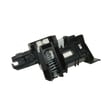
- If the door will not latch consistently, inspect the latch for damage or looseness; a failing latch can make the control act unpredictably (see dishwasher door latch WPW10653840).
What the lock does (and does not do)
| Feature | What to expect on 66514793N512 |
|---|---|
| Buttons | Disabled when Locked is lit |
| Door | Can still open and close |
| Starting a cycle | Dishwasher will not start while locked |
Why it matters
Control Lock prevents accidental button presses between cycles, especially when cleaning the console or when kids bump the controls. Unlocking restores normal cycle selection, Delay Hours, and Start/Resume operation.
Last updated: January 2026
How to hard reset a Kenmore dishwasher?
For Kenmore Elite dishwasher model 66514793N512, a “hard reset” is typically done by resetting the control: press START/RESUME, then press and hold CANCEL/DRAIN twice to clear the current cycle so you can restart fresh (see the 66514793N512 owner's manual).
Control reset steps (most effective “hard reset”)
- Open the door slightly to stop the cycle; wait for spraying to stop.
- Press START/RESUME.
- Press and hold CANCEL/DRAIN twice to reset the control.
- Select your new cycle and options.
- Press START/RESUME and close the door within 3 seconds.
If the dishwasher is unresponsive
Try these quick checks before assuming a control failure:
- Make sure the door is fully latched; the cycle will not start if the door is not closed within 3 seconds after pressing START/RESUME.
- Run a cancel and drain; if water is in the tub, let it drain completely.
- Check the house breaker or GFCI outlet; restore power if it tripped.
- If the unit is installed recently, confirm power is connected correctly using the 66514793N512 installation guide.
What “reset” method should I use?
| Situation | Best action | What it does |
|---|---|---|
| Wrong cycle or options selected | Control reset (CANCEL/DRAIN twice) | Clears the cycle so you can restart |
| Water left in bottom | Cancel and drain | Pumps water out, then stops |
| Buttons seem dead | Power check (breaker/GFCI) | Restores power to the control |
Why it matters
Resetting the control the right way prevents partial cycles, standing water, and “won’t start” symptoms caused by an interrupted cycle or an unlatched door. It also helps you avoid replacing parts like the electronic control when the issue is simply a cycle that needs to be cleared.
Last updated: January 2026
What is the code F2E2 on a Kenmore Elite dishwasher?
On a Kenmore Elite dishwasher like model 66514793N512, error code F2E2 points to a communication problem between the user interface (console) and the main electronic control. This often shows up as unresponsive buttons, beeping, or a cycle that will not start.
What to try first (safe, no tools)
- Press Cancel/Drain and wait for the drain to finish.
- Turn power off at the breaker for 1 minute, then restore power.
- Make sure the door closes and latches firmly; a poor latch can mimic control issues.
- If the keypad is acting “stuck,” wipe the console area dry and try again.
- Run a quick test cycle per the 66514793N512 owner’s manual to confirm the code returns.
What usually causes F2E2
F2E2 is most commonly triggered by one of these conditions:
- Moisture or contamination at the console/keypad connection
- Loose or damaged wiring between the console and control board
- Failed user interface (console) electronics
- Failed main electronic control
Quick symptom-to-cause guide
| What you notice | Most likely area to check | Typical next step |
|---|---|---|
| Buttons do not respond | Console/user interface | Inspect console connection; replace console if needed |
| Random beeping or lights | Console or control | Power reset; check harness seating |
| Unit will not start but has power | Door latch or UI/control | Verify latch operation; then UI/control diagnostics |
Why it matters
When the user interface and main control cannot “talk” reliably, the dishwasher may stop mid-cycle or refuse to start to prevent improper heating, draining, or wash motor operation. Fixing the communication fault restores normal cycle selection and operation.
Related help
For model-family code definitions and troubleshooting flow, use our Kenmore 665 model dishwasher error codes reference.
Last updated: January 2026










