 Owner’s manual
 Error Codes




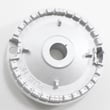
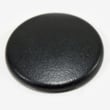
How to reset Samsung gas oven?
To reset your Samsung NX58R9421ST gas oven, press OFF/CLEAR to stop the current cycle, then restart the oven. If the control is still acting up or an information code returns, shut off power to the range for at least 30 seconds at the breaker, then restore power and try again (see the NX58R9421ST owner's manual).
- Cancel and restart: Press OFF/CLEAR, wait a few seconds, then set Bake or Broil again.
- Power reset: Turn the range circuit breaker OFF for 30 seconds, then turn it back ON.
- Clear a door lock condition: If the display shows a Lock icon and the oven will not light, hold the oven door open and press START/SET for 3 seconds to turn the lock off.
- Wi-Fi related behavior: If Smart Control features are not responding, re-enable Smart Control from the control panel and reconnect in the SmartThings app.
A reset helps when the control needs to be restarted, but it will not fix a failed heating or sensing part. These checks narrow it down:
- Confirm the range is fully plugged into a live, properly grounded outlet.
- If surface burners light but the oven does not, check for the Lock icon and turn door lock off.
- If the oven temperature is erratic or you get a sensor-related code, inspect the sensor circuit and consider replacing the sensor.
- If you smell gas but the burner will not ignite, the igniter or gas valve circuit may be the issue.
| Symptom | Most likely area | Common next step |
|---|---|---|
| Beeping with an information code | Control or sensor feedback | Press OFF/CLEAR, then power reset 30 seconds |
| Oven will not ignite, Lock icon on | Door lock feature | Hold door open, press START/SET 3 seconds |
| Temperature seems wrong | Oven temperature sensor | Test/replace Samsung range oven temperature sensor DG32-00002B |
| No ignition glow/click in oven | Ignition system | Inspect/replace Samsung range bake igniter DG94-01012A |
Resetting the control clears temporary logic faults and safely stops a stuck cooking cycle. If an information code returns after a power reset, it usually points to a component issue (like the oven temperature sensor, igniter, or control) that needs troubleshooting rather than repeated resets.
Last updated: January 2026
How to tell if oven thermostat is broken Samsung?
If your Samsung slide-in gas range model NX58R9421ST won’t hold the set temperature (consistently too hot or too cold), the most reliable check is comparing the oven’s actual temperature to the set temperature with an oven thermometer after a full preheat; a large, repeatable difference points to a sensing or control issue.
- Confirm you are testing Bake, not Broil.
- Preheat fully, then wait an additional 15 to 20 minutes for temperature to stabilize.
- Avoid opening the door during the test; door openings can drop temperature quickly.
- Check whether the range needs a temperature adjustment (calibration) as described in the NX58R9421ST manual.
- If the control is beeping and showing an information code, clear it and retry; if it returns, follow the information-code steps in the manual.
- Place an oven-safe thermometer in the center of the middle rack.
- Set the oven to 350°F.
- After preheat, let it cycle for 20 to 30 minutes.
- Record several readings as the burner cycles on and off.
| What you see | Most likely cause | What to do next |
|---|---|---|
| Off by 10 to 25°F | Normal cycling range | Keep monitoring; use recipe adjustments if needed |
| Off by 25 to 50°F repeatedly | Calibration needed or sensor drifting | Try the temperature adjustment in the manual |
| Off by 50°F+ repeatedly, or swings wildly | Temperature sensor, igniter, or control issue | Troubleshoot sensor and ignition components |
On NX58R9421ST, a “bad thermostat” complaint is often tied to the oven temperature sensor or ignition performance.
- Samsung range oven temperature sensor DG32-00002B: If the sensor is out of range, the control can misread oven temperature.
- Samsung range bake igniter DG94-01012A: A weak igniter can delay ignition and cause long heat-up times and poor temperature recovery.
- Wiring/connectors: Heat damage or a loose connection can create intermittent readings.
Accurate oven temperature affects baking results, preheat time, and safety shutoffs. If the oven is overheating or showing sensor-related codes, addressing the sensor/ignition path prevents repeated errors and uneven cooking.
Last updated: January 2026
Why is one of my gas stove burners not working?
On your Samsung NX58R9421ST slide-in gas range, a single surface burner usually stops working because the burner cap or base is misaligned, the burner ports are clogged, or the igniter is not sparking. Start by reseating the cap and cleaning and drying the burner parts, then try lighting again.
- Turn the knob to LITE and listen for clicking; if ignition fails, turn the knob OFF and wait for gas to dissipate before retrying.
- Make sure the burner cap is properly in place and the burner sits level.
- Remove the cap and burner head and clean clogged ports (grease, boil-overs), then dry completely before reassembling.
- Wipe the igniter electrode tip gently; residue can prevent a strong spark.
- Confirm the range has power (spark ignition needs electricity); check the outlet, breaker, or fuse.
| Symptom | Likely cause | What to do next |
|---|---|---|
| No clicking/sparking on that burner | No power to ignition system or wiring issue at that burner | Verify outlet and breaker; inspect for loose connections under the cooktop |
| Clicking but no flame | Cap/head misaligned, clogged ports, or gas not reaching that burner | Reseat cap/head; clean ports; confirm gas supply is on |
| Flame is weak, uneven, or yellow | Dirty burner parts or incorrect gas setup (LP vs natural gas) | Clean and reassemble; have gas type/orifice setup checked |
| Clicking continues after it lights | Knob left on LITE or ignition issue | Turn knob to a heat setting; if it still clicks, service is needed |
If cleaning and reseating do not restore ignition, these are common replacement parts for this model:
A burner that does not light can allow gas to build up if the knob is left on. Correct cap placement, using the LITE position properly, and letting cleaned burner parts dry fully helps restore safe, consistent ignition.
For model-specific operating and troubleshooting steps, follow the NX58R9421ST manual.
Last updated: January 2026




