Owner’s manual
 Error Codes





What's the average lifespan of a Whirlpool refrigerator?
Most Whirlpool refrigerators, including bottom-mount models like GB9FHDXWQ04, typically last 10 to 15 years with normal use and basic maintenance. With strong airflow around the cabinet, clean coils, and good door sealing, it’s common to see service life reach 15 to 20 years.
Typical lifespan ranges (what we see most often)
- 10 to 15 years: common average for many Whirlpool refrigerators
- 15 to 20 years: achievable with consistent cleaning and stable temperatures
- 8 to 12 years: more likely with heavy use, poor ventilation, or frequent power issues
| What affects lifespan most | What to do | How often |
|---|---|---|
| Dirty condenser area | Vacuum dust from the condenser area and grille | Every 6 to 12 months |
| Warm air leaks at doors | Keep gaskets clean and doors aligned | Monthly quick check |
| Fan and airflow problems | Listen for unusual fan noise; keep vents clear | Ongoing |
| Electrical stress | Use a properly grounded outlet; avoid extension cords | Always |
Maintenance that adds years (and prevents common failures)
- Keep the condenser area clean so the compressor runs cooler and less often.
- Make sure food packages do not block interior air vents.
- Keep door gaskets clean and fully sealing; a poor seal forces longer run times.
- Set stable temps: 37°F for fresh food and 0°F for freezer (typical targets).
- Address new noises early; a failing fan can reduce cooling and overwork the compressor.
Why it matters
A refrigerator’s lifespan is mostly about run time and heat. When airflow is restricted or doors leak, the compressor and fans run longer, which increases wear on key components like the control board, evaporator fan motor, and condenser fan motor.
Helpful resources for Whirlpool refrigerator care
For model-specific operating and care guidance, use the owner's manual. If you’re troubleshooting performance issues that can shorten lifespan (warm temps, beeping, flashing lights), use our Whirlpool refrigerator error codes guide.
Last updated: February 2026
Do you remove cardboard from the bottom of a Whirlpool refrigerator?
No. On a Whirlpool GB9FHDXWQ04 bottom-mount refrigerator, the cardboard-like panel at the bottom rear is a protective cover and airflow guide for the condenser area; we leave it in place during normal use.
What that bottom panel does
That cover is there for performance and protection:
- Helps direct airflow across the condenser coils
- Protects wiring and moving parts near the compressor area
- Reduces the chance of debris getting into the condenser fan area
- Helps keep the refrigerator running efficiently
When it is OK to remove it
We only remove the bottom rear cover temporarily for service tasks, then reinstall it.
Common examples:
- Cleaning dust from the condenser area
- Inspecting the condenser fan motor
- Checking for a water leak near the drain pan
- Diagnosing a no-cool or warm refrigerator complaint
For model-specific access steps and safety notes, follow the owner's manual.
Quick check: cardboard packaging vs. installed cover
| What you see | Where it is | What to do |
|---|---|---|
| Loose cardboard, foam blocks, tape | Around shelves, drawers, doors | Remove and discard (packaging) |
| Flat panel attached with screws/clips | Bottom rear of cabinet | Keep installed (service cover) |
| Thin sheet under the unit used for shipping | Under the base, not fastened | Remove if it is clearly loose packaging |
Why it matters
If that cover is missing or left off after cleaning, airflow can be disrupted. That can raise compressor run time, reduce cooling performance, and contribute to overheating in the condenser area.
Related parts that can be involved in bottom-rear airflow issues
If you are troubleshooting poor cooling or unusual fan noise, these model-compatible parts are commonly involved:
- Refrigerator condenser fan motor W11613295
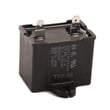
- Refrigerator run capacitor WPW10662129
- Start device WP2320150
Last updated: February 2026
What is the most common problem with Whirlpool refrigerators?
The most common Whirlpool refrigerator problem is a cooling complaint (warm fridge, warm freezer, or temperature swings). On Whirlpool GB9FHDXWQ04 bottom-mount models, the usual causes are restricted airflow from dirty condenser coils, evaporator fan issues, or defrost and drain problems; our GB9FHDXWQ04 owner's manual covers normal operation and basic checks.
Most common symptoms we see
- Refrigerator section is warm but freezer seems closer to normal
- Freezer is warm and ice cream is soft
- Unit runs constantly or cycles too often
- Clicking, buzzing, or rattling noises
- Frost buildup on the back wall of the freezer
- Water puddles inside the fridge or under the unit
Quick checks that fix many cooling problems
- Clean the condenser coils (dust buildup is a top airflow killer).
- Confirm the doors seal tightly and nothing is holding them open.
- Set temperatures correctly and give the unit 24 hours to stabilize.
- Check vents inside the refrigerator and freezer; do not block them with food packages.
- Look for frost patterns on the freezer back panel (heavy frost points to a defrost issue).
Parts that commonly relate to cooling and noise
If basic checks do not help, these model-compatible parts are often involved:
| What you notice | Common suspect | Example part for GB9FHDXWQ04 |
|---|---|---|
| Warm fridge, weak airflow | Evaporator fan system | Refrigerator evaporator motor W11024089 or refrigerator evaporator fan blade WP2169142 |
| Warm temps, compressor struggles to start | Start components | Start device WP2320150 or refrigerator run capacitor WPW10662129 |
| Warm temps, poor heat release | Condenser fan | Refrigerator condenser fan motor W11613295 |
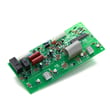
| Temperature swings or odd behavior | Electronic control | Refrigerator electronic control WPW10503278 |
Why it matters
Cooling problems can spoil food quickly and make the compressor run longer than it should. Starting with airflow and sealing checks prevents unnecessary part replacement and helps you pinpoint whether the issue is maintenance-related or a failed component.
Helpful DIY resources
- Use Whirlpool refrigerator error codes if your control is showing a fault code or flashing pattern.
- If airflow seems weak in the fresh food section, follow how to fix your evaporator cooling fan to narrow down fan, frost, and wiring issues.
Last updated: February 2026
How do I remove the base grille on my Whirlpool refrigerator?
On your Whirlpool GB9FHDXWQ04 bottom-mount refrigerator, the base grille (toe grille) usually releases from front-mounted clips. Pull from both ends to pop the clips free, then lift the grille away; reinstall by aligning it with the leveling-leg area and snapping it back in.
Steps to remove the base grille
- Open the refrigerator doors for easier access.
- If you will be cleaning near wiring or the condenser fan area, unplug the refrigerator.
- Look along the top edge and both ends of the grille for screws.
- If screws are present, remove them first.
- Grip the grille at the left and right ends.
- Pull straight toward you to release the retaining clips, then lift the grille off.
If the grille will not come off
- Pull from the ends, not the center (the center flexes and keeps clips engaged).
- Rock the grille gently side to side while pulling forward.
- Clear dust, pet hair, or debris along the bottom edge that can bind the grille.
- If the grille is blocked by the floor, raise the front slightly using the leveling legs, then try again.
Reinstalling the base grille
- Align the grille ends with the cabinet and leveling-leg openings.
- Press the ends in first, then press across the front until it snaps into place.
- Reinstall any screws snugly (do not overtighten).
Why it matters
Removing the base grille gives access to the condenser area and leveling legs. Keeping that area clean helps airflow, supports steady cooling, and can reduce compressor run time.
| What you see | Most likely attachment | What to do |
|---|---|---|
| No visible screws | Snap-in clips | Pull forward from both ends |
| Screws at ends | Screws plus clips | Remove screws, then pull forward |
For model-specific illustrations and fastener locations, follow the cabinet and grille details in the GB9FHDXWQ04 owner's manual.
Last updated: February 2026