 Owner’s manual


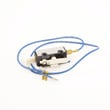
How do I know if my Kenmore dryer thermal fuse is blown?
On Kenmore Elite dryer model 11077062600, a blown thermal fuse commonly shows up as a dryer that will not start, or a dryer that runs but has no heat. The sure way to know is to unplug the dryer and test the fuse for continuity with a multimeter.
- Dryer will not run at all (no motor, no tumble)
- Dryer tumbles but produces no heat (gas models can still tumble with a heat circuit problem)
- Cycle starts and stops quickly, or heat drops out during the cycle
- You recently had poor airflow (clogged lint screen, crushed vent, long vent run)
- Unplug the dryer (or disconnect power). Our 11077062600 owner's manual emphasizes using a grounded outlet and avoiding extension cords; for service checks, power must be off.
- Access the thermal fuse (location varies by design; commonly on the blower housing or exhaust duct).
- Pull the wire connectors off the fuse terminals.
- Set a multimeter to continuity or the lowest ohms setting.
- Touch a probe to each terminal.
| Meter result | What it means | What to do next |
|---|---|---|
| Beep or near 0 ohms | Fuse is good | Keep troubleshooting heat or no-start causes |
| No beep or OL/infinite | Fuse is blown | Replace the fuse and correct the airflow problem |
If the fuse tests blown, replacement is typically paired with fixing the overheating cause.
- Dryer thermal fuse WP3390719 (common no-start or no-heat safety fuse)
- Venting and lint screen cleaning (restricted airflow is the most common reason fuses open)
- If you still have no heat after airflow is corrected, gas ignition parts can also be involved (for example, igniter or coils)
The thermal fuse is a one-time safety device. If we replace it without correcting the overheating cause (usually airflow), the new fuse can blow again quickly.
Last updated: February 2026
What are the codes for Kenmore Elite dryer?
On the Kenmore Elite dryer model 11077062600, the display can show PF for a power interruption and F-type service codes (such as F01, F02, F20) that indicate a control or sensor related fault that typically needs service-level diagnosis. For code definitions and reset steps, use the 11077062600 owner's manual.
- PF (power failure): Press and hold START to restart the cycle after power is restored.
- F01: Main electronic control board fault.
- F02: Keypad or user interface fault.
- F20: Heater relay fault.
- F22 / F23: Outlet thermistor fault.
- F24 / F25: Inlet thermistor fault.
- Reset power: unplug the dryer (or switch the breaker off) for 1 minute, then restore power.
- Confirm the dryer is on a dedicated, properly grounded outlet and the breaker is not tripping.
- If the drum turns but there is no heat, check the house fuse or breaker first.
- If the dryer vibrates or is noisy, verify it is level and all legs are installed.
- For recurring F codes, document the exact code and when it appears (start of cycle, during heat, end of cycle).
| Code type | What it points to | Typical next step |
|---|---|---|
| PF | Power interruption during a cycle | Restart cycle; check power supply stability |
| Fxx | Component or control fault (UI, control board, heater relay, thermistor circuit) | Use diagnostics in the manual; service-level testing |
Error codes help narrow the problem fast. PF is often a simple restart, while F codes usually indicate an electrical or sensor issue that can affect heating, cycle completion, and safety shutoffs.
For a broader list of Kenmore Elite code families and symptoms, use Kenmore elite dryer error codes.
Last updated: February 2026
What does F40 mean on a Kenmore Elite dryer?
On Kenmore Elite dryer model 11077062600, an F40 code points to an electrical control problem (a service-type fault), most often tied to a wiring/communication issue or an overheating-related shutdown that needs troubleshooting before the dryer is used again. Check the steps in the 11077062600 owner's manual.
- Unplug the dryer (or switch off the breaker) for 2 minutes, then restore power and try a cycle.
- Confirm the dryer door closes firmly and you press and hold Start for 2 to 5 seconds (large loads can require a longer press).
- Check the house breaker or fuse; reset/replace if tripped or blown.
- Clean the lint screen and make sure airflow is strong at the outside vent hood.
- If the dryer runs but stops and shows codes after getting hot, treat it like an overheating/airflow problem first.
If the dryer overheats, it can trip safety devices and create repeat failures until the venting issue is fixed.
| Symptom you notice | Common related part | What it does |
|---|---|---|
| Dryer won’t run after overheating | Dryer thermal fuse WP3390719 | Safety fuse that opens if temperatures get unsafe |
| Cycles end early or heat seems erratic | Dryer thermistor WP8577274 | Senses temperature for the control |
| Auto-dry not working well | Dryer moisture sensor WP3387223 | Helps the control detect dryness |
An F40 is a control-level fault; continuing to run the dryer with poor airflow or a failing safety device can cause repeated shutdowns and no-heat or no-run symptoms. Fixing vent restriction and verifying key safety parts prevents repeat failures.
If the display shows other “F” codes (F1, F2, F20, etc.) or the code returns immediately after power reset, use our Kenmore elite dryer error codes reference to narrow the exact failure path before replacing parts.
Last updated: February 2026
How to hard reset a Kenmore dryer?
To hard reset your Kenmore Elite dryer model 11077062600, unplug the power cord (or switch the breaker off) for 1 minute, then restore power and start a new cycle. This clears many control glitches and restores normal Start/Stop behavior; use the 11077062600 owner's manual for model-specific operating steps.
- Press STOP/CANCEL twice to end any active cycle.
- Unplug the dryer (or turn the circuit breaker OFF).
- Wait 60 seconds.
- Restore power.
- Close the door and press START (some loads require holding START for 2 to 5 seconds).
These checks fix the most common “dead” or unresponsive dryer symptoms.
- Confirm the door is fully closed and latched.
- Check the house breaker or fuse; reset/replace if tripped or blown.
- If the dryer runs but has no heat, inspect airflow and lint buildup first.
- If the dryer will not run at all, a blown thermal fuse is common; the dryer thermal fuse WP3390719 is a frequent replacement part on this platform.
- If the drum light is out, replace the bulb with the correct appliance bulb; see the 11077062600 owner's manual for the safe bulb-change steps.
A hard reset removes power from the electronic control so it can reboot. It does not repair a failed door switch, thermal fuse, motor, or gas ignition component.
| Symptom after reset | Most likely area to check | Typical next step |
|---|---|---|
| No lights, no response | Power supply | Check breaker, outlet, cord |
| Lights on, will not start | Door/Start input, safety circuit | Close door firmly; hold START 2 to 5 seconds |
| Runs but no heat | Airflow or heating system | Clean venting; then test heat components |
Resetting first prevents unnecessary part replacement and helps you separate a temporary control lockup from a real failure in the safety circuit (like a thermal fuse) or a heating issue.
Last updated: February 2026
How much does it cost to replace a heating element in a Kenmore dryer?
For a Kenmore Elite dryer like model 11077062600, replacing a heating element typically runs about $150 to $400 total when you include the part and labor. If you do it yourself, the part cost is usually about $30 to $150, depending on whether you buy the element alone or a complete heater housing assembly.
- DIY part only: $30 to $150
- Service call / diagnostic (if used): $75 to $125
- Labor (typical): $75 to $200
- Total professional repair (common range): $150 to $400
| Repair approach | What you pay for | Typical total |
|---|---|---|
| DIY replacement | Heating element (and any related parts) | $30 to $150 |
| Pro repair | Part + labor (often includes a trip/diagnostic fee) | $150 to $400 |
- Element style: bare element vs. heater assembly with housing
- What caused the failure: restricted venting can overheat the heater and blow safety devices
- Extra parts needed: thermal fuse, thermal cut-off, or wiring repairs
- Access time: some dryers require more disassembly to reach the heater
A “no heat” complaint is often tied to airflow or a safety device opening. We recommend these checks first:
- Clean the lint screen and confirm strong airflow at the outside vent hood
- Inspect and clear the full vent run (crushed flex duct is a common issue)
- Check for a blown thermal fuse such as the dryer thermal fuse WP3390719
- If the dryer is gas, confirm ignition components are working (igniter, coils, radiant sensor)
- Use the troubleshooting steps in the 11077062600 owner’s manual
A new heating element can fail early if the dryer is overheating from poor venting or if a safety fuse is open. Fixing airflow and any blown safety parts at the same time helps restore normal drying times and prevents repeat breakdowns.
Last updated: February 2026
Where is the model number on a Kenmore Elite dryer?
On a Kenmore Elite dryer like model 11077062600, the model number is printed on the model and serial label. You’ll typically find that label in the door opening on the cabinet frame; open the door and check the top, sides, and the inner door area.
- Open the dryer door and inspect the cabinet frame (door opening)
- Check the upper edge of the opening (near the top panel)
- Check the left and right sides of the opening
- Look on the inner surface of the door itself
- If you don’t see it, use the label locations shown in the 11077062600 owner's manual
The label is usually a small sticker or metal plate that lists the model number and serial number. Having the exact model number helps us match the correct Kenmore parts and diagrams, especially for common repairs like a worn belt, noisy drum rollers, or a blown thermal fuse.
| What you’re doing | Why the model number matters |
|---|---|
| Ordering replacement parts | Ensures the part fits your exact dryer configuration |
| Troubleshooting symptoms | Helps narrow down likely causes and correct test steps |
| Checking gas vs. electric details | Confirms the correct heating system and components |
- Write the model number exactly as shown (all digits, no spaces)
- Record the serial number too; it can help confirm production details
- If the label is worn, take a clear photo with good lighting
- Use the model number when selecting parts like the dryer drum belt WP8547157 or dryer thermal fuse WP3390719
Kenmore Elite dryers often share similar styling across multiple model families, but internal components can differ. Using the model number from the label is the fastest way to get the right part the first time.
Last updated: February 2026
What is the capacity of Kenmore model 11077062600?
The Kenmore Elite dryer model 11077062600 is a full-size 110-series style dryer; most models in this family run about 6.5 to 7.4 cu. ft. capacity. For the exact rated capacity for your specific unit, we recommend checking the specifications section in the 11077062600 owner's manual.
Capacity is usually listed in the product specifications, sometimes near the model/serial label details.
- Look for a “Specifications” or “Features” section in the manual
- Check the model/serial tag on the cabinet (often inside the door opening)
- If your manual lists multiple related models, match the exact model number: 11077062600
- If you are comparing dryers, use cu. ft. (not drum diameter) as the capacity measure
These ranges help you estimate load size when the exact spec is not in front of you.
| Dryer type | Typical capacity range | Common load examples |
|---|---|---|
| Compact dryer | 3.4 to 4.4 cu. ft. | Small loads, apartment use |
| Standard full-size dryer | 6.5 to 7.4 cu. ft. | Towels, mixed loads |
| Extra-large dryer | 7.4+ cu. ft. | Bedding, bulky items |
Knowing capacity helps us pick the right cycle and avoid overloading. Overloading reduces airflow, increases dry time, and can contribute to overheating conditions that may open safety devices like a thermal fuse (for example, the dryer thermal fuse WP3390719).
- Fill the drum loosely; items should tumble freely
- Dry heavy items (jeans, towels) separately from lightweight items
- Clean the lint screen before every load (your model uses a lint screen assembly such as the screen W10120998)
- Keep the vent run short and clear to maintain strong airflow
Last updated: February 2026








