

What would cause a tiller to not start?
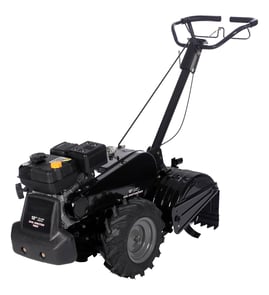
A Troybilt ECONO rear-tine tiller that will not start is usually missing one of three basics: clean fuel delivery, strong ignition spark, or proper air flow and compression. We recommend a quick spark check first, then confirm fuel is reaching the carburetor, and finally verify the choke and air filter.
Quick checks (fastest wins)
- Make sure the engine stop switch is in RUN/ON (if equipped).
- Confirm there is fresh gasoline in the tank (old fuel can prevent starting).
- Set the choke for a cold start; move to RUN after it fires.
- Check the throttle position (some engines need a mid-to-high throttle setting to start).
- Verify the spark plug wire is firmly seated on the plug.
Spark test (most common no-start cause)
- Remove the spark plug, reconnect the wire, and ground the plug threads to bare metal.
- Pull the starter rope and look for a strong blue spark.
- If spark is weak or absent, the likely causes are a bad ignition coil, damaged kill-switch wiring, or incorrect plug gap.
If you find damaged wiring
Use our guide how to repair broken or damaged wires video to repair or replace compromised leads and connectors.
Fuel delivery checks
- Open the fuel cap and try starting; a plugged cap vent can restrict flow.
- Inspect the fuel line for cracks, kinks, or blockage.
- If the plug is dry after repeated pulls, fuel is not getting into the cylinder.
- If the plug is wet or smells strongly of fuel, the engine may be flooded; open the choke, hold throttle open, and pull several times.
Air and mechanical basics
- Clean or replace a dirty air filter (restricted air can cause hard starting).
- If the engine “pops” but will not run, re-check choke setting and fuel freshness.
- If the starter rope pulls unusually easy with little resistance, compression may be low (valve or cylinder issue).
Parts that can contribute to a no-start
| Symptom | Most likely area | What to do |
|---|---|---|
| No spark | Ignition/kill circuit | Test spark, inspect wiring, replace failed ignition parts |
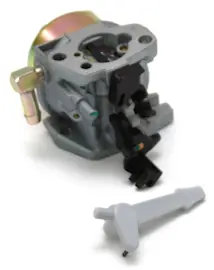
| Dry plug | Fuel supply/carburetion | Check fuel flow, clean carburetor passages |
| Starts then dies | Choke/fuel restriction | Adjust choke, check cap vent and fuel line |
Why it matters
A no-start is almost always a simple “spark, fuel, air” problem. Testing in that order prevents unnecessary parts replacement and gets your roto tiller power composter running faster.
Last updated: February 2026
Where is the model number on a tiller?
On a Troybilt rear-tine tiller like model ECONO, the model number is printed on the equipment ID label (a sticker or metal tag). It’s most often on the tine shield/guard area, near the engine, or on the front of the frame where it’s easy to read.
Common places to check
Look for a rectangular label with the model and serial information in these spots:
- On the tine shield (tine guard) above or behind the tines
- On the main frame rail near the engine mount
- Near the handlebar base or control bracket area
- On the front of the tiller frame (especially on larger frames)
- Near the fuel tank area (on or near the engine shroud)
How to identify the right number
Tiller labels can show several numbers. Use this quick guide:
| What you see on the label | What it’s used for | Use it for parts lookup? |
|---|---|---|
| Model number | Identifies the tiller version | Yes |
| Serial number | Identifies your specific unit | Sometimes |
| Engine model/type/code | Identifies the engine | Only for engine parts |
Why it matters
The model number narrows down the exact Troybilt parts diagram for your tiller so you get the correct hardware and drive components. Even small differences can change which fasteners or linkage parts fit.
If the label is missing or unreadable
- Clean the area with a brush and mild degreaser; dirt often hides the print
- Check for a second tag on the opposite side of the frame
- Match parts by diagram and measurements when possible (bolt length, thread size, washer diameter)
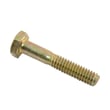
- Replace damaged fasteners with the correct OEM-style hardware when you find a match, such as a troy-bilt bolt hx here 710-0805a or troy-bilt hex nut 712-0375
Last updated: February 2026
What is the average lifespan of ECONO?
A Troybilt ECONO rear-tine tiller typically lasts 15 to 25 years with normal homeowner use and basic maintenance. Lifespan depends most on storage (dry, covered), routine belt and seal upkeep, and avoiding running the tines into rocks or roots.
What most affects lifespan
- Drive belt condition and adjustment; a slipping belt overheats and wears fast
- Oil leaks at seals; low oil accelerates gear and bearing wear
- Soil conditions; rocky or root-heavy soil increases shock loads
- Storage; moisture causes rust on tines, fasteners, and controls
- Routine hardware checks; loose bolts let brackets and handles fatigue
Parts that commonly limit service life
If the tiller still starts and runs but performance drops, these wear items are often the reason:
| Symptom | Common wear area | Example part on this model page |
|---|---|---|
| Tines stop or slip under load | Drive belt | Troy-bilt v-belt 1900864 |
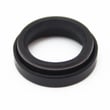
| Oil seepage around transmission area | Oil seal | Troy-bilt oil seal (match by diagram) |
| Excess vibration or looseness | Hardware, shims, brackets | Troy-bilt shim, bolt, bracket (match by diagram) |
Maintenance schedule we recommend
- Every use: clear debris from tines, check for loose fasteners
- Seasonally: inspect belts for glazing/cracks, check for oil seepage
- Annually: clean and protect bare metal, verify controls and depth bar operation
Why it matters
A rear-tine tiller like the Troybilt ECONO is built around a durable gearbox and frame; most “end of life” issues come from neglected belts, leaking seals, or loose hardware. Replacing wear parts early prevents expensive gear damage.
Last updated: March 2026