Installation guide
 Owner’s manual
 Error Codes







How to remove the top of a Kenmore electric stove?
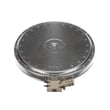
On the Kenmore 79046592502 electric range, the cooktop is either a lift-up style (common on coil-element tops) or a hinged/fastened main top (common on ceramic-glass tops). We use the procedure that matches your cooktop type in the 79046592502 owner's manual.
Before you start (safety)
- Turn all surface controls OFF and let the cooktop cool completely.
- Shut off power at the breaker (recommended any time you reach under the top).
- Protect the finish with a towel or cardboard where the top may rest.
- Keep track of screws and brackets by location.
If your range has coil elements (lift-up top)
This style typically lifts from the front and is supported by a prop rod.
- Remove the coil elements by pushing the element toward the receptacle, then lifting the front up and pulling out.
- Grasp the cooktop at the sides and lift from the front.
- Set the support rod in place.
- To lower, lift slightly, fold the rod down, then lower the top into the frame.
If your range has a ceramic-glass cooktop (hinged or fastened)
This style usually hinges up after removing fasteners.
- Remove any screws securing the cooktop at the front lip or under the control panel area.
- Lift the cooktop from the front and support it so wiring is not strained.
- If you need full removal, label connectors and disconnect harness plugs only after power is off.
Quick comparison
| Cooktop type | Typical access method | What you usually remove first |
|---|---|---|
| Coil elements | Lift-up with support rod | Coil elements and drip bowls |
| Ceramic-glass | Hinge up or unfasten | Mounting screws, sometimes trim |
Why it matters
Using the correct method prevents cracked glass, bent element terminals, and pinched wiring; it also keeps the cooktop aligned so burners heat evenly after reassembly.
Last updated: February 2026
What causes a Kenmore oven to stop working?
On Kenmore electric range model 79046592502, an oven that “stops working” is usually caused by a loss of power to the range, a failed heating circuit (bake or broil element), or a control fault that triggers beeping and an error code. Use the 79046592502 owner's manual to confirm normal element operation in Bake and Broil.
Quick checks first (most common)
- Verify the range has full power (both legs of a 240V circuit); reset the double breaker if needed.
- Make sure the control is not in a canceled state; press STOP/CLEAR and set Bake again.
- If the display is beeping and shows F1, F3, or F9, clear it and retry; recurring faults point to a component or control issue.
- Confirm the oven is actually heating: in Bake, the lower element should glow red; in Broil, the upper element should glow red.
- If the oven light is out too, check the bulb and socket (a separate issue, but it helps confirm what is and is not working).
Likely causes and what they look like
| Symptom | Most likely cause | What to do next |
|---|---|---|
| No heat in Bake, Broil works | Failed bake element | Inspect for blisters/breaks; test continuity; replace if open |
| No heat in Broil, Bake works | Failed broil element | Inspect/test broil element; replace if open |
| Heats but temperature is erratic | Temperature sensor problem | Check sensor connection; test sensor resistance; replace if out of range |
| Beeping with F1/F3/F9 | Electronic control fault detected | Clear code; if it returns, troubleshoot sensor, wiring, or control |
Parts that commonly fix “no heat” on this model
- Frigidaire range bake element 318255401 (if Bake will not heat)
- Frigidaire range oven temperature sensor 316217002 (if temps are inaccurate or faults recur)
Why it matters
An electric oven can appear “dead” even when the clock and lights work; a partial power loss or an open element can stop heating while other functions still run. Confirming whether the bake or broil element glows red quickly narrows the repair.
Last updated: February 2026
Where is the model number on a Kenmore electric range?
On Kenmore electric range model 79046592502, the model and serial number are printed on the serial plate on the oven front frame; you’ll typically find it behind the oven door on the front frame, and on some versions it’s behind the storage drawer. See the 79046592502 owner's manual.
Where to look on the range
Check these common label locations first (power off and oven cool):
- Open the oven door and look along the front frame/door jamb area.
- Pull out the storage drawer and look on the frame behind it.
- Check the lower front frame area near the drawer opening.
- If you’re recording it for parts, write down model number, serial number, and any lot number/letter shown.
Quick steps to find it fast
- Open the oven door and scan the front frame on the left and right sides.
- If you don’t see it, remove the storage drawer and look on the frame behind the drawer.
- Copy the full model number exactly as printed (for this unit it should read 79046592502).
What the label is used for (and why it matters)
The serial plate is the key to matching the correct Kenmore range parts (like a bake element, oven temperature sensor, or terminal block) and to confirming electrical details used during installation.
| What you need | Where it appears | Why we use it |
|---|---|---|
| Model number | Serial plate | Ensures correct part fit and diagrams |
| Serial number | Serial plate | Helps identify production variation |
| Lot number/letter (if listed) | Serial plate | Helps narrow down exact configuration |
Related help
If you’re troubleshooting a display fault after identifying your model, use our Kenmore 790 self-cleaning range error codes reference to match the code to likely causes.
Last updated: February 2026
Why is my Kenmore electric oven not getting hot?
If your Kenmore electric range model 79046592502 oven is not getting hot, the most common causes are a failed bake element, a bad oven temperature sensor, or a control issue that prevents power from reaching the heating circuit. Use the 79046592502 owner's manual for model-specific operating checks and settings.
Quick checks we recommend first
- Confirm the range has power (a tripped double breaker can leave the oven weak or dead).
- Make sure you are using Bake (not Delay Start, Sabbath, or a timed setting).
- Allow a full preheat; many recipes assume the oven is fully preheated.
- Avoid lining the oven bottom with foil; it can disrupt heat and airflow.
- If the oven was used during a power interruption, turn the oven off and restart the cycle.
Most likely failed parts (and what they cause)
| Symptom | Most likely cause | What you typically see |
|---|---|---|
| Oven will not heat at all | Bake element open | No glow/heat from lower element during Bake |
| Oven heats but temperature is inaccurate | Temperature sensor out of range | Underbakes, long preheat, uneven results |
| Broil works but Bake does not | Bake element or wiring | Top element heats, bottom does not |
Bake element
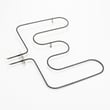
A cracked, blistered, or broken lower element is a direct reason an electric oven will not heat. If it is damaged or fails a continuity test, replace the frigidaire range bake element 318255401.
Oven temperature sensor
If the sensor reads the wrong temperature, the control can shut the element off early or never energize it correctly. Replace the frigidaire range oven temperature sensor 316217002 when it tests out of spec or shows damage.
Why it matters
An oven that does not reach temperature leads to unsafe cooking results and poor baking performance. The manual’s baking guidance (preheat, rack position, pan spacing) helps you separate a true heating failure from a cooking setup issue.
Safety notes before testing
- Turn off power at the breaker before removing panels or testing wiring.
- Surfaces and heating elements stay hot after use; allow time to cool.
- Use the 79046592502 installation guide for safety items like anti-tip bracket requirements.
Last updated: February 2026