 Installation guide
 Owner’s manual
 Error Codes










Can I look up Frigidaire parts by model number?
Yes. For Frigidaire electric range model PLES399ECH, looking up parts by the full model number is the most accurate way to match the correct replacement part, because it ties the part list to your exact configuration and wiring.
The model and serial information is printed on the serial plate. On many ranges like PLES399ECH, it’s located on the oven front frame behind the oven door or behind the storage drawer.
- Check the oven front frame behind the oven door
- Check behind the storage drawer (if equipped)
- Write down the model number and serial number for future parts orders
- Use the complete model number exactly as shown (letters and numbers)
For diagrams, locations, and operating details, use the PLES399ECH owner’s manual.
Searching by model number narrows results to parts that fit your range’s design (controls, wiring harness, oven cavity, and cooktop style).
- Enter PLES399ECH in the model search
- Open the parts list and identify the section (cooktop, oven, control panel, drawer)
- Match the part by name and ID, then confirm symptoms before ordering
- If you are ordering for service, record the serial number too (it can affect revisions)
| What you’re fixing | Example part name | Example part ID |
|---|---|---|
| Oven light not working | Range Oven Light Bulb | 316538904 |
| Oven temperature inaccurate | Frigidaire Range Oven Temperature Sensor | 316217002 |
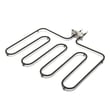
| Cooktop element not heating | Range Radiant Bridge Surface Element | 318258203 |
Model-number lookup prevents common fit issues, especially on ranges where similar-looking parts can have different terminals, mounting points, or electrical ratings.
If you’re troubleshooting a control display or fault code before ordering parts, use Frigidaire self-cleaning range error codes.
Last updated: February 2026
How to reset a Frigidaire electric range?
To reset your Frigidaire electric range model PLES399ECH, we recommend doing a full power reset at the breaker (or unplugging) long enough for the electronic oven control to fully power down, then restoring power and setting the clock per the PLES399ECH owner’s manual. This clears many control glitches after a power interruption.
- Turn all surface burners and oven functions OFF.
- Switch OFF the range circuit breaker (preferred) or unplug the power cord.
- Wait 10 minutes.
- Restore power at the breaker (or plug back in).
- Set the clock and test Bake and Broil.
This model uses an electronic oven controller that monitors key circuits and can stop operation and beep while flashing codes such as F1, F2, F3, or F9.
- If an F-code returns immediately after the reset, the issue is usually not a simple power glitch.
- Common causes include a failing control board, a wiring problem, or a sensor/circuit fault.
Use our error-code reference to match the code to the next best check: Frigidaire self-cleaning range error codes.
- House power: confirm the breaker is fully reset (OFF then ON).
- Terminal block connections: loose or overheated connections can cause intermittent resets; see the PLES399ECH installation guide for the terminal block access and wiring color matching.
- Oven temperature sensor: if the oven heats erratically or throws sensor-related codes, check/replace the Frigidaire range oven temperature sensor 316217002.
- Control board symptoms: random beeping, unresponsive keys, or recurring F1-type faults can point to the range oven control board 316462841.
| Situation | Best reset method | What it tells you |
|---|---|---|
| Display frozen, minor glitch | 10-minute power reset | Often clears temporary control lockups |
| After outage or flicker | Breaker reset + clock set | Confirms control recovered normally |
| F-code returns right away | Reset once, then diagnose | Points to a component or wiring issue |
A proper reset helps the electronic control fully reboot. If the range immediately resumes beeping or flashing an error code, the controller is detecting a real circuit problem, so troubleshooting the sensor, wiring, or control board saves time and prevents repeat shutdowns.
Last updated: February 2026
Why is my Frigidaire electric range display not working?
If the display on your Frigidaire PLES399ECH electric range is blank or dead, the most common causes are a power supply problem (tripped breaker, blown fuse, loose power cord connection) or a failed electronic oven control board. Start by restoring power and then check for error-code beeping per the PLES399ECH owner's manual.
- Reset power: turn the range breaker OFF for 2 to 5 minutes, then turn it back ON.
- Confirm full power: electric ranges typically need 240 VAC; a half-tripped breaker can leave the display dead.
- If the control is beeping and shows an “F” code, press STOP/CLEAR to stop the beeping and clear the display.
- If the display returns but the oven acts erratic, record any “F” code for troubleshooting.
- If the cooktop works but the display stays blank, focus on the control board and wiring connections.
Your PLES399ECH uses an electronic oven controller that monitors key circuits. When it detects a fault, it can stop operation, beep continuously, and flash an “F” error code (such as F1, F2, F3, or F9). Use the error code to narrow the failure and follow the steps in Frigidaire self-cleaning range error codes.
| Symptom | Most likely area | What to do next |
|---|---|---|
| Display completely blank | House power, terminal block, wiring | Check breaker, cord connection, and wiring condition |
| Beeping with “F” code | Electronic control or monitored circuit | Press STOP/CLEAR; if it returns, troubleshoot by code |
| Intermittent display | Loose connection, failing control board | Inspect harness connections; replace control if needed |
If you find heat damage, loose connections, or intermittent power at the range connection point, these parts are often involved:
- Terminal block 5304409888 (power cord connection point)
- Range oven control board 316462841 (runs the display and oven functions)
- Range wire harness 318224849 (connects controls to components)
A dead display is often a sign the range is not getting correct power, and running the appliance with a loose or overheated connection can damage wiring and controls. Restoring stable power first prevents repeat failures.
Last updated: February 2026




