 Error Codes


How do I find the right GE part number?
To find the right GE part number for your JBP69WH1WW electric range, we match parts using the complete model number from the range’s ID tag, then confirm the part by name and function (for example, control board, surface switch, or broil element) before ordering.
Step 1: Find the model number on the range
On most GE freestanding electric ranges, the model/serial tag is typically located in one of these spots:
- On the oven frame behind the storage drawer (pull the drawer out)
- Along the oven door frame (visible when the door is open)
- On the back panel of the range
Write the model number exactly as shown, including all letters and numbers (for this page, it’s JBP69WH1WW).
Step 2: Use the model number to identify the correct part
Once you have the model number, use it to narrow parts to the exact build of your range. Then confirm the part by comparing:
- Part name (example: oven control, surface element switch)
- Where it installs (control panel, cooktop, oven cavity)
- Symptoms (no heat, burner won’t regulate, display issues)
- Visual details (terminal layout, mounting tabs, connector style)
- Quantity needed (some parts are sold individually)
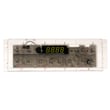
If you’re replacing an electronic control, the safest match for this model is the exact control listing for oven control WB27X45466.
Common “right part” checks (quick comparison)
| What you have | What to match before ordering | Example for this model |
|---|---|---|
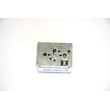
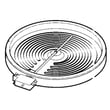
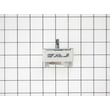
| Burner won’t cycle correctly | Switch type and burner size | Range dual surface element control switch WB24T10058 |
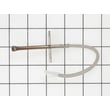
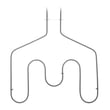
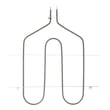
| Oven won’t broil | Element shape and terminals | Range broil element WB44T10009 |
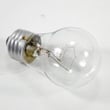
| Oven light out | Bulb wattage and base style | Range oven light bulb 40A15 |
Why it matters
GE often uses similar-looking parts across multiple ranges, but small differences (wattage, connector style, or control calibration) can cause poor performance or a no-fit install. Matching by model number first prevents returns and repeat repairs.
Helpful DIY reference
If you’re chasing an error code while identifying parts, use GE freestanding range error codes to narrow the failure to a control, sensor circuit, or heating component.
Last updated: February 2026
Is GE profile considered high end?
Yes. GE Profile is generally considered GE’s higher-end mainstream line; it typically adds more features, upgraded styling, and more electronic controls than standard GE models. Your GE electric range model JBP69WH1WW is branded GE (not Profile), so “Profile” is a step up within the same brand family.
What “high end” usually means for GE Profile
GE Profile is usually positioned above standard GE and below luxury-only brands. In practical terms, Profile models commonly include:
- More precise oven temperature control and more cooking modes
- More advanced control panels (touch controls, more sensors)
- Upgraded finishes and design details
- More convenience features (timers, specialty settings, diagnostics)
- Higher typical price than comparable standard GE ranges
Quick comparison: GE vs GE Profile (typical)
| Category | Standard GE | GE Profile |
|---|---|---|
| Feature set | Core cooking functions | More modes, sensors, convenience features |
| Controls | Simpler knobs/buttons | More electronic controls, more settings |
| Styling | Basic to mid-range | More premium look and finishes |
| Repairs | Often simpler | More control-board and sensor driven |
Why it matters when buying parts or troubleshooting
Brand family affects how the range is built and what fails most often. Standard GE models like JBP69WH1WW often use simpler, proven components, while Profile models more often rely on electronic controls and specialty features.
If you’re diagnosing performance issues on a GE range, these resources help narrow it down fast:
Parts that commonly relate to “premium feature” symptoms
If you’re seeing control or heating symptoms on JBP69WH1WW, these model-matched parts are often involved:
- Oven control WB27X45466 (clock, bake/broil commands, display issues)
- Range broil element WB44T10009 (no broil, weak broil)
- Range dual surface element control switch WB24T10058 (dual burner not regulating)
Last updated: February 2026
Where is the model number on a GE electric range?
On a GE electric range like model JBP69WH1WW, the model number is typically on a rating label around the oven door area, most often on the frame behind the storage drawer or on the front frame when you open the oven door.
Common places to check first
- Open the oven door and look along the front frame (left or right side).
- Pull out the storage drawer and check the frame behind the drawer opening.
- Check the lower front frame near the drawer rails.
- Look on the back panel of the range (if you can safely access it).
- Check the side trim area near the front edge (less common).
Quick, safe steps to find it
- Let the range cool completely.
- Open the oven door and scan the frame for a sticker or metal tag.
- If you do not see it, slide out the storage drawer and look for the label on the frame.
- Write down the full model number and serial number exactly as shown.
What the label usually looks like
| What you see | What it means | What to do with it |
|---|---|---|
| Model number (example: JBP69WH1WW) | Identifies the exact range version | Use it to match parts and diagrams |
| Serial number | Identifies production run | Helpful for service and compatibility |
| Electrical info (volts/amps) | Confirms power requirements | Useful when diagnosing power issues |
Why it matters
The exact model number ensures we match the correct GE range parts (for example, the correct control board, surface element switch, or oven light components). If the label is missing or unreadable, you can still narrow parts by comparing your existing component to a known match such as the oven control WB27X45466.
Last updated: February 2026




