 Installation guide
 Owner’s manual
 Error Codes






How long do Jenn Air wall ovens last?
Most Jenn-Air wall ovens typically last 15 years with normal household use and basic maintenance. For your JJW2830WS02 electric wall oven, consistent cleaning, proper ventilation, and addressing small issues early help you reach that expected lifespan.
Typical lifespan and what affects it
A wall oven’s service life depends more on heat stress and electrical health than on cosmetics.
- Usage frequency: daily high-heat cooking shortens life compared to moderate use
- Self-clean cycles: frequent self-cleaning increases heat load on controls and wiring
- Cooling airflow: blocked vents or a failing blower can overheat components
- Power quality: loose connections or repeated breaker trips can damage electronics
- Maintenance: keeping the cavity and door seal clean reduces strain and heat loss
What “end of life” usually looks like
Many ovens are still structurally sound at 15 years, but repairs become more common.
| Symptom | Common cause | Typical fix type |
|---|---|---|
| Oven won’t heat or heats unevenly | Element, relay, sensor, wiring | Part replacement |
| Display glitches or won’t respond | User interface or control board | Control replacement |
| Overheating cabinet area | Cooling blower issue | Blower replacement |
| Door won’t lock/unlock | Latch mechanism | Latch replacement |
Practical ways to help your JJW2830WS02 reach 15 years
We recommend these habits because they reduce heat stress on the control system and improve safety.
- Run the kitchen ventilation fan during high-heat baking and broiling
- Avoid back-to-back self-clean cycles; let the oven cool fully between cycles
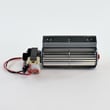
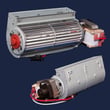
- If you notice weak airflow or unusual fan noise, inspect the cooling system (a common replacement is the oven blower WPW10273666)
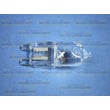
- Replace failed interior lighting promptly (the wall oven light bulb WPW10169757 is a common service part)
- If the oven does not operate after power is restored, check the breaker/fuse and confirm the electrical supply is connected, then follow the operation checks in the JJW2830WS02 installation guide
Why it matters
A wall oven is a high-heat, high-current appliance; keeping airflow and electrical connections in good shape prevents overheating that can shorten the life of the electronic control and wiring.
Last updated: January 2026
Is there a reset button on a Jenn air oven?
Jenn-Air wall ovens such as model JJW2830WS02 typically do not have a dedicated physical “reset” button. Most “reset” situations are handled by canceling a cycle, turning off Control Lock (if enabled), or power-cycling the oven at the breaker, then setting the clock and initial setup again per the JJW2830WS02 user manual.
Quick ways we reset common control issues
- Cancel the current mode: press CANCEL (or CANCEL UPPER/LOWER on double ovens) to stop a bake, broil, or clean cycle.
- Power-cycle the oven: turn the oven circuit OFF at the breaker for about 1 minute, then turn it back on.
- Re-do first-time setup screens: after power is restored, set language, region, clock, date, and screen appearance.
- Check the home breaker/fuse: confirm the household fuse is intact or the circuit breaker has not tripped.
- Confirm power is connected: verify the electrical supply is connected before assuming a control failure.
What you should see after a successful reset
After restoring power, the display should light briefly and the clock should appear.
| What happens | What it usually means | What to do next |
|---|---|---|
| Display lights and clock appears | Control has power and rebooted | Set clock and try BAKE or BROIL |
| Display stays dark | No power to oven or wiring issue | Check breaker, then electrical connection |
| Error message appears | Control detected a fault | Cancel, power-cycle once, then schedule service if it returns |
Why it matters
A “reset” is often just clearing a stuck mode or restoring proper power to the electronic control. If the oven is not getting steady power, you can see blank displays, error codes, or an oven that will not heat even though the controls respond.
When a part may be involved
If the oven repeatedly loses function after power is confirmed, a failed cooling fan or blower can contribute to overheating and shutdown behavior. For this model, a common related component is the oven blower WPW10273666.
Last updated: January 2026
Why is my JennAir wall oven not turning on?
If your JENN-AIR JJW2830WS02 wall oven will not turn on, the most common causes are a tripped breaker or blown household fuse, a loose or incorrect electrical connection at the junction box, or a control that is not getting power. Start by confirming the home power supply and the oven’s electrical connection per the JJW2830WS02 installation guide.
Quick checks we recommend first
- Reset the circuit breaker fully OFF, then back ON (or replace a blown fuse).
- Confirm the oven is hard-wired and the electrical supply is connected at the junction box.
- After restoring power, watch for the display to light briefly and show the clock.
- If the display stays dark, stop and check power again before assuming a control failure.
- If the display lights but the oven will not heat, use the troubleshooting steps in the JJW2830WS02 owner’s manual.
What the installation instructions say to check
During “Complete Installation,” the guidance is to verify the household fuse or circuit breaker and confirm the electrical supply is connected. If the oven does not operate, the next step is to use the troubleshooting section in the Use and Care Guide.
| What you see | Most likely area to check | What to do next |
|---|---|---|
| Display is completely dark | Incoming power, breaker/fuse, junction box connection | Verify breaker/fuse, then verify wiring connection and power supply |
| Display lights, but oven will not start | Settings, control lock, user interface, control logic | Review operating steps and troubleshooting in the manual |
| Oven starts but stops with an error | Control sensing a fault (temperature, latch, wiring, etc.) | Turn oven off and follow troubleshooting; service may be needed |
Parts that can be involved (when power is confirmed)
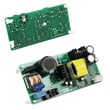
Once you have verified correct incoming power, a no-power or no-response symptom can involve the user interface/control area or related wiring. For this model, a commonly replaced control-related part is the electronic control W10811884.
Why it matters
A wall oven that will not power up is usually a supply or connection issue first. Confirming breaker/fuse and junction box wiring prevents unnecessary part replacement and helps protect the control panel and wiring harness from damage.
Last updated: January 2026
What does F2 mean on a Jenn air oven?
On the Jenn-Air JJW2830WS02 electric wall oven, an F2 error code means the oven is sensing an over-temperature condition (the oven temperature is too hot for the selected mode). The most common causes are a failing oven temperature sensor circuit or a control/relay issue that keeps heat on too long.
What to do first (safe, quick checks)
- Press CANCEL/OFF to stop the cycle and let the oven cool.
- If the code appeared during self-clean, keep the door closed until the oven cools.
- Turn power off at the breaker for 1 minute, then restore power to reset the control.
- If F2 returns, stop using the oven until the cause is corrected.
- Review the error-code and troubleshooting guidance in the JJW2830WS02 owner's manual.
Common causes of an F2 code
- Oven temperature sensor out of range (sensor itself or wiring connection)
- Relay/control sticking on and continuing to heat
- Cooling airflow problem causing heat to build up around the oven controls
- Wiring harness issue (loose connector, damaged wire, heat-related connection failure)
Parts that are often involved
If troubleshooting points to a specific component, these model-matched parts are commonly related to overheating symptoms:
| Symptom you notice | Part to check/replace | Notes |
|---|---|---|
| Oven overheats or won’t regulate temperature | Oven relay (black) WP9752759 | A stuck relay can keep an element energized too long. |
| Oven runs hot and cabinet area feels unusually warm | Oven blower WPW10273666 | Poor airflow can contribute to overheating around controls. |
| Intermittent F2, especially after heating | Wall oven wire harness W10209123 | Heat can expose weak connections. |
Why it matters
An F2 code is a protective warning that the oven may be heating beyond normal limits. Addressing it helps prevent repeated shutdowns, uneven baking, and heat stress on the electronic control and wiring.
Last updated: January 2026





