 Error Codes



How do I find the right GE part number?
For your GE J792 electric range, the right part number comes from matching the model number (J792) to the exact component you are replacing, then confirming the part’s description and fit in the parts list. This prevents ordering a look-alike part that mounts or wires differently.
- Confirm the model number is J792 (use the model tag on the range frame or storage drawer area).
- Identify the failed function (bake not heating, broil not working, burner not heating, etc.).
- Match by part name + part ID, not by appearance alone.
- Compare size and location (example: 6-inch surface element vs. 8-inch drip pan).
- If your range has multiple versions, match by where the part installs (oven cavity vs. cooktop vs. rear terminal area).
| What you’re fixing | Part to look for | What it does |
|---|---|---|
| Broil not heating | Range broil element WB44X134 | Heats the top of the oven in broil mode |
| Oven won’t bake | Bake unit WB44X195 | Heats the bottom of the oven in bake mode |
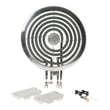
| One surface burner not heating | Unit 6" l WB30X356 | Provides heat at a 6-inch surface element position |
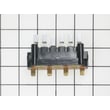
| Power cord connection issue (burning smell, loose wires) | Terminal block WB17X5095 | Main power connection point for the range |
- Electric safety first: shut off the breaker before inspecting wiring, elements, or the terminal block.
- Look for visible damage: blisters, cracks, separated terminals, or arcing marks.
- For heating problems, confirm the control setting: a failed control can mimic a bad element.
- If the oven heats unevenly, check whether bake or broil is the mode that fails.
GE ranges often use similar-looking elements, pans, and switches across different models. Matching the GE J792 model number to the exact part ID helps ensure correct mounting, correct electrical rating, and safe operation.
You can also use our troubleshooting resources to narrow the failure before choosing a part: GE freestanding range error codes.
Last updated: February 2026
How to find GE appliance parts?
To find the right replacement parts for your GE electric range model J792, match parts to your exact model number. Start by locating the model tag, then use that model number to narrow results to compatible items such as surface elements, switches, and oven elements.
Most GE electric ranges place the model and serial tag in one of these spots:
- On the oven frame behind the storage drawer (pull the drawer out)
- On the oven frame behind the lower kick panel (if equipped)
- Along the door frame area (open the oven door and check the frame)
- Under the cooktop edge (less common)
Use this order to avoid wrong-part returns:
- Enter the full model number exactly as shown (letters and numbers)
- Filter by the symptom or part category (bake, broil, surface, wiring)
- Compare the part name and part ID to what you are replacing
- Confirm size and style (for example, 6-inch vs 8-inch drip pan)
| What is not working | Part type to check | Example part for this model |
|---|---|---|
| Oven will not bake | Bake element | Bake unit WB44X195 |
| Broil not heating | Broil element | Range broil element WB44X134 |
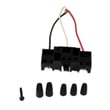
| Burner not heating | Surface element or terminal block | Range double coil surface element terminal block WB2X1351 |
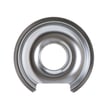
| Burner pan damaged | Drip pan | Chrm pan 8" WB32X10013 |
GE ranges often use similar-looking parts across different series. Using the exact J792 model number helps ensure the electrical rating, mounting style, and wiring connections match your range.
If you are troubleshooting before ordering parts, these guides help with safe testing and diagnosis:
Last updated: March 2026
How to order GE appliance parts?
To order parts for your GE J792 electric range, use your complete model number and serial number, then order the exact replacement by part ID to ensure proper fit and electrical compatibility. If you need help with availability or ordering, contact Sears PartsDirect support.
Having the right details up front prevents wrong-part returns and delays.
- Complete model number: J792
- Serial number (from the rating plate)
- The part you need (name and location, such as bake element or terminal block)
- Symptoms (for example: oven will not heat, broil not working, burner not heating)
- Photos of the old part and wire connections (helpful for switches and terminal blocks)
- Match the failed component to a part listing for model J792.
- Confirm the part ID and description match what is installed.
- Order the replacement and compare it to the original before installing.
| What you are fixing | Example part to order | What it does |
|---|---|---|
| Broil not heating | Range broil element WB44X134 | Heats the top of the oven for broiling |
| Oven not baking evenly or not heating | Bake unit WB44X195 | Heats the bottom of the oven for baking |
| Power cord connection issue or burned connection | Terminal block WB17X5095 | Connects house power to the range wiring |
| Wrong oven function selected or intermittent function | Range oven selector switch WB23X33 | Routes power to bake/broil circuits |
We can help when a part is covered by warranty, temporarily unavailable, or you want help confirming the correct replacement using your model and serial.
- The part is in-warranty
- The part shows out of stock/backorder
- You want help confirming the correct part using your model and serial
Electric range parts like a bake element, broil element, selector switch, or terminal block must match the correct design and voltage requirements. Ordering by the exact model (J792) and part ID helps ensure safe fit and proper heating performance.
Last updated: February 2026
Where to find model number on GE electric stove?
On a GE electric range like model J792, the model number is usually printed on a rating label attached to the range frame. We most often see it around the oven door opening, on the back panel, or under the cooktop surface.
Look for a paper or metal tag that lists the model and serial numbers. Check these spots:
- Along the frame behind the storage drawer (remove the drawer and look at the front frame)
- On the oven frame around the door opening (often on the left or right side)
- On the back of the range near the power cord and terminal block cover
- Under the cooktop lip (lift-up cooktop models) near the hinge area
- Under a surface element or drip pan area on coil-top ranges
The label typically includes the brand (GE), model number, serial number, and electrical ratings.
| What you need | What it’s used for | Example format |
|---|---|---|
| Model number | Matching parts to your exact range | J792 |
| Serial number | Dating the unit, service bulletins | Letters and numbers |
| Electrical rating | Confirming power requirements | 120/240V or 120/208V |
We use the model number to match the correct parts and configurations for your range, such as the correct surface element style or oven heating element. For example, if you’re troubleshooting broil heat, the correct replacement could be the range broil element WB44X134.
- Check the back panel with a flashlight; labels can be faint or grease-darkened
- Remove the storage drawer and look up at the front frame rails
- If the label is missing, use the most specific identifiers you have (GE, approximate size, coil vs. smooth top, and any switch or element markings)
Last updated: February 2026
Why is my GE electric range not turning on?
If your GE J792 electric range is completely dead (no display, no oven light, no surface heat), the most common causes are a tripped breaker, a loose/burned power connection at the terminal block, or a failed selector switch. Start with the power supply checks first because they are the fastest to confirm.
- Reset the range circuit by turning the double-pole breaker OFF for 1 minute, then ON.
- Confirm the outlet is supplying power (ranges typically need 240V; some lights may still work with only 120V).
- If the cord is hardwired, inspect the power cord connections at the rear terminal block for heat damage.
- Check for a burning smell or melted wiring at the terminal block cover.
- If the display is dark but the breaker is good, suspect a failed control or a failed function/selector circuit.
| Symptom | Most likely area | What to look for |
|---|---|---|
| Totally dead, no lights | House power or terminal connection | Tripped breaker, loose lugs, burned wires |
| Intermittent power, flickers | Terminal connection | Heat discoloration, arcing marks |
| Oven functions dead, other items inconsistent | Selector/control circuit | No response when turning function knob |
If you find heat damage or loose connections, replacing the terminal block WB17X5095 is a common fix on electric ranges when the power connection has overheated.
- Shut off power at the breaker before removing any rear access cover.
- Pull the range forward and check the cord strain relief and wiring for pinches.
- Tighten terminal screws only if the wiring and block are not heat-damaged.
- If you see melted plastic, brittle insulation, or scorched terminals, replace the terminal block and any damaged wire ends.
- If power is correct and connections are solid, move to control/selector diagnosis; a failed range oven selector switch WB23X33 can prevent bake/broil circuits from energizing.
A range that will not turn on is often a power-delivery problem, not a heating-element problem. Fixing a loose or burned connection restores reliable voltage to the control and heating circuits and helps prevent repeat shutdowns.
For additional guided troubleshooting, use oven wont heat troubleshooting electric range problems video to follow the same diagnostic flow technicians use.
Last updated: February 2026




