Installation guide
 Owner’s manual
 Error Codes








How do I clear the error code on my Frigidaire oven?
On your Frigidaire FCRC3005AWA electric range, you can usually clear an F or E error code by pressing OFF on the control panel. If the code comes back, reset power to the range for 5 minutes, restore power, then set the clock before testing Bake or Broil again (see the FCRC3005AWA owner's manual).
Quick steps to clear the code
- Press OFF to stop cooking and clear the displayed F or E code.
- Wait a few seconds, then try Bake or Broil again.
- If the code returns, turn off the range at the circuit breaker (or unplug it if accessible).
- Wait 5 minutes, then restore power.
- Set the clock (the oven may not operate until time of day is set).
- Try Bake or Broil again.
If the error code keeps returning
A repeating F or E code usually points to a control-related fault (keypad input, wiring connection, or a failed component). These checks help narrow it down:
- Look for a stuck or unresponsive key; press each key once to confirm it moves freely.
- Power off the range and check for loose or damaged wiring at the control area.
- If the oven temperature seems erratic before the code appears, test the oven temperature sensor circuit; the Frigidaire range oven temperature sensor 316490000 is a common part involved in temperature feedback.
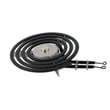
- If the oven will not heat in Bake after clearing the code, inspect the bake circuit; a failed Frigidaire range bake element 316075103 can prevent heating (even if the display works normally).
What to expect after a reset
| Step | What you should see | What it means |
|---|---|---|
| Press OFF | Code disappears | Temporary fault cleared or paused |
| Restore power after 5 minutes | Display may show 12:00 | Normal after power interruption |
| Set clock | Time displays steadily | Oven controls ready for use |
| Start Bake/Broil | Heating begins | Fault not currently active |
Why it matters
Clearing the code correctly helps you separate a one-time control glitch from a repeating fault that can stop heating, cause beeping, or prevent the oven from operating until the clock is set.
Last updated: January 2026
How long does it take a Frigidaire self-cleaning oven to clean itself?
The Frigidaire FCRC3005AWA free standing electric range uses a manual clean oven, so there is no self-clean cycle time to estimate. Manual cleaning time depends on how dirty the oven is; most cleanings take 30 to 90 minutes, plus drying time.
What to do on FCRC3005AWA (manual clean)
Use the care and cleaning steps in the FCRC3005AWA owner's manual and plan your cleaning around the soil level.
- Let the oven cool completely before cleaning.
- Remove the oven racks and wash them separately.
- Use an oven cleaner that is safe for porcelain-coated interiors.
- Keep cleaner off electrical controls, switches, and the temperature sensor.
- Rinse residue thoroughly; leftover cleaner can damage surfaces during heating.
Typical manual-clean time guide
| Soil level | Hands-on cleaning time | Best approach |
|---|---|---|
| Light splatter | 30 to 45 minutes | Warm soapy water, non-abrasive pad |
| Normal baked-on | 45 to 75 minutes | Oven cleaner, dwell time, then wipe/rinse |
| Heavy buildup | 75 to 90 minutes | Multiple passes; avoid scraping porcelain |
Prep and safety checklist
- Turn on ventilation (range hood or open window).
- Protect the floor with paper or a towel in front of the oven.
- Avoid abrasive tools that can scratch porcelain.
- Do not spray cleaner on the door gasket or exterior trim.
Why it matters
Using the correct manual-clean method protects the porcelain coating, door gasket, and temperature sensor so the oven heats evenly and seals properly after cleaning.
Last updated: January 2026
How do I find the model number on my FCRC3005AWA?
For the Frigidaire FCRC3005AWA electric range, the model and serial number are printed on the appliance’s serial plate. On this model, you typically find that plate by opening the lower oven drawer or storage drawer and looking for the label inside the drawer opening; see the owner's manual for the exact location details.
Where to look on the range
Check these common spots first (in order):
- Open the lower oven drawer or storage drawer and look along the frame inside the drawer opening
- Look on the left or right side of the drawer opening, near the front edge
- Check the label for both model and serial numbers (they are usually on the same plate)
- If the label is hard to read, use a flashlight and wipe dust or grease off gently
What the model number label looks like
The serial plate is usually a printed sticker or metal tag with multiple fields. You are looking for a line labeled “Model” (or “Model No.”) and a line labeled “Serial.”
| Field on label | What it’s used for | Why you need it |
|---|---|---|
| Model number | Identifies the exact range version | Ensures diagrams and parts match your unit |
| Serial number | Identifies production run | Helps confirm compatible revisions |
Why it matters
Even small differences within a Frigidaire range series can change which bake element, surface element control switch, or oven temperature sensor fits. Using the exact model number from the serial plate helps us match the correct parts and instructions the first time.
Tips to avoid common mistakes
- Use the serial plate model number, not a number from the control panel or a sales receipt
- Write it down exactly as shown (letters and numbers)
- Keep it with your paperwork for future repairs and maintenance
Last updated: March 2026