 Installation guide
 Owner’s manual
 Error Codes





What is the difference between a regular GE and GE profile?
GE and GE Profile are both GE brands, but GE Profile is the step-up (premium) line with more advanced features, upgraded styling, and more tech-focused options. For your GE JB645RK4SS electric range, the exact feature set is best confirmed in the JB645RK4SS owner's manual.
In most product categories (including ranges), GE Profile models commonly add more convenience and performance-focused features.
- More premium finishes and design details (handles, control styling, display)
- More cooking modes and automation (model-dependent)
- More connected features (Wi-Fi/app features on many Profile models)
- More advanced controls and sensors (model-dependent)
- Higher price point, with features aimed at frequent cooks
| Category | Standard GE | GE Profile |
|---|---|---|
| Positioning | Core features, value-focused | Premium features, design-forward |
| Controls | Straightforward, fewer extras | More advanced options (varies) |
| Smart features | Sometimes | More common |
| Styling | Traditional | More upscale |
Use the model number and branding on the control panel and paperwork.
- If the badge says “Profile” or “GE Profile,” it is the premium line
- If it says “GE” only, it is the standard line
- Compare cooking modes and control features listed in the manual
- Match replacement parts by the full model number (JB645RK4SS)
GE Profile and standard GE can use different control boards, surface elements, and overlays even when they look similar. Using the exact model number helps ensure the right fit and correct electrical ratings.
Last updated: February 2026
What does F4 mean on an oven?
On the GE JB645RK4SS electric range, an F4 error typically points to a problem in the oven temperature sensing circuit (most often the oven temperature sensor or its wiring), which can cause incorrect heating or the oven to stop heating for safety.
- Press Cancel/Off to stop the cycle.
- Let the oven cool for about 1 hour.
- Restore power by turning the range off at the breaker for at least 30 seconds, then turn it back on.
- Try Bake again and watch for the code to return.
- If the code repeats, focus on the sensor circuit checks below.
For model-specific control and error-code behavior, use the JB645RK4SS owner’s manual.
Most F4 faults are caused by one of these issues:
- Oven temperature sensor out of range (drifted resistance)
- Loose or corroded connector at the sensor or control
- Pinched/burned wiring harness between sensor and control
- Electronic oven control misreading the sensor input
| Symptom | Most likely cause | Best next step |
|---|---|---|
| F4 appears during preheat | Sensor drifting or connection issue | Check sensor connector and harness, then test sensor |
| Oven heats erratically, then F4 | Sensor circuit intermittent | Inspect wiring for heat damage, tighten connections |
| F4 returns immediately after reset | Short/open in sensor circuit or control issue | Test sensor resistance; if OK, suspect control |
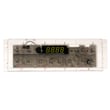
If you end up needing a control replacement, match it to your model; the range oven control board WB27X45466 is a common control component listed for JB645RK4SS.
The oven control relies on the sensor signal to regulate temperature. When the signal is out of range, the range may shut down heating or heat inaccurately, which affects baking results and can create unsafe operating conditions.
Last updated: February 2026
How do I reset the error code on my GE oven?
On our GE JB645RK4SS electric range, you can clear many “F” function error codes by pressing Cancel/Off, letting the oven cool, then restoring power (breaker off for at least 30 seconds). If the same code returns, the problem is still present and needs troubleshooting.
- Press Cancel/Off to stop the current function.
- If the oven is hot, wait for it to cool (some codes clear only after cooling).
- Leave the oven idle for about 1 hour, then try using Bake or Broil again.
- If the code repeats, turn off power at the breaker for at least 30 seconds, then turn it back on.
- If the code returns again, use the code to guide the next repair step (keypad, sensor circuit, control).
For model-specific button names and special features that can affect operation (like Sabbath mode), use the JB645RK4SS owner’s manual.
Many GE ranges show “F” plus a number/letter when the control detects a function problem. The reset process depends on whether the issue is temporary (heat-related or a brief control glitch) or persistent (a failing component).
| What you see | What it usually means | What to do next |
|---|---|---|
| “F” and a number/letter flashing | Function error code | Cancel/Off, cool down, then power reset |
| DOOR LOCK light on when you want to cook | Oven is still above locking temperature | Cancel/Off, wait for cool down |
| Display goes blank or clock flashes | Power interruption/surge | Reset clock, re-enter cooking settings |
Resetting the code the right way prevents repeated lockups and helps you confirm whether you are dealing with a one-time interruption or a part that is failing. That saves time before replacing parts like a control or wiring.
If the error keeps coming back after the reset steps, a control-related issue is common. For this model, one possible repair path is diagnosing the electronic control and related circuits; the replacement control is the range oven control board WB27X45466 (match symptoms and wiring checks before replacing).
For code definitions and next-step troubleshooting, use our GE freestanding range error codes.
Last updated: February 2026
Where is the pilot light on a GE JB645RK4SS?
The GE JB645RK4SS is an electric range, so it does not have a pilot light. The cooktop uses radiant electric surface elements and the oven heats with electric elements controlled by the electronic controls; use the JB645RK4SS owner's manual to identify the controls and normal operation.
If you are looking for a pilot light because the oven or cooktop is not heating, these checks usually pinpoint the problem:
- Confirm the range has full power (electric ranges typically need 240 VAC; a tripped double breaker can leave you with lights but no heat).
- Make sure you selected the correct cooking mode (Bake vs Broil) and set a temperature.
- Test a different surface unit to see if the issue is isolated to one burner.
- Look for an error code or flashing display; use GE freestanding range error codes to interpret it.
- If only one surface element will not heat, the surface element or its control switch is often the cause.
For a single burner that will not heat on this model family, these parts are frequent suspects:
| Symptom | Most likely area | Example part for this model |
|---|---|---|
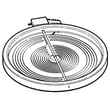
| One dual burner not heating or only one ring works | Radiant surface element | GE range dual radiant surface element, 6 to 9-in WB30X24111 |
| One small burner not heating | Radiant surface element | Range radiant surface element, 5-1/2-in WB30T10145 |
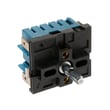
| Burner heats erratically or won’t turn on | Infinite switch/control | GE range surface element control switch WB24X25013 |
Pilot lights apply to gas appliances. On an electric range like the JB645RK4SS, heat problems are almost always power supply, control settings, wiring, or a failed heating component (surface element, switch, or oven control).
Last updated: February 2026





