 Owner’s manual



How to reset Samsung washing machine?
For the Samsung WA56H9000AP washer, the most reliable “reset” is a power cycle: turn the washer off, unplug it for 5 minutes, then plug it back in and press Power. This clears many control glitches and lets you restart the cycle normally.
Quick reset options (what to try first)
- Power cycle reset: Power off, unplug 5 minutes, plug back in.
- Stop and restart a cycle: Press Start/Pause to pause, then press Start/Pause again to resume.
- Clear a stuck cycle with a drain: Select Spin only and press Start/Pause to drain water (useful if the tub is full).
- Check auto shutoff: If the washer sits on for about 10 minutes with no buttons pressed, it turns itself off; turn it back on and reselect the cycle.
When “reset” really means recalibrate (after moving or leveling)
If the washer was just installed, moved, or re-leveled, calibration helps the washer detect load weight more accurately.
Calibration Mode (empty washer):
- Remove all laundry from the drum.
- Turn the washer on.
- Press and hold Temp + Delay End for 3 seconds.
- Press Start/Pause to run Calibration Mode; it runs for about 2 minutes and then shows End.
For the exact button sequence and display behavior, use the WA56H9000AP owner's manual.
What you’ll see and what it usually means
| Symptom | What to do | Why it helps |
|---|---|---|
| Washer will not spin | Close the lid fully, then press Start/Pause | The washer will not spin with the lid open |
| Error code keeps coming back | Power off, power on, then retry the cycle | Reboots the control and rechecks lid lock and drain |
| Won’t drain water | Run Spin only to force a drain | Clears water so you can restart safely |
Why it matters
A reset or calibration can restore normal operation after a power glitch, an unbalanced load event, or moving the washer. It also prevents repeat issues like excessive vibration by ensuring the washer’s load sensing and leveling are working together.
Last updated: February 2026
How to force a Samsung washer to drain?
On the Samsung WA56H9000AP washer, we force a drain by canceling the cycle (Power) and letting the washer perform its built-in quick drain; if Child Lock is active and the tub is above the reset level, the washer can also start a compulsory drain and show “CL”. For exact button behavior, use the WA56H9000AP owner’s manual.
Fast ways to get the water out
- Press Power to cancel the cycle; the washer stops and will typically do a brief drain routine.
- If “CL” is displayed, treat it as Child Lock/compulsory drain behavior; let the drain finish.
- After the compulsory drain, turn Power off, then on to exit the “CL/CU” state.
- If the washer will not drain, check the drain hose for kinks or a restriction.
- Make sure the lid is closed for normal operation; many cycles will not proceed with the lid open.
What “CL” means on this model (and what to do)
When Child Lock is on and the lid is opened with water still above the reset level, the washer can force-drain automatically and display CL. After draining, only the Power button may respond until you power the washer off and back on.
| Display/behavior | What it indicates | What we do next |
|---|---|---|
| “CL” shows and water starts draining | Compulsory drain behavior | Wait for draining to finish |
| “CL” blinking after drain | Control state after compulsory drain | Power off, then on |
| Won’t drain or drains very slowly | Drain restriction or hose issue | Straighten/clear hose; inspect pump |
If it still won’t drain (common causes)
- Kinked or clogged drain hose; replacing a damaged hose often restores draining (see washer drain hose).
- Failed or jammed drain pump; a pump issue can prevent draining or cause intermittent draining (see washer drain pump).
- Loose wiring to the pump (especially after moving the washer).
Why it matters
Forcing a drain safely protects the lid lock system, prevents overflow, and helps the washer complete or cancel cycles normally. Good draining is also required for stable spinning and reduced vibration.
Last updated: February 2026
What is the lifespan of a Samsung front load washer?
A Samsung front-load washer lasts 12 years. Your Samsung WA56H9000AP is a top-load washer, but the same service-life expectation applies; consistent cleaning, correct loading, and stable installation deliver full life. Use the care steps in the WA56H9000AP manual.
Lifespan at a glance
Front-load and top-load washers land in the same typical range when used normally.
| Washer type | Typical lifespan | What most often shortens life |
|---|---|---|
| Front-load washer | 12 years | Overloading, poor drainage, detergent residue, vibration |
| Top-load washer (like WA56H9000AP) | 12 years | Unbalanced loads, poor drainage, vibration, water quality |
What to do to reach 12 years
These habits reduce wear on the motor, suspension, and drain system.
- Keep loads within the tub capacity; avoid packing items tightly.
- Balance bulky loads (bedding, towels) to prevent repeated out-of-balance spinning.
- Run the washer’s cleaning cycle and clean dispensers on a routine schedule.
- Use HE detergent and measure carefully; excess suds leaves residue and can slow draining.
- Level the washer and keep it stable; vibration accelerates wear.
- Maintain reliable draining; a weak pump or restriction strains the system.
Water pressure guidance (corrected)
For WA56H9000AP, follow the exact inlet-water pressure range listed in the WA56H9000AP manual. In general, household washers run best with steady pressure; low pressure causes long fills, high pressure can stress valves and hoses.
When repairs start to outweigh value
These symptoms usually signal a major wear issue.
- Loud grinding or rumbling during spin
- Frequent severe vibration even after re-leveling
- Recurring drain problems (slow drain, standing water)
- Intermittent no-start or control glitches
- Leaks from underneath the cabinet
Related parts that commonly affect performance
| Symptom | Common part involved (examples) |
|---|---|
| Slow or no drain | Washer drain pump DC97-16778A, drain hose |
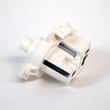
| Won’t fill or fills slowly | Samsung washer water inlet valve DC97-15459G |
Why it matters
A clear 12-year lifespan target helps you decide when routine maintenance is enough versus when a larger repair (pump, control, motor components) makes sense for your laundry needs.
Last updated: February 2026





