 Installation guide
 Owner’s manual


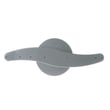
What is the most common problem with GE dishwashers?
Drain and fill problems are the most common issues we see with GE dishwashers like model GLD2850T05CS. They usually show up as standing water, poor cleaning, or a cycle that seems to run but never fills; cleaning the filter area and checking water supply and the door latch typically fixes it.
Most common symptoms (and what they usually mean)
- Won’t drain or has standing water: clogged filter area, blocked drain path, or a failing drain pump
- Never fills with water: water supply valve turned off, door latch not seated, or a water inlet valve problem
- Leaks at the door: worn door seal or tub gasket, or sharp items damaging the seal
- Not cleaning well: spray arm blockage, filter restriction, or loading that blocks water flow
- Control responds but cycle doesn’t progress: fill problem, latch issue, or an error condition
Quick checks we recommend first
- Reset the cycle: use the Start/Reset function described in the GLD2850T05CS owner’s manual.
- Confirm the door is fully latched: a latch that is not seated can prevent filling.
- Verify water supply is on: make sure the shutoff valve under the sink is fully open.
- Check for suds: using non-dishwasher detergent can cause heavy sudsing and poor performance.
- Inspect the filter and sump area: remove debris that can restrict draining and circulation.
Parts that commonly solve these problems
| Symptom | Part to check on GLD2850T05CS | What it does |
|---|---|---|
| Not filling | Dishwasher water inlet valve WD15X10003 | Opens to let water into the dishwasher |
| Not draining | Dishwasher drain pump WD26X10046 | Pumps water out through the drain hose |
| Leaking at door/tub | Dishwasher tub gasket WD08X10018 | Seals the tub to help prevent leaks |
Why it matters
Drain and fill issues affect everything: cleaning, drying, cycle time, and leak risk. Fixing the root cause (water supply, latch, filter restriction, or a weak pump/valve) prevents repeat failures and protects the kitchen floor.
Last updated: February 2026
How to check GE dishwasher model number?
For your GE dishwasher model GLD2850T05CS, we check the model number on the rating label located on the tub wall just inside the door (commonly on the left-hand side). The same label also lists the serial number.
Where to look on GLD2850T05CS
Open the door and look along the inner tub frame (the tub wall just inside the door).
- Check the left-hand tub wall first
- Look for a printed rating label with Model and Serial fields
- Write the model number exactly as shown (letters and numbers)
- If the label is dirty, wipe it gently with a damp cloth and dry it
- Use a flashlight if the kitchen lighting is dim
For a diagram and model-specific references, use the GLD2850T05CS owner’s manual.
What the label helps you do
Having the exact model number ensures we match the correct GE dishwasher parts and instructions.
| You need | Where it’s used | Example for this unit |
|---|---|---|
| Model number | Picking correct parts and diagrams | GLD2850T05CS |
| Serial number | Dating/identifying the unit for service | Printed on the same label |
Why it matters
GE often uses similar-looking dishwashers with different racks, seals, pumps, and control panels. Using the exact model number prevents ordering the wrong part and helps troubleshooting steps match your dishwasher.
Last updated: February 2026
Does a 20 year old GE dishwasher have a filter?
Yes. A GE dishwasher like model GLD2850T05CS uses a filtration system to keep food soil from redepositing on dishes; on many older GE designs, the filter area is intended to be largely self-cleaning, but it still needs periodic inspection and cleaning for best wash performance. See the GLD2850T05CS owner’s manual for the exact filter access and cleaning steps.
How to tell what type of filter you have
Most dishwashers fall into one of these setups:
- Manual-clean filter: a screen or cylinder you remove and rinse regularly.
- Self-cleaning filter: a fixed screen with a grinder or chopper area; it still benefits from occasional checks.
- Hybrid: a removable screen plus a secondary fixed screen.
A quick check you can do on GLD2850T05CS:
- Pull out the lower rack.
- Look at the bottom of the tub around the sump area for a screen, cover, or twist-lock filter.
- If you see heavy debris buildup, clean it before running another cycle.
Basic filter cleaning steps (safe for most GE dishwashers)
Use these steps when you can access the filter or screen without tools:
- Turn off power at the breaker before reaching near the sump.
- Remove the lower rack.
- Lift out any loose debris by hand or with a paper towel.
- Rinse the filter or screen under warm water; use a soft brush if needed.
- Reinstall the filter fully seated; run a short rinse cycle to confirm normal draining.
If your dishwasher is not cleaning well, a clogged filter is a common cause; the model-specific dishwasher filter WD22X10077 is one of the filtration parts used on this platform.
When a “filter problem” is really something else
If the filter area is clean but performance is still poor, check these common culprits:
| Symptom | Common cause | What to check next |
|---|---|---|
| Dishes gritty | Filter/sump debris | Clean filter area; verify spray arm holes are clear |
| Poor wash on one rack | Spray arm issue | Inspect the dishwasher spray arm WD22X10047 for clogs or cracks |
| Dishwasher not filling well | Water supply issue | Verify shutoff valve is open; consider the dishwasher water inlet valve WD15X10003 |
| Standing water | Drain restriction or pump | Check drain path; inspect the dishwasher drain pump WD26X10046 |
Why it matters
A restricted filter or sump reduces water flow and spray pressure, which leads to cloudy glasses, stuck-on food, and longer cycle times. Keeping the filter area clear also helps the drain system work normally.
Last updated: February 2026
How to remove the filter and spinner on GE dishwasher?
On the GE GLD2850T05CS dishwasher, we remove the spray arm (spinner) first, then lift out the filter/screen from the sump area. This gives you access to clear debris that causes poor cleaning or draining; let the heating parts cool before reaching inside.
Safety first
Wait at least 20 minutes after a cycle so internal heating components can cool down before you work in the tub.
Steps to remove the spinner (spray arm)
- Turn the dishwasher off.
- Pull out the lower rack.
- At the center of the lower spray arm, remove the retaining nut or fastener (style varies by revision).
- Lift the spray arm straight up and out.
If the spray arm is damaged or won’t spin freely, replacement is often the fix: dishwasher spray arm WD22X10047.
Steps to remove the filter
After the spray arm is out, the filter area is exposed in the bottom of the tub.
- Lift out the coarse filter or screen (some versions unclip or twist-lock).
- Remove any trapped glass, labels, seeds, or bone fragments.
- Rinse the filter under warm water; use a soft brush if needed.
- Reinstall the filter fully seated so it cannot lift during wash.
If your model uses a replaceable filter and it’s warped or torn, match it to the correct part: dishwasher filter WD22X10077 or dishwasher filter WD12X10109.
Reassembly checklist (quick)
- Filter is flat and locked in place
- Spray arm spins by hand without hitting dishes
- Lower rack rolls in smoothly
- No tools left in the tub
What to check if cleaning is still poor
| Symptom | Most common cause | What we check next |
|---|---|---|
| Dishes gritty | Filter not seated, clogged spray arm holes | Clean filter, rinse spray arm ports |
| Cloudy glass | Hard water, low rinse aid | Fill rinse aid, adjust detergent |
| Food left on top rack | Weak circulation | Inspect spray arm and pump area |
Why it matters
A clogged filter or a spray arm that can’t spin reduces water flow and recirculation, which leads to dirty dishes and can contribute to drain problems over time. For model-specific diagrams and the exact fastener style used on your GLD2850T05CS, use the GLD2850T05CS owner’s manual.
Last updated: February 2026





