 Installation guide
 Owner’s manual
 Error Codes





What is WDF520PADM?
WDF520PADM is a Whirlpool dishwasher model family name; for your appliance, the full model is WDF520PADM0, which identifies the exact version used to match the correct parts, cycles/options, and installation details. For model-specific operation and features, use the WDF520PADM0 user manual.
What the model number means (WDF520PADM vs. WDF520PADM0)
Whirlpool model numbers often include a base model plus a suffix (like the final 0) that can indicate a specific production version. That suffix matters when ordering parts such as a drain pump, water inlet valve, or door latch.
- WDF520PADM: base model series identifier
- WDF520PADM0: the exact model version for parts compatibility
- The serial number is separate and is used for manufacturing date and service history
Where to find the model number on this dishwasher
On Whirlpool WDF520PADM0 dishwashers, the model/serial label is located inside the tub near the door opening.
- Open the door fully
- Look along the right-hand or left-hand side of the dishwasher interior near the door
- Write down the model and serial exactly as shown
Quick compatibility check (why the “0” matters)
| What you’re doing | Use this identifier | Why it matters |
|---|---|---|
| Ordering replacement parts | WDF520PADM0 | Ensures correct fit and wiring/connector match |
| Following operating instructions | WDF520PADM0 | Confirms cycle/options and control behavior |
| Installing or reinstalling | WDF520PADM0 | Confirms mounting, drain routing, and electrical requirements |
Why it matters
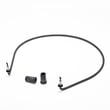
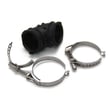
Using the full model number helps prevent wrong-part returns and saves time on repairs. For example, if your dishwasher will not drain, confirming WDF520PADM0 helps us match the correct dishwasher drain pump WPW10348269 and related hoses or clamps.
Last updated: January 2026
What's the most common problem with a Whirlpool dishwasher?
For the Whirlpool WDF520PADM0 dishwasher, the most common problems we see are poor cleaning, not draining, and drying issues. Leaks and odor complaints also happen, usually tied to loading, detergent, filters, or a drain restriction. See the WDF520PADM0 user guide for model-specific operating and care tips.
Most common issues (and what usually causes them)
- Not cleaning well: clogged filter, blocked spray arm holes, low water temperature, or incorrect loading
- Not draining: kinked drain hose, disposer knockout plug still in place, or a drain restriction
- Not drying: rinse aid empty, Heat Dry not selected, plastics holding water
- Leaks: door seal wear, loose hose connections, or over-sudsing from wrong detergent
- Odors: food debris in the filter area or standing water from slow draining
Quick checks we recommend first
- Confirm the cycle finished and the Clean light is on; if not, close the door and press Start/Resume.
- Clean the filter system (upper filter assembly and lower filter) and reinstall it securely.
- Run hot water at the sink until it is hot before starting a cycle.
- Use automatic dishwasher detergent only; avoid hand dish soap to prevent suds.
- Fill rinse aid and use Heat Dry for best drying.
When a part is likely involved
If basic checks do not fix the symptom, these model-compatible parts are common suspects:
| Symptom | Part to inspect/replace | What it affects |
|---|---|---|
| Won’t drain / water left in tub | Dishwasher drain pump WPW10348269 | Pumps water out through the drain hose |
| Won’t fill / fills slowly | Dishwasher water inlet valve W11175771 | Controls water entering the dishwasher |
| Poor wash performance | Dishwasher turbidity sensor WPW10705575 | Helps the control adjust cycle based on soil level |
Why it matters
Catching the root cause early (especially drainage and leaks) helps prevent repeat wash failures, odors, and moisture damage. Regular filter cleaning and correct detergent use are the fastest ways to keep the WDF520PADM0 running normally.
Last updated: January 2026
What is the average lifespan of a Whirlpool dishwasher?
A Whirlpool dishwasher typically lasts 10 years on average. For your Whirlpool WDF520PADM0, actual lifespan depends most on water quality, how often you run it, and routine care like keeping the filtration system clean as outlined in the WDF520PADM0 user guide.
What affects lifespan the most
- Filter and sump cleanliness; gritty dishes and poor cleaning often trace back to a dirty filter system
- Hard water buildup; mineral scale stresses the pump, heater, and spray system
- Detergent and rinse aid habits; using automatic dishwasher detergent and keeping rinse aid filled improves results and reduces residue
- Loading and spray arm clearance; items blocking spray can cause repeat cycles and extra wear
- Drain performance; slow draining can leave debris in the sump and strain the drain pump
Quick care routine we recommend
- Rinse and clean the filter on a regular schedule (more often with heavy use)
- Run hot water at the sink before starting cycles when needed
- Use rinse aid consistently for better drying and less spotting
- Avoid hand dish soap (it can cause suds and interruptions)
- Inspect the drain path if you notice standing water after a cycle
Parts that commonly drive “end of life” repairs
If your WDF520PADM0 is not draining, leaking, or not heating well, these are common wear items that can become the deciding factor between repair and replacement:
| Symptom | Common part involved | What it does |
|---|---|---|
| Won’t drain / water left in tub | Dishwasher drain pump WPW10348269 | Pumps water out through the drain hose |
| Poor drying / water not heating | Heating element (varies by configuration) | Heats water and supports heated drying |
| Won’t fill / fills slowly | Water inlet valve (varies by configuration) | Opens to let water into the dishwasher |
Why it matters
Knowing the typical 10-year lifespan helps you plan maintenance and decide when a repair (like a drain pump or latch) is worth it. Good filtration care and hard-water prevention are the two biggest ways to extend service life.
Last updated: January 2026
How do I hard reset my Whirlpool dishwasher?
To hard reset a Whirlpool dishwasher model WDF520PADM0, we recommend turning power off at the breaker for 1 minute, then restoring power and starting a new cycle. If the control is unresponsive, canceling the cycle (which triggers a drain) can also clear the control state.
Reset options that work on WDF520PADM0
Try these in order:
- Power reset: Turn the dishwasher circuit breaker OFF for 60 seconds, then ON.
- Cancel/drain reset: Close the door firmly and press CANCEL; allow the dishwasher to run the drain (about 2 minutes if needed).
- Resume reset (after door opened): Close the door and press START/RESUME to restart the cycle.
- Control lock check: If buttons do nothing, press and hold CONTROL LOCK or 4-HR DELAY for 3 seconds (varies by control style) to toggle the lock.
For the exact button locations and control behavior on your unit, use the WDF520PADM0 user guide.
What to expect after a reset
| Reset method | What it does | When to use it |
|---|---|---|
| Breaker power reset | Reboots the control | Control panel frozen, odd behavior after outage |
| CANCEL (drain) | Stops the cycle and drains water | Cycle stuck, needs to be cleared before restarting |
| START/RESUME | Restarts or continues a cycle | Door opened mid-cycle, cycle paused |
If it still will not start after resetting
A reset helps only if the issue is control-related. If the dishwasher still will not run, check these common causes:
- Door not fully closed and latched
- Household breaker tripped again immediately
- Control lock enabled
- Suds/foam from incorrect detergent type
- Fill or drain problem preventing the cycle from continuing
If you are seeing a flashing light pattern or an error condition, we recommend using the how to reset a Whirlpool dishwasher guide along with the Whirlpool dishwasher error codes reference to narrow down the next step.
Why it matters
A hard reset clears temporary control glitches after a power interruption, a paused cycle, or a stuck key input. It can save time before deeper troubleshooting of parts like the door latch or drain system.
Last updated: January 2026










