



Do all Speed Queen dryers have moisture sensors?
No. Not all Speed Queen dryers have moisture sensors; it depends on the series and the control features. For your Speed Queen SDGY09WF dryer, the quickest way to confirm is to check the control panel for an Auto Dry or Sensor Dry cycle (not just Timed Dry).
How to tell if a Speed Queen dryer has a moisture sensor
Look for these common indicators on the console:
- A cycle labeled Auto Dry, Sensor Dry, or Automatic
- Dryness level choices such as Less Dry / Normal / More Dry
- The dryer ends the cycle early when the selected dryness is reached
- The displayed time adjusts during the cycle (time remaining changes)
- Heat cycles on and off near the end while the drum continues tumbling
Sensor dry vs timed dry (what changes)
Moisture sensing helps prevent overdrying and can reduce fabric wear; timed cycles run the full set time regardless of load moisture.
| Feature | Sensor dry (moisture sensing) | Timed dry |
|---|---|---|
| Stops when clothes are dry | Yes | No |
| Best for mixed loads | Yes | Sometimes |
| Risk of overdrying | Lower | Higher |
| Most affected by airflow issues | Yes | Some |
Why it matters
When a dryer seems to overdry or takes too long, airflow and lint buildup are the most common causes, even on models with sensor dry.
What we recommend checking first
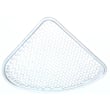
- Clean the lint screen every load; replace a torn or warped screen (see Speed queen lint filter D503980W)
- Inspect the vent duct for crushing, kinks, or heavy lint
- Avoid overloading; bulky items can prevent even drying
- Use the correct cycle for the fabric type
- Keep the exhaust path clear (see dryer takes a long time to dry)
When a part may be involved
If the dryer will not start or behaves inconsistently, a switch can be a factor. Match parts to model SDGY09WF before ordering (example: Speed queen switch D512973).
Last updated: February 2026
How to find model number on Speed Queen dryer?
On a Speed Queen dryer, the model number is printed on the appliance ID label (model and serial tag). For model SDGY09WF, check the door opening first; the label is commonly on the cabinet frame just inside the door, or on the back near the top.
Where to look on model SDGY09WF
Check these spots in order (most common first):
- Inside the dryer door opening on the cabinet frame (left or right side)
- On the back panel near the top edge
- Along the door opening lip near the lint screen housing (if your design places the screen there)
- Behind the control panel area (some versions place the tag on the cabinet just under the top)
What the label looks like (and what to write down)
The tag is usually a small sticker or metal plate. Record these items exactly:
- Model number (example: SDGY09WF)
- Serial number (helps match production changes)
- Type (gas or electric, if shown)
- Electrical rating (volts/amps) or gas type (if listed)
| You need this | Why it matters | Example format |
|---|---|---|
| Model number | Ensures parts diagrams match your dryer | SDGY09WF |
| Serial number | Confirms the correct revision of parts | Letters and numbers |
Why it matters
Speed Queen dryers can have multiple part revisions under the same model family. Using the exact model number and serial number helps us match the correct dryer parts (like a switch, panel, or lint filter) the first time.
If the label is missing or unreadable
Use these practical options:
- Look for a faint “shadow” outline where the sticker used to be and check nearby surfaces
- Check the back panel for a second tag
- If you are troubleshooting a no-start issue while you search, inspect the door switch area; a failed switch can prevent operation (see Speed queen switch D512973)
Related DIY help
If you are diagnosing symptoms while identifying the model, use dryer common questions for quick checks.
Last updated: February 2026
What are common problems with Speed Queen dryers?
Common problems we see on Speed Queen dryers (including model SDGY09WF) are no heat or weak heat, long dry times from restricted airflow, failure to start, unusual noises from the drum support system, and lint buildup issues. Many of these problems trace back to venting, door-switch circuits, or worn drum support parts.
Most common symptoms and what they usually mean
- Dryer runs but won’t heat: airflow restriction, gas ignition/heating circuit issue, or temperature control problem.
- Dryer takes too long to dry: clogged lint screen, crushed vent hose, blocked exterior hood, or overloaded drum.
- Dryer won’t start: door switch not closing, start switch/timer issue, or power supply problem.
- Squealing, thumping, or rumbling: worn drum support components, roller/bracket wear, or a pulley issue.
- Lint collecting inside the cabinet: damaged or missing lint screen, poor duct connections, or excessive restriction.
Quick checks we recommend first (safe, high-impact)
- Clean the lint screen every load; wash it with warm water if you use dryer sheets.
- Check airflow at the outside vent hood; it should be strong and steady.
- Inspect the vent path for kinks, long runs, or heavy lint buildup.
- Confirm the door closes firmly and the door switch clicks.
- If you hear noise, stop using the dryer until you identify the source.
Parts that commonly relate to these problems on SDGY09WF
| Symptom | Commonly involved area | Example part for this model |
|---|---|---|
| Won’t start or stops when door moves | Door/start switch circuit | Speed queen switch D512973 |
| Poor drying, lint issues | Lint screen and airflow | Speed queen lint filter D503980W |
| Thumping or rumbling | Drum support hardware | Speed queen dryer drum support roller bracket 510100 |
| Squeal or belt tracking issues | Drive pulley area | Speed queen amana dryer motor pulley 500011 |
Why it matters
Dryer problems often get worse when airflow is restricted; that increases drying time, raises operating temperatures, and accelerates wear on the drum, motor, and controls. Fixing venting and worn support parts early keeps your Speed Queen dryer running efficiently.
For step-by-step symptom-based help, use our dryer takes a long time to dry and gas dryer wont heat troubleshooting video resources.
Last updated: February 2026





