 Installation guide
 Owner’s manual






Does the Kenmore Elite dishwasher have a filter to clean?
Yes. The Kenmore Elite dishwasher model 66513752K600 uses a filtration system that intermittently filters soil from the wash water, and the filter area can be removed and rinsed to clear trapped debris. For the exact filter removal steps for your unit, follow the 66513752K600 owner's manual.
How to clean the dishwasher filter
- Turn off power at the breaker (recommended anytime you reach into the sump area).
- Remove the lower rack.
- Unlock the upper filter assembly by turning it about a quarter-turn counterclockwise, then lift it out.
- Lift out the lower filter, then pull it forward to remove.
- Rinse both filters under running water; use a soft brush for stuck-on soil.
- Reinstall the lower filter, then reinstall and lock the upper filter assembly.
Tips for better results
- Rinse filters until water runs clear; avoid harsh scrub pads that can damage mesh.
- Check for glass, labels, and seeds that can block the sump.
- Make sure the filter is fully seated; a loose filter can reduce wash performance.
- If the dishwasher is not draining well, check the drain air gap (if your setup uses one).
When a “filter problem” is really a drain problem
If you still have standing water after cleaning the filters, the issue is often in the drain path.
| Symptom | Most likely area to check | Common next step |
|---|---|---|
| Water left in bottom | Drain hose or air gap | Clear blockage, verify high loop |
| Hums but won’t drain | Drain pump | Inspect impeller area, test pump |
| Drains slowly | Partial clog in hose | Flush hose, check disposer inlet |
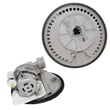
If you suspect a failed pump or a split hose, the model-specific replacements we commonly see are the dishwasher drain pump WPW10348269 and the dishwasher drain hose 8269144A.
Why it matters
A clean, properly installed filter helps the ULTRA WASH soil removal system circulate cleaner water, which improves cleaning, reduces redepositing grit on dishes, and can help prevent drain clogs.
Last updated: January 2026
How to do a hard reset on a Kenmore dishwasher?
For Kenmore Elite dishwasher model 66513752K600, the correct “hard reset” is to cancel the current cycle, let the unit drain, then restart with a fresh cycle selection. This clears active cycle settings and gets the control ready to run again; see the exact console steps in the 66513752K600 owner's manual.
Hard reset steps for model 66513752K600
- Press the Cancel/Drain pad once.
- Close the door fully so the dishwasher can drain.
- Wait for the drain to finish (the manual describes a 2-minute drain when needed).
- If you want to stop the drain early, press Cancel/Drain again.
- Select a new wash cycle and any options.
- Press Start/Resume to begin.
If the dishwasher seems “dead” (controls not responding)
On this model, the keypad can be disabled by the control lock feature. Unlocking restores normal button operation.
- Press and hold Heated Dry for 4 seconds.
- Confirm the Lock On indicator turns off.
- Press Start/Resume to continue or start a new cycle.
Quick guide: choose the right reset
| What you’re seeing | What to do | Result |
|---|---|---|
| Wrong cycle selected or you want to restart | Cancel/Drain, let it drain, then Start/Resume | Clears cycle and options, drains if needed |
| Buttons do not respond | Hold Heated Dry 4 seconds | Turns off Control Lock |
| Drain is running and you need it to stop | Press Cancel/Drain again | Stops the drain |
Why it matters
Canceling and draining first prevents starting a new cycle with leftover water and detergent from a partially completed wash. Checking Control Lock avoids unnecessary troubleshooting when the dishwasher is simply locked.
Last updated: January 2026
How to fix water sitting in the bottom of a dishwasher?
Water sitting in the bottom of your Kenmore Elite dishwasher model 66513752K600 is usually caused by a drain restriction (filter area, disposer connection, air gap, or drain hose routing) or a failing drain component. Start with cleaning and drain-path checks; then test the drain pump if the problem continues.
Step-by-step checks that fix most standing-water problems
- Cancel and drain: Run a Cancel/Drain (or reset) to force a drain.
- Remove the water: Scoop or wet-vac the tub so you can see the sump area clearly.
- Clean the filter and sump area: Remove debris that can block the drain path.
- Check the sink drain/disposer: Run the garbage disposal and confirm the sink drains fast.
- Inspect the drain hose routing: Look for kinks, crushing, or a low loop that lets water flow back.
- Check the air gap (if installed): Clear clogs in the cap and body.
Drain hose and installation items to verify
Your installation setup matters because a poor drain connection can cause slow draining or backflow. The installation instructions call out proper drain-hose connection methods (waste tee or disposer, with or without an air gap) and correct routing. Use the installation guide to confirm your exact configuration.
| What you see | Most likely cause | What to do next |
|---|---|---|
| Water returns after draining | Backflow from sink/disposer | Verify high loop/air gap and disposer inlet plug removal |
| Dishwasher hums but drains slowly | Partial clog or weak pump | Check hose for blockage; then test pump |
| No drain sound at all | Electrical/control issue or failed pump | Check power, door latch, then diagnose drain circuit |
When a part is likely needed
If the drain path is clear and the dishwasher still will not evacuate water, the drain pump is a common failure point on this style of Kenmore 665-series dishwasher.
- Replace the pump when you notice:
- Loud grinding during drain
- Intermittent draining (works sometimes)
- Water remains after multiple Cancel/Drain attempts
A model-matched option for this dishwasher is the dishwasher drain pump WPW10348269.
Why it matters
Standing water can redeposit food soil, create odors, and keep the next cycle from washing correctly. Fixing the drain path early also helps protect the sump and motor from debris-related damage.
Last updated: January 2026








