Installation guide
 Owner’s manual
 Error Codes





Do gas stoves use gas for the oven?
Yes. On the GE JGB860SEJ2SS gas range, the oven uses gas for baking and broiling, just like the cooktop uses gas for the surface burners; the range also uses electricity for controls and ignition. For operating details and safety notes, use the JGB860SEJ2SS owner's manual.
A gas range typically uses:
- Gas to fuel the bake and broil burners (heat source)
- Electric power for the control board, display, and igniters
- Airflow (proper air to gas ratio) to keep flames steady and blue
If the cooktop lights but the oven will not heat, the manual troubleshooting section notes the oven gas shut-off lever on the regulator may be closed.
Before replacing parts, we recommend these basics:
- Confirm the range is connected to the correct gas supply (natural gas vs. propane conversion)
- Check that the oven gas shut-off at the regulator is in the open position
- Verify the range has electrical power (clock/display on, outlet working)
- Listen for ignition and watch for a burner flame after you start Bake or Broil
- If flames are very large or yellow, stop using the oven and correct the air to gas setup
| Symptom | Most common cause | What to do next |
|---|---|---|
| Cooktop works, oven does not | Oven gas shut-off closed | Open the regulator lever; see the manual |
| Oven clicks but won’t light | Weak/hot-surface igniter | Consider replacing the range upper oven bake burner igniter WB13X25633 |
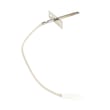
| Oven temperature is off | Sensor out of range | Test/replace the range oven temperature sensor WB24X25557 |
Knowing that the oven is gas-fired helps you troubleshoot correctly: an oven heating problem can be a gas supply/shut-off issue, an ignition issue, or a temperature sensing issue, not a “heating element” problem like many electric ovens.
Last updated: February 2026
How do I reset the error code on my GE oven?
On the GE JGB860SEJ2SS gas range, we reset most “F-” error codes by pressing Cancel/Off to stop the function, letting the oven cool for about 1 hour, then restoring power (breaker off for at least 30 seconds, then back on). If the code returns, troubleshooting is needed.
- Press Cancel/Off to clear the current operation.
- If the oven is hot, wait about 1 hour and try using the oven again.
- If the code repeats, turn power off at the circuit breaker for 30 seconds or longer.
- Restore power and set the clock if it’s flashing.
- Run a simple test like Bake at a moderate temperature to see if the code returns.
- If LOC ON shows, turn off Control Lockout so the keypad works.
When you see “F-” plus a number or letter, the control is reporting a function error. The manual’s recommended reset is Cancel/Off, cool-down time, then a brief power disconnect. See the JGB860SEJ2SS owner’s manual for the exact control pad names and troubleshooting table.
These are the most common “repeat code” culprits on ranges like this:
- Oven temperature sensing problem (sensor or wiring)
- Keypad or control issue (stuck key behavior, moisture, or failed touch panel)
- Ignition or heating fault that prevents normal operation
- Loose wire connection at the control or sensor harness
| Symptom | What to check | Example part for this model |
|---|---|---|
| Oven temp seems inaccurate, error repeats during baking | Temperature sensor circuit | Range oven temperature sensor WB24X25557 |
| Bake won’t light reliably, long preheat, error after start | Igniter performance | Range upper oven bake burner igniter WB13X25633 |
Clearing the code gets you cooking again quickly, but a repeating error code helps prevent unsafe or unreliable heating. Resetting first avoids unnecessary part replacement; repeat codes point to a component or wiring issue that needs correction.
Last updated: February 2026
What does F2 mean on my gas stove?
On the GE JGB860SEJ2SS gas range, an F2 code is a function error that usually points to an oven temperature problem (the oven overheated or the control is seeing an abnormal temperature signal). Start by canceling the cycle, letting the oven cool, then resetting power as outlined in the JGB860SEJ2SS owner's manual.
- Press Cancel/Off.
- Let the oven cool for 1 hour.
- Try using Bake again.
- If the code returns, turn off power to the range for at least 30 seconds, then restore power.
- If the code repeats after the reset, schedule service (the manual treats repeating function codes as a service issue).
These are the most common culprits on modern GE ranges when a temperature-related fault shows up:
- Oven temperature sensor reading out of range or drifting (a frequent cause)
- Loose, damaged, or overheated wiring between the sensor and control
- Control board interpreting temperature incorrectly after an overheat event
- Oven actually overheating due to airflow issues or a stuck control relay
| Symptom | Most likely area | Example part for this model |
|---|---|---|
| F2 returns during baking | Temperature sensing circuit | Range oven temperature sensor WB24X25557 |
| Oven heats erratically, then faults | Ignition/heating control timing | Range upper oven bake burner igniter WB13X25633 |
An F2 code is the range telling us it cannot reliably control oven temperature. Addressing it quickly helps prevent poor baking results, repeated shutdowns, and potential damage to wiring or electronic controls.
- If you smell gas, follow the safety instructions in the JGB860SEJ2SS owner's manual.
- Disconnect power before checking wiring or replacing electrical parts.
Last updated: February 2026
Why is my GE gas stove not igniting?
If your GE gas range model JGB860SEJ2SS is not igniting, the most common causes are a dirty or mis-seated burner cap, moisture or debris around the igniter electrode, or a gas shut-off valve that is not fully open. Start with cleaning and correct burner assembly, then confirm gas supply.
- Set the burner knob to LITE and listen for rapid clicking (spark).
- Remove the grate and confirm the burner cap sits flat and centered (misalignment can prevent ignition).
- Clean food spills from the burner head ports and around the igniter tip; let everything dry fully.
- Try a different burner; if only one fails, the issue is usually local (cap, burner head, electrode).
- If all burners fail to spark, check power to the range (spark ignition needs electricity).
The manual troubleshooting guidance for uneven flames points to improper burner assembly and clogged burner slots; those same issues often stop ignition because gas cannot flow correctly to the spark. Use the cleaning and assembly steps in the JGB860SEJ2SS owner's manual.
| Symptom | Most likely area | What it usually means |
|---|---|---|
| Clicks but no flame | Burner cap/head dirty or wet | Spark is present, gas flow at the burner is disrupted |
| No clicking on any burner | Ignition circuit | Spark system is not firing |
| One burner won’t light but others do | That burner’s components | Cap/head alignment, clogged ports, or a bad valve/igniter |
If the clicking is weak or inconsistent across burners, the ignition system can be involved; on this model that can include the range spark module WB13X24741.
- Confirm the household gas shut-off valve is fully open.
- If the cooktop burners light but the oven does not, the manual notes an oven gas shut-off lever on the regulator near the gas line connection; a similar supply issue can also affect surface ignition if the main supply is restricted.
- For any gas connection or regulator concerns, follow the safety and installation requirements in the JGB860SEJ2SS installation guide.
A burner that does not ignite can allow gas to flow without lighting, which is a safety concern. Correct burner cap seating, clean burner ports, and a properly functioning spark system help the burner light quickly and burn evenly.
Last updated: February 2026