Owner’s manual
 Error Codes





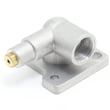
How do I clear the error code on my Samsung stove?
Most error codes on your Samsung FX710BGS gas freestanding range clear after you correct the underlying problem and reset power. Start by canceling the cycle, then power-cycling the range; if the code returns, use the code meaning in the FX710BGS owner's manual to target the failed circuit or sensor.
- Press OFF/CLEAR (or CANCEL) once; wait 30 seconds.
- If the code stays on, turn off power at the breaker for 2 to 5 minutes, then restore power.
- If the code is related to temperature, let the oven cool completely and try BAKE again.
- If the code returns immediately, stop using the oven until you identify the cause.
- For code lookups and common fixes, use Samsung electric range error codes.
Many Samsung range codes point to a heat-sensing problem, a door/lock signal, or a control input issue.
- Oven temperature sensing: A failed sensor or loose connector can trigger temperature-related codes; the common replacement is the Samsung range oven temperature sensor DG32-00002B.
- Door signal: If the control thinks the door is open or not latched, it can throw a door-related code; inspect the range oven door switch DG34-00006A.
- Oven ignition/heating (gas oven): If the oven will not light or heats poorly, the igniter is a frequent cause; check the Samsung range oven burner igniter DG94-00520A.
- Control input: If keys beep, act on their own, or the code appears with no cooking, the user interface or control board may be involved.
| What you notice | Most likely area | Part to consider |
|---|---|---|
| Oven temp swings, over/underheats | Temperature sensing | DG32-00002B sensor |
| Code appears when opening/closing door | Door switch circuit | DG34-00006A door switch |
| Oven will not ignite, long preheat | Ignition/heating | DG94-00520A igniter |
Clearing the code without fixing the cause usually means the range will fault again, and repeated overheating, ignition failures, or door-signal problems can prevent safe, consistent baking and broiling.
Last updated: February 2026
How to clean Samsung gas range knobs?
For the Samsung FX710BGS gas freestanding range, we clean the control knobs by pulling them straight off (with all knobs set to OFF), washing them in warm, soapy water, then rinsing and drying completely before reinstalling. Use the FX710BGS owner's manual for any model-specific cautions.
- Turn all surface burner knobs to OFF and confirm burners are cool.
- Pull each knob straight out off the valve stem (do not twist hard).
- Wash knobs in warm water with mild dish soap.
- Rinse well and dry thoroughly (water left inside can cause sticking).
- Push knobs back on firmly, aligning the flat spot on the stem.
- Do not soak knobs for long periods.
- Do not use abrasive pads, bleach, or ammonia-based cleaners.
- Do not spray cleaner directly behind the knobs (liquid can get into switches and wiring).
- Do not reinstall knobs until they are fully dry.
If a knob feels wrong after reinstalling, use this checklist:
| Symptom | Most common cause | What we do next |
|---|---|---|
| Knob is hard to turn | Moisture or residue inside knob | Remove, dry longer, reinstall |
| Knob spins but won’t control flame | Knob not seated on stem | Re-seat firmly and align |
| Clicking continues when knob is OFF | Moisture around igniter switch area | Let area dry; avoid spraying behind knobs |
Clean, dry knobs help you get accurate flame control and reduce the chance of sticking controls or moisture-related ignition clicking on a Samsung gas range.
Last updated: February 2026
What is the range model FX710BGS?
The Samsung FX710BGS is a gas freestanding range (a full-size oven with a gas cooktop) designed for everyday baking, broiling, and stovetop cooking. For the exact feature set, capacities, and operating details for your unit, we recommend using the FX710BGS owner's manual.
Most Samsung gas freestanding ranges like the FX710BGS typically include a mix of performance and convenience features that affect how you cook and troubleshoot:
- Multiple surface burners with electronic ignition (spark ignition)
- An oven bake burner and a separate broil burner function
- Temperature sensing and electronic oven controls
- Removable oven racks and a storage or warming drawer (varies by configuration)
- Standard household power connection for controls and ignition
If you are identifying the range or diagnosing symptoms, these parts are often the “core” of the system:
| System | What it does | Example part for FX710BGS |
|---|---|---|
| Oven ignition | Lights the oven burner for bake | Samsung range oven burner igniter DG94-00520A |
| Temperature feedback | Tells the control how hot the oven is | Samsung range oven temperature sensor DG32-00002B |
| Cooktop ignition | Creates spark to light surface burners | Cooktop spark module DG96-00221A |
Knowing the exact model (FX710BGS) helps us match the correct Samsung parts, wiring, and troubleshooting steps. Even small model variations can change the oven igniter style, sensor type, or control board used.
Last updated: February 2026
Where can I find my Samsung oven part number?
On your Samsung FX710BGS gas range, the fastest way to identify the correct replacement part is to first find the model/serial tag on the appliance, then use that model number to look up the exact part number in the parts list. The model tag is commonly found behind the storage or warming drawer.
Check these common ID-tag locations (start with the easiest):
- Behind the bottom storage drawer: pull the drawer fully out and look on the frame or side wall
- Oven door frame: open the oven door and check the front frame area
- Lower front frame: near the anti-tip bracket area or base trim
- Back panel: sometimes the tag is on the rear of the range
For diagrams and model-specific identification details, use the FX710BGS owner's manual.
Once you have the model/serial information:
- Match the model number exactly (letters, numbers, and any suffix)
- Use the model to shop the correct category (burner parts, ignition parts, control parts)
- Confirm the part by name and part number before ordering
- If you are replacing an oven-heat issue part, verify whether the problem is bake, broil, or ignition related
| What you have | What it means | Example from this model |
|---|---|---|
| Symptom or description | What the part does | “Oven won’t heat” can point to ignition or gas delivery |
| Part name | The component name | Oven burner igniter |
| Part number | The manufacturer number you order by | DG94-00520A |
If your oven is not heating and the igniter is weak or not glowing properly, the Samsung range oven burner igniter DG94-00520A is a common fix for this model.
Samsung ranges often have similar-looking parts across different models. Using the exact FX710BGS model/serial tag prevents ordering a burner, igniter, sensor, or control board that does not fit or connect correctly.
Last updated: February 2026
Why is my Samsung gas oven not heating up?
If your Samsung FX710BGS gas range oven won’t heat, the most common cause is a weak oven igniter that glows but does not pull enough current to open the gas valve fully. We also see this symptom with a failed temperature sensor, gas valve issue, or a wiring/connection problem.
- Confirm the oven is set to Bake (not Delay Start or Sabbath mode, if equipped).
- Set Bake to 350°F and watch through the oven bottom vents: the igniter should glow and the burner should light within about 30 to 90 seconds.
- If you smell gas but get no ignition, stop and ventilate; turn the oven off.
- If the igniter glows dimly or takes a long time to light, plan on replacing the igniter.
- If the burner lights but temperature is far off, suspect the sensor.
| What you observe | Most likely cause | Common fix |
|---|---|---|
| No glow from igniter | Open igniter, control issue, wiring | Check connections; replace igniter if open |
| Igniter glows but burner won’t light (or lights late) | Weak igniter | Replace igniter |
| Burner lights but oven won’t reach set temp | Temperature sensor out of range | Replace sensor |
| No bake even with good igniter | Gas valve not opening | Test/replace valve (pro service recommended) |
- Samsung range oven burner igniter DG94-00520A: the igniter must get hot enough to open the safety gas valve.
- Samsung range oven temperature sensor DG32-00002B: tells the control board the oven temperature.
- Wall oven gas valve DG94-00449A: opens to feed gas to the bake burner when the igniter draws proper current.
A weak igniter can still glow, but it will not open the valve consistently; that leads to no heat, long preheat times, or intermittent baking. Fixing the root cause restores safe ignition and stable oven temperature.
For FX710BGS, use the wiring diagrams, diagnostic steps, and access instructions in the FX710BGS owner's manual before ordering parts or disassembling panels.
Last updated: February 2026