Installation guide
 Owner’s manual









How do I reset my Whirlpool Duet Dryer F01?
To reset an F01 on your Whirlpool WGD8200YW1 gas dryer, disconnect power for 5 minutes, then restore power and try a Timed Dry cycle. If the code returns right away, the control is detecting a persistent fault that needs troubleshooting.
- Turn the dryer OFF.
- Shut OFF power at the breaker (or unplug the dryer).
- Wait 5 minutes.
- Restore power.
- Select Timed Dry (heated) and press START/PAUSE.
- If the display shows PF first, press and hold START/PAUSE to restart the cycle.
For model-specific operating steps and cycle behavior, use the WGD8200YW1 owner's manual.
F01 is commonly tied to an electronic control issue, but we recommend ruling out simple power and airflow problems first because they can trigger odd behavior.
- Verify the dryer has steady power (no loose plug, no tripped breaker).
- Confirm the dryer is level; moisture sensing can act up when the cabinet is not level.
- Clean the lint screen and confirm the vent run is not restricted.
- Try a different cycle (Timed Dry vs. sensor cycle) to see if the symptom changes.
- If you recently had a power interruption, clear PF and retest.
| What happens after the reset | What it usually means | What to do next |
|---|---|---|
| Dryer runs normally | Temporary glitch | Keep using; monitor |
| F01 returns immediately | Control is still seeing a fault | Plan for diagnosis/repair |
| Drum turns but heat is inconsistent | Airflow or gas-heat issue may be present | Check venting and burner system |
Resetting clears a temporary logic lockup, but repeated F01 errors point to a problem that can stop cycles mid-load and cause long dry times. Addressing power stability and venting first prevents repeat shutdowns and overheating.
Last updated: February 2026
How much to replace a Whirlpool dryer motor?
Replacing the drive motor in a Whirlpool WGD8200YW1 gas dryer typically runs $200 to $600 total (parts plus labor). The motor itself is commonly $150 to $300, and professional labor often adds $150 to $300 depending on access, diagnostics, and local rates.
| Item | Typical range | Notes |
|---|---|---|
| Drive motor part | $150 to $300 | Motor price varies by supplier and revisions |
| Labor (service call + install) | $150 to $300 | Often 1 to 2 hours plus trip/diagnostic |
| Total installed | $200 to $600 | Higher if additional worn drum parts are replaced |
We recommend replacing the motor when the dryer has good overall condition and the failure is clearly motor-related.
Common signs pointing to a motor issue:
- Drum will not turn but the control powers on
- Humming or buzzing, then the dryer stops
- Motor overheats and shuts down mid-cycle
- Burning smell from the motor area (stop using the dryer and unplug it)
A “won’t run” complaint is often caused by airflow or safety parts, not the motor. Use the troubleshooting steps in the WGD8200YW1 installation guide and confirm these basics first:
- Verify power at the outlet and reset any tripped breakers
- Clean the lint screen and confirm strong airflow at the exterior vent
- Inspect the belt and idler system for binding that can stall the motor
- Check for a blown thermal fuse (a common no-run cause)
If you suspect overheating or restricted airflow, address venting first; a blocked vent can repeatedly trip safety devices and shorten motor life.
If the dryer is already opened up, it is often cost-effective to refresh wear items that can strain the motor:
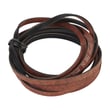
- Dryer drum belt WP8547157
- Dryer idler assembly WPW10547292
- Dryer drum support roller WPW10314173
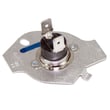
- Dryer thermal fuse WP3390719
A weak motor or a binding drum support system can cause long dry times, shutdowns, and repeat failures. Fixing airflow and drum support at the same time helps the WGD8200YW1 run cooler, quieter, and more reliably.
Last updated: February 2026
How to clear codes on a Whirlpool Cabrio dryer?
On the Whirlpool WGD8200YW1 gas dryer, most code messages clear after you correct the cause and restart the cycle; for example, a “PF” (power failure) message clears by pressing and holding START/PAUSE to restart. For “FE” service codes (such as F1E1, F2E2, FSE1, FSE2, F7E1, FSEG, F3E7), the fix is service, not a manual reset. See the WGD8200YW1 installation guide for the model’s code guidance.
If the display shows PF:
- Press and hold START/PAUSE to restart.
- If PF returns, check the home breaker or fuse and confirm the power cord connection.
If the display shows an FE service code:
- Stop using the dryer and arrange service (these are not “clearable” by button presses).
- Make sure the dryer is plugged into a grounded 3-prong outlet.
- Do not use an extension cord or adapter.
- Check the lint screen and airflow; restricted venting can cause performance problems that look like “errors.”
- If the cycle was interrupted, select a Timed Dry heated cycle and restart.
- If you suspect overheating or no-heat symptoms, test safety devices such as the dryer thermal fuse WP3390719.
| What you see | What it usually means | What to do |
|---|---|---|
| PF | Power interruption during a cycle | Hold START/PAUSE to restart; check breaker/fuse and cord |
| FE (F1E1, F2E2, FSE1, etc.) | Control or sensor fault requiring diagnosis | Schedule service; do not keep resetting |
Clearing a code without fixing the cause can lead to repeat shutdowns, long dry times, or overheating. Restarting after a PF is normal; repeated PF or any FE code points to an electrical or control issue that needs proper troubleshooting.
Last updated: February 2026