 Installation guide
 Error Codes





How much are electric wall ovens?
Electric wall ovens typically cost about $1,000 to $4,000 for most mid-range models, with budget options sometimes under $1,000 and premium units reaching $5,000+. For KitchenAid KEBS177SSS02, the final cost depends on size, features, and installation needs shown in the KEBS177SSS02 installation guide.
- Oven size (24-inch, 27-inch, 30-inch, 36-inch cutout classes)
- Single vs. double wall oven configuration
- Convection and specialty cooking modes
- Controls and electronics (touch panels, sensors, boards)
- Installation complexity (cabinet cutout, junction box location, electrical work)
| Category | Common range | Best fit for |
|---|---|---|
| Entry-level electric wall oven | $700 to $1,500 | Basic baking and broiling |
| Mid-range electric wall oven | $1,500 to $3,500 | Convection, better controls |
| Premium electric wall oven | $3,500 to $7,000+ | High-end features and finishes |
Even when the oven price looks good, installation can add cost. The installation guide for this KitchenAid wall oven family calls out cabinet cutout sizing and recommended junction box placement.
Common cost add-ons include:
- Electrical hookup (junction box, wiring, breaker verification)
- Cabinet modification to match the required cutout
- Haul-away of the old built-in oven
- New trim or filler work if the opening is oversized
Wall ovens are built into cabinetry, so the “real” cost is the oven plus the work needed to make the cutout, clearances, and electrical connection correct. Planning around the documented cutout and junction box guidance helps avoid delays and rework.
Last updated: January 2026
What does F1 mean on a KitchenAid oven?
On the KitchenAid KEBS177SSS02 electric wall oven, an F1 error typically points to a problem in the oven’s electronic control system, most often a control (keypad/control board) fault or a temperature-sensing issue. Start with a power reset; if F1 returns, troubleshooting focuses on the sensor circuit and controls.
- Reset power: turn the oven’s circuit breaker OFF for 1 minute, then turn it back ON.
- If the code returns, stop using the oven until you identify the cause; repeated faults can lead to overheating or no-heat conditions.
- If the display beeps continuously, try canceling the cycle and resetting power again.
In many KitchenAid wall ovens, F1 is triggered when the control detects an internal fault or an out-of-range temperature signal.
- Temperature sensor circuit issue (sensor out of spec, wiring problem, loose connector)
- Electronic control or keypad issue (stuck key, control failure)
- Overheating event that trips a safety device or stresses wiring
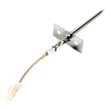
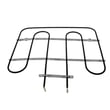
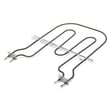
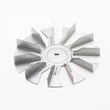
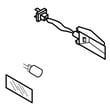
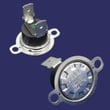
If you’re checking parts, the most relevant model-matched items on this oven include:
- Does F1 appear immediately at power-up? More likely a control/keypad fault.
- Does F1 appear after preheat or during baking? More likely a sensor, wiring, or overheating/airflow issue.
- Check cooling airflow: a weak or failed cooling fan can contribute to overheating.
| What you notice | Most likely direction | What to check next |
|---|---|---|
| F1 right after reset | Control/keypad | Inspect keypad for stuck keys; check connections |
| F1 during/after preheat | Sensor circuit | Sensor resistance test; harness/connector condition |
| F1 after long bake, cabinet feels very hot | Overheating/airflow | Cooling fan operation; vents not blocked |
F1 is the oven telling you it cannot reliably control temperature. Addressing it quickly helps prevent undercooking, overheating, nuisance shutdowns, and repeat error beeping.
Correct junction box placement and clearances help prevent heat damage to wiring and connections. Use the KEBS177SSS02 installation guide to confirm recommended junction box location and cutout clearances for your cabinet setup.
Last updated: January 2026
How to know if the KitchenAid wall oven thermostat is bad?
On the KitchenAid KEBS177SSS02 electric wall oven, a “bad thermostat” complaint usually shows up as unstable or incorrect oven temperature (overheating, underheating, or wide swings) even after basic calibration and reset steps. The most common temperature-control part to check first is the oven temperature sensor.
- Food consistently burns on the outside or stays undercooked inside
- Oven preheats but never reaches set temperature, or overshoots it
- Temperature varies a lot between racks or from one bake to the next
- Long bake times even though the display shows the correct set temp
- Error symptoms after heavy use (self-clean, long bakes) that point to heat-related issues
- Confirm the symptom: Use an oven-safe thermometer and compare the average temperature over 20 to 30 minutes.
- Check airflow: Make sure the cooling fan is running; poor cooling can cause overheating and shutdowns.
- Inspect the sensor circuit: A loose connector or damaged wiring can mimic a failed control.
- Look for heat damage: Discolored terminals, brittle insulation, or melted connectors near the rear.
If the oven temperature is still off after these checks, testing the sensor is the best next step.
| Symptom | Most likely part to test/replace | Why it matters |
|---|---|---|
| Overheats or temp swings | Wall oven temperature sensor WPW10131825 | The sensor reports oven temperature; bad readings cause wrong heat cycling |
| No heat or shuts off after heating | Wall oven thermal fuse WP8304452 | A blown fuse cuts power to protect against overheating |
| Uneven baking or weak heat | Bake element WPW10207398 | A failing element can heat intermittently or not at full output |
Accurate temperature control prevents scorched food, underbaking, and unnecessary stress on the control system, wiring, and heating elements. Catching a sensor or element problem early also helps avoid repeat failures.
Built-in wall ovens require careful handling and correct cutout and junction box placement. For cabinet and junction box guidance (including recommended junction box locations and cutout dimension charts), use the KEBS177SSS02 installation guide.
Last updated: January 2026
How do I reset my KitchenAid double oven?
For a KitchenAid KEBS177SSS02 electric built-in oven, the correct reset is a simple power reset: cancel the cycle, then turn the oven’s circuit breaker OFF for 1 minute and back ON. This clears most control-panel glitches and restores normal keypad response.
- Press Cancel/Off to stop any Bake, Broil, or Self-Clean cycle.
- Turn the oven circuit breaker OFF (or remove the fuse).
- Wait 60 seconds.
- Turn the breaker ON.
- Reset the clock if needed, then test Bake and Broil.
A reset is for electronic control issues, not heating failures.
| Symptom | Reset helps? | What to check next |
|---|---|---|
| Display frozen, beeping, or keys unresponsive | Yes | If it returns, inspect wiring connections and control components |
| Oven heats but temperature seems wrong | Sometimes | Test the wall oven temperature sensor WPW10131825 |
| No heat in Bake but Broil works | No | Inspect the bake element WPW10207398 |
| Oven goes dead during cooking or won’t power up | No | Check the wall oven thermal fuse WP8304452 and cooling airflow |
KEBS177SSS02 is a single built-in wall oven model. If your appliance has two oven cavities, the rating plate will show a different model number, and the control layout and reset steps can differ.
- Use the breaker, not the control panel, to remove power.
- If the breaker trips again after reset, stop and have the power supply and oven wiring checked.
- Let the oven cool before restarting Self-Clean.
For electrical connection and junction box details, follow the KEBS177SSS02 installation guide.
Last updated: January 2026







