Error Codes


How do I fix the OE code on my Kenmore washer?
On a Kenmore washer, an OE code points to a drain problem (the washer is not emptying fast enough). On model 11082673810, start by checking the drain hose for kinks and clearing any clogs, then inspect the drain pump area for debris.
- Unplug the washer for 1 minute, then plug it back in and try a Drain/Spin.
- Make sure the drain hose is not kinked, crushed, or pushed too far down the standpipe.
- Confirm the standpipe is not overflowing or backing up (a slow household drain can trigger OE).
- Reduce suds: use HE detergent and avoid overfilling; excess suds can slow draining.
- If the tub is full of water, bail out water first so you can safely check for blockages.
If the hose and household drain are OK, the issue is usually a restriction at the pump or a worn pump.
| What you notice | Most likely cause | What to do |
|---|---|---|
| Hums but drains slowly or not at all | Pump jammed with debris | Inspect pump inlet and hoses; clear blockage |
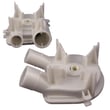
| Leaks near pump during drain | Pump housing or seal issue | Replace the water pump WP3363394 |
| Drains sometimes, then stops | Partial clog or collapsing hose | Check internal hoses and the drain hose routing |
- Unplug power and turn off water supply.
- Pull the washer forward and check the drain hose routing.
- If you suspect a pump clog, remove the cabinet/front access as needed and inspect the pump and hoses.
- Reassemble, restore power, and run a Drain/Spin test.
When the washer cannot drain, it can leave clothes soaking wet, prevent the spin cycle, and strain the drive system. Fixing the drain restriction early helps protect components like the motor coupling and clutch.
Last updated: January 2026
How to force a Kenmore Elite washer to drain?
On the Kenmore washer model 11082673810, the fastest way to force a drain is to cancel the cycle and run a Drain/Spin (or Spin) cycle; if the tub is full and it will not drain, manually empty the water and clear the drain path, starting at the pump.
- Press Cancel/Stop once, wait 10 seconds, then select Drain/Spin (or Spin) and start.
- If the lid must be closed to drain, close it firmly and listen for the motor and pump.
- If the washer hums but water stays, stop the cycle and move to the manual drain steps below.
- Unplug the washer.
- Turn off both water supply valves.
- Bail water into a bucket, or siphon with a hose to lower the water level.
- Check the drain hose for kinks, a crushed section, or a clog at the standpipe.
- Inspect the pump for a jam; on this model, a common drain component is the water pump WP3363394.
- A sock, coin, or debris jammed in the pump
- A clogged or kinked drain hose
- A failed pump impeller or leaking pump
- A drive issue that prevents the pump from turning (for example, a worn coupling 285753A)
| What you notice | Most likely check first | What it points to |
|---|---|---|
| Motor runs, no water movement | Pump jam/impeller | Drain pump issue |
| Loud grinding during drain | Pump obstruction | Debris in pump |
| Washer won’t spin or drain | Drive connection | Motor coupling or drive system |
| Drains slowly | Hose/standpipe restriction | Partial clog |
Forcing a drain protects the motor and prevents overflow. Clearing the drain path also helps the washer reach full spin speed, which reduces wet clothes and out-of-balance shaking.
Last updated: January 2026
How to reset the Kenmore Elite washer?
For the Kenmore washer model 11082673810, a “reset” usually means clearing a stuck cycle by fully power-cycling the control. Unplug the washer for 1 minute, plug it back in, then select a fresh cycle and press Start; this often restores normal operation.
- Press Pause/Cancel once to stop the cycle.
- Unplug the washer (or switch the breaker off).
- Wait 60 seconds.
- Plug back in (or turn breaker on).
- Set a new cycle and press Start.
- If the lid is open, close the lid firmly before starting.
These checks fix the most common “won’t run” or “stuck” complaints on this style of Kenmore top-load washer.
- Make sure the washer is not overloaded and the load is balanced.
- Confirm both water supply valves are fully open; a fill problem can look like a control issue.
- If the washer fills but will not agitate or spin, inspect the drive system parts most likely to slip or break: coupling 285753A, agitator dog 80040.
- If it will not drain or it stops mid-cycle with water in the tub, the drain system is the priority: water pump WP3363394.
- If the tub spins but clothes stay very wet, check for a worn clutch: clutch 285785.
| Symptom | Reset helps? | What to check next |
|---|---|---|
| Control seems frozen, cycle won’t advance | Often | Power-cycle, then try a different cycle |
| Washer will not drain | Sometimes | Pump, drain hose, clogs |
| Washer will not spin or agitate | Sometimes | Coupling, clutch, drive components |
| Loud grinding during spin | Rarely | Drive block, gear case, basket drive |
Resetting clears a temporary control lock-up, but repeated lock-ups usually mean an underlying issue (drain restriction, drive wear, lid not closing consistently, or a failing component). Fixing the root cause prevents repeat shutdowns and protects the motor and gear case.
Last updated: January 2026