Owner’s manual
 Error Codes



Which is better top mount or bottom mount fridge?
A bottom-mount refrigerator like the GE CYE22TSHRSS is usually the better choice for everyday convenience because fresh food sits at eye level and the freezer is in a pull-out drawer. A top-mount is often the better value if you want simpler design and typically lower energy use.
Quick comparison: top mount vs. bottom mount
- Bottom mount: easier access to fresh food, wider drawers, more “organization” features
- Top mount: often lower purchase price, simpler airflow layout, fewer drawer mechanisms
- Either style: can cool well when doors seal properly and airflow is not blocked
| Feature | Top mount (freezer on top) | Bottom mount (freezer on bottom) |
|---|---|---|
| Fresh food access | Bend more | Eye-level access |
| Freezer access | Eye-level access | Pull-out drawer |
| Organization | Basic shelves | More drawers/bins common |
| Typical energy use | Often lower | Often slightly higher |
| Repair complexity | Often simpler | More drawer/rail parts common |
What we recommend for most households
Choose bottom mount when you:
- use the refrigerator section far more than the freezer
- want better visibility and less bending for daily items
- prefer wide deli and produce drawers for organization
Choose top mount when you:
- want a simpler layout with fewer moving drawer mechanisms
- prioritize upfront cost and straightforward maintenance
- do not mind bending more for fresh-food items
Why it matters
The “better” style is the one that fits how you shop and cook. Bottom-mount designs reduce bending for the items you reach for most, while top-mount designs often keep things simpler and can be more efficient.
For model-specific features and layout details, use the CYE22TSHRSS owner’s manual.
Last updated: January 2026
How to remove bottom grille on GE refrigerator?
On the GE CYE22TSHRSS bottom-mount refrigerator, the bottom grille (base grille) typically comes off by releasing its retaining tabs and pulling it forward; if your grille uses screws, remove them first, then slide the grille out and lift it away. For your model’s exact fastener locations, use the CYE22TSHRSS owner’s manual.
Steps to remove the bottom grille
- Unplug the refrigerator or switch it off at the control (safer when working near wiring and fans).
- Pull the refrigerator straight out a few inches if you need better access; avoid rolling over the power cord or water line.
- Look along the top edge and corners of the grille for screws; remove any screws with a Phillips screwdriver.
- If there are no screws, press in on the grille’s locking tabs (usually near the ends) and pull the grille forward.
- Lift the grille slightly to clear the lower clips, then remove it.
- Reinstall by aligning the tabs/clips, sliding the grille into place, and reinstalling screws (if used).
Quick checks if it will not come off
- Confirm you removed all screws (some are recessed).
- Pull straight forward; twisting can bind the side clips.
- Check for tape, shipping film, or debris catching the grille.
- If the grille flexes but will not release, press the tabs more firmly while pulling from the center.
What you might access behind the grille (and why it matters)
Removing the grille is often the first step for cleaning airflow areas and checking for issues that affect cooling performance.
| Behind the grille | What to look for | Why it matters |
|---|---|---|
| Condenser area | Dust buildup, blocked airflow | Poor cooling, longer run times |
| Wiring/lines | Pinched cord or water line | Prevents damage when moving unit |
| Leveling legs | Legs not contacting floor | Door alignment and sealing |
Why it matters
A properly seated base grille helps protect components and supports correct airflow. If it is loose or blocked, the refrigerator can run longer and cool less efficiently.
Last updated: January 2026
What is the most common problem with a GE refrigerator?
The most common GE refrigerator complaint, including on the GE CYE22TSHRSS, is not cooling properly (fresh food warm, freezer warming, or temperatures swinging). In many cases, the root cause is airflow, defrost, or control issues rather than the sealed system; start with the quick checks in the CYE22TSHRSS owner's manual.
Most common issues we see (and what to check first)
- Not cooling or weak cooling: confirm temperature settings, blocked vents, dirty condenser area, or a fan not running.
- Ice maker not working: verify the ice maker is on, water supply is open, and the filter is not restricted.
- Water dispenser slow or no water: replace the filter and purge air from the line.
- Strange noises: fan blade hitting ice, normal compressor cycling, or a failing fan motor.
- Water leaking/puddles: clogged defrost drain, door left ajar, or ice maker fill issues.
- Door not closing/sealing: misalignment, gasket not sealing, or bins preventing closure.
Quick troubleshooting steps (in order)
- Check temps: set fresh food around 37°F and freezer around 0°F, then allow 24 hours to stabilize.
- Listen for fans: you should typically hear an evaporator fan when the doors are closed.
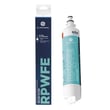
- Check the filter: a clogged filter can reduce water flow and affect ice production; use the GE refrigerator water filter RPWFE.
- Look for frost buildup: heavy frost on the back wall points to a defrost problem.
- Pull error codes (if your display shows them): use the GE refrigerator error codes guide to match symptoms to likely parts.
Common “symptom to part” mapping for CYE22TSHRSS
| Symptom | Most likely system | Example part for this model |
|---|---|---|
| Warm temps, fan runs, frost buildup | Defrost system | Refrigerator defrost heater WR51X10131 or refrigerator defrost bi-metal thermostat WR50X10108 |
| Temps swing, intermittent cooling | Sensing/control | Refrigerator temperature sensor WR55X10025 or refrigerator main control board WR55X46805 |
| No ice, no harvest | Ice maker system | Ice maker WR30X28731 |
Why it matters
Cooling problems can quickly lead to food spoilage and can also create secondary issues like ice buildup, fan noise, and water leaks. Catching airflow, defrost, or filter problems early often prevents bigger repairs.
Last updated: January 2026