 Installation guide
 Owner’s manual
 Error Codes





How to install GE oven racks?
To install oven racks in your GE JKS5000DN1BB electric wall oven, set the rack’s curved stop-lock ends onto the side supports, tilt the front up slightly, then push the rack in until it seats and slides smoothly. Always position racks before turning the oven on.
Install traditional flat racks (most common)
- Open the oven door fully.
- Hold the rack with the curved ends (stop-locks) facing the back.
- Set the rack on the desired rack supports.
- Tilt the front edge up slightly.
- Push the rack straight in.
To remove: pull the rack out to the bump (stop position), tilt the front up, then pull it out.
- Place racks in position before preheating to reduce burn risk.
- Pull the rack out only to the bump when loading cookware.
- Keep space between pans for airflow when using multiple racks.
Install extension racks (if your oven has them)
Extension racks install similarly, but you should pull them by the upper front rail and use the rack’s full open position for loading.
- Extension racks cannot be used in the top rack position.
- If the rack is hard to extend, use the graphite lubricant described in the JKS5000DN1BB owner’s manual.
- Keep the side tracks clean so the rack glides evenly.
Quick troubleshooting: rack won’t slide smoothly
Racks can get sticky after high heat or self-clean. Use this checklist:
- Wipe rack supports clean and dry.
- For flat racks, rub a small amount of vegetable oil on the left and right rack edges.
- For extension racks, lubricate only as directed; do not oil the rack slides.
- Confirm the rack is sitting on the supports evenly (not cocked or on the wrong ledge).
| Rack type | How to load cookware | Best fix for sticking |
|---|---|---|
| Traditional flat rack | Pull to bump (stop position) | Light oil on rack edges |
| Extension rack | Pull by upper front rail to fully open | Graphite lube on tracks (per manual) |
Why it matters
Correct rack installation keeps cookware stable, improves airflow for even baking, and prevents racks from binding or tipping when you pull them out.
Last updated: February 2026
How to replace the control panel on a GE oven?
On the GE JKS5000DN1BB electric wall oven, replacing the control panel typically means shutting off power, removing the control panel mounting screws, transferring the wiring harness connections to the new panel one at a time, then reassembling and restoring power. Use the JKS5000DN1BB installation guide for safe handling and access points.
Safety first (do this before any screws)
- Turn off the breaker for the wall oven (240V circuit); confirm the display is off.
- Let the oven cool completely.
- Protect the cabinet and door; do not lean or stand on the oven door.
- If the oven must be pulled forward, support it from underneath (do not hang it by the trim).
Basic replacement steps (typical GE wall oven process)
- Kill power at the breaker.
- Access the control panel: open the door and remove the screws securing the control panel/trim (locations vary by model).
- Tilt the panel out: pull the bottom outward, then lift up to release tabs (common design).
- Label and move wires one-by-one: transfer each connector from the old panel to the new panel (avoid mixing connectors).
- Reinstall the panel: seat the top tabs, swing the bottom in, and tighten screws snugly.
- Restore power and test Bake, Broil, oven light, and any keypad functions.
Parts you may need
If the issue is a dead or erratic display, unresponsive keys, or random beeping, the control interface may be involved.
| Symptom | Common related part to check | Example part for this model |
|---|---|---|
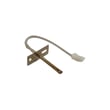
| Oven temp seems inaccurate, long preheat | Temperature sensing circuit | Wall oven temperature sensor WB21X10165 |
| Cooling fan runs wrong, oven overheats cabinet area | Cooling fan control/sensing | Wall oven cooling fan sensor board WB27T11463 |
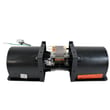
| Fan noisy or not running | Cooling fan motor/blade | Wall oven cooling fan assembly WB26X31060 |
Why it matters
A loose connector, pinched harness, or mis-seated panel can cause intermittent power to the user interface, incorrect temperature regulation, or cooling fan problems. Reconnecting wires one at a time helps prevent miswiring and repeat failures.
Last updated: February 2026
What are the parts of an electric oven?
An electric wall oven like the GE JKS5000DN1BB is built around heating, temperature sensing, airflow cooling, lighting, and door hardware. The key parts you will see most often are the bake and broil heating elements, oven racks, temperature sensor, cooling fan system, oven light, and door lock components.
Main electric oven parts (what they do)
- Bake element: primary heat source for baking and roasting (typically bottom of the cavity, sometimes hidden).
- Broil element: high-heat element for broiling and browning (typically top of the cavity).
- Oven temperature sensor: tells the control how hot the oven is; a common cause of inaccurate temps is a failing sensor such as the wall oven temperature sensor WB21X10165.
- Control board and user interface: runs bake/broil timing, temperature regulation, and features.
- Cooling fan system: protects electronics and cabinetry by moving heat out; includes parts like the wall oven cooling fan assembly WB26X31060 and related fan controls.
- Oven light system: bulb, lens/cover, and socket assembly; the bulb and assembly are service parts.
- Door system: hinges, gasket, glass/window, handle, and (on self-clean models) a door lock.
Quick “parts map” by area
| Oven area | Common parts you will find there | What you notice when it fails |
|---|---|---|
| Inside cavity | bake element, broil element, racks, light cover | weak heating, uneven cooking, no light |
| Rear/top (behind liner) | temperature sensor, wiring harness | temp swings, error codes, long preheat |
| Upper/side cabinet area | cooling fan, fan controls | hot control panel, fan noise, overheating |
| Door | gasket, glass, hinges, lock | heat leaks, poor sealing, door won’t unlock |
Why it matters
Knowing which system is involved helps you troubleshoot faster. For example, temperature accuracy problems often point to the sensor or control logic, while overheating around the trim or control panel often points to the cooling fan system.
Good next steps for identifying the exact part
- Use the exploded-view diagrams and part names in the JKS5000DN1BB owner’s manual.
- Match symptoms to the system (heating, sensing, airflow, lighting, door).
- If you are replacing electrical parts, shut off power at the breaker before servicing.
- Confirm the part ID before ordering so it fits your exact model.
Last updated: February 2026





