 Owner’s manual

How to tell if Samsung dryer thermal fuse is bad?
On our Samsung DV40J3000EW dryer, a bad thermal fuse is typically open (no continuity), which can make the dryer not run or stop heating. The most reliable way to tell is to unplug the dryer and test the fuse with a multimeter for continuity, then correct any venting or lint restriction before replacing the fuse.
A blown thermal fuse is a safety device that opens when the dryer overheats. Common symptoms include:
- Dryer won’t start or stops mid-cycle
- Dryer runs but has no heat (some failures show up this way)
- Burning smell or unusually hot cabinet (often caused by restricted airflow)
- Repeated overheating symptoms after long dry times
Before servicing, unplug the dryer (and shut off gas on gas models).
- Disconnect power.
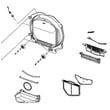
- Access the fuse location (varies by design); use the DV40J3000EW owner’s manual for access guidance and safety notes.
- Pull the two wires off the fuse terminals (note their positions).
- Set a multimeter to continuity or lowest ohms.
- Test across the fuse terminals:
- Good fuse: continuity (near 0 ohms)
- Bad fuse: no continuity (open/infinite)
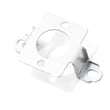
Replace the fuse and fix the overheating cause first. For this model’s heating and safety circuit, common related parts include the dryer thermal cut-off fuse, 320-degree f DC47-00015A and the dryer high-limit thermostat DC47-00018A.
Overheating is usually caused by poor airflow. The manual’s troubleshooting guidance emphasizes lint filter and exhaust duct cleaning.
- Clean the lint filter before every load
- Inspect and clean the exhaust duct (at least yearly)
- Confirm the outside vent hood opens freely
- Use 4-inch rigid metal duct where possible
- Avoid crushing or kinking the vent behind the dryer
| Test result | What it means | What we do next |
|---|---|---|
| Continuity present | Fuse is good | Check venting, heat circuit, and thermostats |
| No continuity (open) | Fuse is blown | Replace fuse, correct airflow restriction |
The thermal fuse helps prevent overheating. If we replace it without fixing lint buildup or a blocked vent, the dryer can overheat again, leading to long dry times, no-heat complaints, and repeat part failures.
Last updated: February 2026
What's the average lifespan of a Samsung dryer?
A Samsung dryer like model DV40J3000EW typically lasts 10 to 15 years with normal household use, proper venting, and routine maintenance. Keeping airflow strong and addressing wear parts early (belt, rollers, heat components) helps you reach the upper end of that range.
- Vent restriction (long ducts, crushed flex vent, clogged exterior hood) that overheats the heater and thermostats
- Overloading that strains the drum belt, motor, and drum support rollers
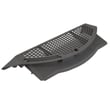
- Lint buildup inside the cabinet or blower housing that reduces airflow
- Heat cycling issues from failing sensors or safety cutoffs
- Moisture and corrosion around electrical connections and terminals
- Clean the lint screen every load
- Check airflow at the outside vent; strong flow means safer, faster drying
- Keep loads sized correctly (the manual recommends filling the drum about 3/4 full for a large load)
- Inspect for early wear noises (thumping, squealing, scraping)
- If drying times increase, correct venting first before replacing heat parts
If your DV40J3000EW starts getting noisy or drying poorly, these are frequent culprits:
| Symptom | Common cause | Example part on this model |
|---|---|---|
| Thumping or rumbling | Worn drum rollers | Samsung dryer drum support roller DC97-16782A |
| Drum not turning | Worn or broken belt | Samsung dryer drum belt 6602-001655 |
| No heat or overheating shutdown | Failed heater or safety devices | Samsung dryer heating element DC47-00019A |
A dryer that runs hot because of poor airflow or worn components can burn through heaters, thermostats, and fuses faster. Preventive cleaning and quick repairs reduce repeat failures and keep cycles consistent.
For model-specific use, load guidance, and troubleshooting steps, follow the DV40J3000EW owner's manual. If you need to order replacement parts, use the parts list for this model or search by model number on Sears PartsDirect.
Last updated: February 2026
What is the capacity of the Samsung dryer model DV40J3000EW?
The Samsung dryer model DV40J3000EW has a 7.2 cu. ft. drum capacity, which is a full-size capacity designed for typical family loads. For model-specific specs and installation clearances, we recommend checking the DV40J3000EW owner's manual.
A 7.2 cu. ft. Samsung dryer like DV40J3000EW is sized for common laundry needs, including:
- Mixed loads of everyday clothing
- Towels and bedding (dry in fewer batches than compact dryers)
- Medium to large loads from a matching washer
- Bulky items (dry best with extra space and proper airflow)
These specs help you plan space and venting so the dryer performs correctly.
| Spec | DV40J3000EW typical value | Why you care |
|---|---|---|
| Capacity | 7.2 cu. ft. | Load size and drying efficiency |
| Width | 27 in. | Fit through doorways and into laundry rooms |
| Depth | 29.96 in. | Clearance behind dryer for venting |
| Height | 44.0 in. (adjustable) | Leveling and stacking area planning |
Capacity is only part of good drying performance. Overloading reduces tumbling and airflow, and restricted venting can cause long dry times and overheating. Following the venting and clearance guidance in the manual helps the moisture sensor and heater operate as intended.
- Fill the drum loosely; leave room for items to tumble
- Clean the lint screen before every load
- Use 4-inch rigid metal ducting where possible
- Keep the vent run short and straight; tape joints (avoid screws that catch lint)
- Maintain the minimum clearances around the cabinet
If the dryer tumbles but does not heat or takes too long to dry, these model-compatible parts are common checks:
- Dryer thermistor DC32-00007A (temperature sensing)
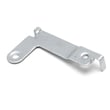
- Dryer high-limit thermostat DC47-00018A (overheat protection)
- Samsung dryer heating element DC47-00019A (electric heat source)
For additional replacement parts for DV40J3000EW, you can use the parts list for this model or search by model number on Sears PartsDirect.
Last updated: February 2026
How to tell if a Samsung dryer heating element is bad?
A bad heating element in your Samsung DV40J3000EW dryer typically causes “runs but doesn’t heat,” very long dry times, or a breaker that trips when heat should turn on. The sure test is checking resistance and checking for a short to the heater housing with the dryer unplugged.
- Drum tumbles but there is no heat on heated cycles
- Dry times increase even with a clean lint screen
- Heat never comes on, or seems to cut out quickly
- Burning smell during a heat cycle
- Breaker trips when a heated cycle starts
- Unplug the dryer (or switch off the breaker).
- Follow access steps and safety notes in the DV40J3000EW owner's manual.
- Remove at least one wire from the element terminal.
- Test resistance across the two element terminals.
- Test for a short to ground: one meter lead on an element terminal, the other on the metal heater canister.
| Test | Normal result | Bad result |
|---|---|---|
| Terminal-to-terminal resistance | Continuity (some resistance) | Open circuit (no continuity) |
| Terminal-to-canister (short test) | No continuity | Any continuity (shorted) |
The DV40J3000EW troubleshooting for “Doesn’t heat” also highlights issues that stop heating even when the element is good.
- Check both house breakers or fuses (electric dryers can run on 120V but not heat without full power)
- Make sure you are not using Air Fluff
- Clean the lint screen and inspect the exhaust duct for restrictions
If your tests show the heater is open or shorted, replace the Samsung dryer heating element DC47-00019A. If overheating is involved, also inspect the dryer high-limit thermostat DC47-00018A and the dryer thermal cut-off fuse, 320-degree f DC47-00015A.
A shorted element can overheat wiring and trip breakers; restricted venting can overheat the heater area and cause repeat failures.
You can order parts from the list for this model or search by model number on Sears PartsDirect.
Last updated: February 2026









