Installation guide
 Owner’s manual
 Error Codes



How big is the Kenmore 79096011406?
The Kenmore 79096011406 is a 30-inch freestanding electric range. Most ranges in this series are built to fit a standard 30-inch opening; for the exact height, width, and depth for your unit and installation clearances, use the measurements listed in the 79096011406 owner's manual and the 79096011406 installation guide.
Even when the cooktop is 30 inches wide, overall depth and height can vary based on the backguard and leveling legs.
- Width: typically about 30 in. (standard freestanding range)
- Height: typically about 36 in. to the cooktop (adjustable with leveling legs)
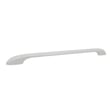
- Depth: typically about 25 to 28 in. to the front of the door handle
- Cutout space: usually a 30-in. cabinet opening with required side and rear clearances
- Anti-tip bracket: required; it can affect how far the range sits from the wall
Use the installation section because it lists the dimensions that matter for fitting the range safely.
| What you’re measuring | What to look for | Why it matters |
|---|---|---|
| Overall width | “Product dimensions” | Confirms fit in a 30-in. opening |
| Overall height | Leveling leg range | Ensures cooktop aligns with countertops |
| Overall depth | With and without handle | Prevents door/handle interference |
| Clearance requirements | Side, rear, and above | Protects cabinets and wiring |
Correct dimensions prevent installation problems like a range that will not slide fully into the opening, a door that hits adjacent cabinetry, or unsafe clearances near walls and countertops.
Last updated: February 2026
How do I reset my Kenmore electric range?
To reset your Kenmore electric range model 79096011406, turn the range OFF, then cycle power at the circuit breaker for a few minutes and restore power. After power returns, reset the clock and any oven settings as described in the 79096011406 owner's manual.
- Turn all surface element knobs to OFF.
- If the oven is running, press Cancel/Off on the electronic control.
- Go to your home electrical panel and switch the range breaker OFF.
- Wait 3 to 5 minutes (this clears many control glitches).
- Switch the breaker ON.
- Set the clock and reselect your cooking function.
The manual warns not to operate the range during a power failure; when power resumes, the range can begin operating again if it was left on. After any outage:
- Confirm all controls are OFF
- Reset the clock
- Re-enter the desired oven function
A reset helps with temporary control lockups, but it will not correct a failed heating circuit or a damaged control.
Common next checks:
- Oven will not heat: inspect for a failed bake element (often shows blisters or breaks). Consider the frigidaire range bake element 316075103.
- Broil not working: the broil element may be open. Consider the frigidaire range broil element 316203200.
- Hot surface light stays on: a surface element control or indicator circuit may be stuck.
| Symptom | What it usually points to | Example part for this model |
|---|---|---|
| Oven not baking | Failed bake element | 316075103 |
| Oven not broiling | Failed broil element | 316203200 |
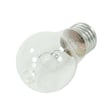
| No oven light | Burned-out bulb or socket | 316538904 or 316116400 |
Resetting by cycling breaker power is the safest way to clear many electronic oven control glitches and ensures the range does not restart unexpectedly after an outage. It also helps you confirm whether the issue is a temporary control problem or a part failure.
Last updated: February 2026
Where can I find my Kenmore electric range model number?
For Kenmore electric range model 79096011406, the model number is printed on the identification (serial) plate on the right side of the oven front frame, inside the storage or warmer drawer compartment. Pull the drawer out and look along the right-side frame.
Check these spots in this order:
- Open the storage drawer (or warmer drawer, if equipped)
- Look on the right side of the oven front frame (the vertical frame just inside the opening)
- Check the bottom area of the drawer compartment where the plate is easiest to see
- If your range has a front lower panel instead of a drawer, open/remove that panel and look in the same right-side frame area
For the exact illustration and wording, use the 79096011406 owner's manual.
The identification plate typically includes:
- Model number (for example, 790.9601 series formats may appear in the manual)
- Serial number
- Date of purchase field (in the Product Record section)
We use the model number to match the correct Kenmore parts and diagrams for your exact range configuration (color variants and feature differences can change which bake element, control overlay, or indicator light fits).
| If you see this | Use it for |
|---|---|
| Model number | Finding correct parts diagrams and compatible replacement parts |
| Serial number | Identifying production run details when troubleshooting or ordering |
Last updated: February 2026
Why is my Kenmore electric oven not getting hot?
If your Kenmore electric range model 79096011406 oven is not getting hot, the most common causes are a failed bake element, a broil element issue (some models use it during preheat), or a control or sensor problem. Start with a safe visual inspection, then test heating circuits.
- Confirm the oven is set to Bake (not Delay Start or Sabbath mode, if equipped).
- Allow a full 10 to 20 minutes of preheat time before judging temperature.
- Check for an F-code on the display; the manual notes the control may beep and show an F code when it detects a fault.
- Make sure the oven is not lined with foil; the manual warns against using aluminum foil to line the oven bottom.
- Verify the range has proper power (electric ovens typically need 240V to heat correctly).
A broken or open heating element is the top reason an electric oven will not heat.
| Symptom | Most likely cause | Common fix |
|---|---|---|
| No heat in Bake, broil may still work | Failed bake element | Replace frigidaire range bake element 316075103 |
| No heat in Broil | Failed broil element | Replace frigidaire range broil element 316203200 |
| Oven heats inconsistently or stops heating | Loose wiring, control issue, sensor issue | Inspect wiring, test components, service as needed |
- Disconnect power at the breaker before removing panels or touching wiring.
- Inspect the bake element for blisters, cracks, or burn spots.
- If you have a multimeter, check the element for continuity; no continuity means the element is bad.
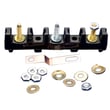
- If elements test good, inspect wiring connections at the element terminals and at the rear terminal block for heat damage.
- If the control is beeping or showing an F code, follow the reset and diagnostic guidance in the 79096011406 owner’s manual.
An oven that will not heat is often a simple element replacement, but continuing to run the range with damaged wiring or incorrect power can lead to repeated failures and unreliable baking results.
Last updated: February 2026
Why is the burner not working on my Kenmore stove?
On Kenmore electric range model 79096011406, a surface burner usually stops working because of a wrong control setting, a loss of power, a poor connection at the element, or a failed surface element switch or burner element. Start with power and settings, then move to the burner circuit parts.
- Confirm you are turning the correct knob for the burner you are testing.
- Check for a power issue; verify the range has power and reset the range circuit breaker if needed.
- Let the cooktop cool, then remove the burner (if removable) and reseat it firmly.
- Look for signs of overheating at the receptacle or wiring (darkened terminals, melted plastic, burnt smell).
- If only one burner fails, swap that burner with a same-size burner (if your cooktop uses plug-in elements) to see if the problem follows the element.
If power and settings are correct, the most common failed parts are the burner element itself or the infinite switch (surface element control switch).
| Symptom | Most likely cause | What to do next |
|---|---|---|
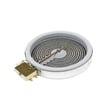
| One burner dead, others OK | Failed burner element or bad connection | Reseat element; inspect terminals; replace element if it stays dead |
| Burner heats only on “HI” or cycles oddly | Failed infinite switch | Replace the surface element control switch |
| Hot surface light stays on or acts wrong | Stuck switch or indicator circuit issue | Test/replace the switch; check indicator light circuit |
| Multiple burners dead | Power supply or wiring issue | Check breaker, terminal block, and supply wiring |
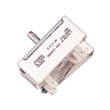
- If the issue points to a failed control, use the model-correct switch such as the range surface element control switch 316436001.
A loose or overheated burner connection can create arcing and heat damage at the receptacle and wiring. Catching it early helps prevent repeated failures and keeps heating performance consistent.
- Turn off power at the breaker before removing knobs, lifting the cooktop, or checking wiring.
- Do not immerse or soak heating elements in water; they are designed to clean themselves during normal operation.
- Avoid touching surface units and nearby areas until fully cooled.
For model-specific operating details and control guidance, use the 79096011406 owner's manual.
Last updated: February 2026