Installation guide


How to know if a washer drain pump is bad?
If your Whirlpool CAE2763BQ0 won’t drain, leaves water in the tub, or makes a loud humming or grinding sound during the drain portion of the cycle, the drain pump is failing or the pump path is blocked. Confirm by checking for clogs first, then test pump operation.
- Standing water remains after the cycle ends
- You hear humming but little or no water exits the drain hose
- Grinding or rattling noise during drain (often a damaged impeller or debris)
- Slow draining that gets worse over time
- Intermittent draining (works sometimes, fails other times)
- Water leaking near the pump area
- Power off the washer (unplug or switch off the breaker).
- Inspect the drain hose for kinks, crushing, or a clog; a restricted hose can mimic a bad pump.
- Check the tub for small items (coins, pins) that can migrate into the drain path.
- If you access the pump, look for debris in the pump inlet and outlet ports.
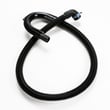
If the hose is damaged or soft-collapsed, replacing it is often the fix; see washer drain hose W11244231.
- Set the washer to drain/spin.
- Listen for the pump:
- Pump runs but no water moves: blockage or stripped/broken impeller.
- Pump is silent: electrical issue, failed pump motor, or control not sending power.
Use a multimeter to check for power to the pump during drain and to check the pump motor for continuity. If you need a refresher on meter use, follow how to use a multimeter to test electrical parts video.
| What you observe | Most likely cause | Typical fix |
|---|---|---|
| Hums, won’t drain | Jammed impeller or blockage | Clear obstruction; replace pump if damaged |
| Loud grinding | Debris or broken impeller | Remove debris; replace pump |
| Drains slowly | Partial restriction | Clear hose/pump path |
| No sound, no drain | Failed pump or wiring/control issue | Test power/continuity; repair wiring or replace pump |
A weak or jammed drain pump can leave water in the tub, prevent proper spin, and cause leaks. Catching it early helps avoid repeat shutdowns and water damage.
For model-specific access steps and safety notes, use the installation guide.
Last updated: February 2026
How do I reset the lid lock on my Whirlpool washer?
To reset the lid lock on your Whirlpool CAE2763BQ0 commercial washer, start with a power reset: unplug the washer (or switch off the breaker) for 5 minutes, restore power, then close the lid and try a cycle. If the lid still will not lock or unlock, the lock or control may need troubleshooting.
- Turn the washer off.
- Unplug the power cord (or turn the circuit breaker off).
- Wait 5 minutes.
- Restore power.
- Close the lid firmly (do not slam it).
- Select a cycle and press Start.
If the lid is locked and you cannot open it, wait 2 to 3 minutes after canceling the cycle. Many Whirlpool top-load designs keep the lid locked briefly while the basket stops and the control verifies it is safe to open.
- Make sure the tub is not full of water; a drain problem can keep the lid locked.
- Listen for the drain pump running during Cancel/Drain.
- Check that the lid is aligned and closing fully.
- Look for a loose or damaged wire connection at the lid lock and control.
A “reset” will not correct a broken latch, failed switch, or a control that is not reading the lock status.
| Symptom | Most likely cause | What we typically replace/test |
|---|---|---|
| Lid will not lock at all | Failed lid lock or wiring | Lid lock circuit and harness connections |
| Lid stays locked after cycle | Drain issue or control not sensing stop | Drain system, then control logic |
| Washer will not drain and lid stays locked | Pump or drain restriction | Drain pump and drain path |
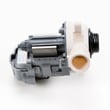
If the washer is not draining, the washer drain pump assembly WPW10276397 is a common fix on this model.
The lid lock is a safety system. If the control cannot confirm the lid is locked (or that the basket has stopped), it may prevent spinning, draining, or unlocking to protect users and the machine.
For model-specific access panels, hose routing, and installation clearances that affect lid lock and drain service, use the installation guide.
Last updated: February 2026
Can too much detergent cause an E3 error?
Yes. On a Whirlpool CAE2763BQ0 commercial washer, too much detergent creates oversudsing that interferes with draining and water-level sensing; that combination commonly triggers drain or overflow-related error behavior, including an E3 display on some control versions.
- Pause the cycle and let suds collapse for 30 to 60 minutes.
- Run a Rinse/Spin (or drain/spin) with no detergent.
- Run an extra rinse if you still see foam.
- Restart with a smaller load and a reduced detergent dose.
- Check the standpipe and drain hose for kinks, clogs, or a pushed-in hose that can cause siphoning.
Use the smallest amount that cleans well; commercial top-load washers need less than most caps suggest.
| Condition | What to do | Result |
|---|---|---|
| HE detergent | Measure carefully | Controls suds and improves draining |
| Soft water | Cut detergent amount | Prevents excessive foam |
| Small loads | Use less detergent | Reduces false “too much water” symptoms |
| Cold washes | Avoid extra detergent | Limits leftover suds |
If E3 returns with correct detergent use, treat it like a real drain or pressure-sensing problem.
- Inspect the drain path and pump area for lint, coins, or debris.
- Confirm the drain hose routing and height.
- Check the pressure hose for pinches, cracks, or soap residue.
Parts that commonly relate to these symptoms:
Oversudsing traps air and slows water movement. The control can interpret that as a drain failure or overfill condition, then stop the cycle to protect the washer.
For drain hose setup and installation checks specific to this model, use the installation guide.
Last updated: February 2026