Installation guide
 Owner’s manual









Why does my GE dryer run but no heat?
If your GE GTD72GBSN0WS dryer tumbles but has no heat, the most common causes are a power supply issue (electric models), restricted venting, or a failed heating safety/control component. We recommend checking airflow and power first, then testing heat-related parts.
- Make sure the cycle is not set to No Heat or Air Fluff.
- Clean the lint screen and confirm it is seated correctly.
- Verify strong airflow at the outside vent hood while the dryer runs.
- If the Check Vent light is on (some models), treat it as an airflow restriction warning.
- For gas models, confirm the gas shutoff valve is fully open.
For venting requirements and airflow guidance specific to this model, follow the GTD72GBSN0WS installation instructions.
| Dryer type | Most likely causes | What to check first |
|---|---|---|
| Electric | One leg of 240V power missing, high-limit thermostat open, thermistor/thermostat issue | Breakers/fuses (both), terminal block/cord, venting |
| Gas | Gas supply off, igniter/sensor issue, gas valve issue, airflow restriction | Gas valve open, venting, ignition components |
If airflow and settings are correct, the next step is typically testing heat control and safety parts with a multimeter (with power disconnected).
- A failed high-limit thermostat can shut heat down to prevent overheating.
- A failed thermistor can cause incorrect temperature sensing and heat control problems.
- Poor airflow can overheat the heater area and repeatedly trip safety devices.
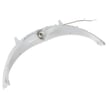
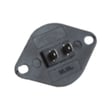
Model-matched parts that may apply:
A dryer that runs without heat is often telling you there is a power, airflow, or safety cutoff problem. Fixing vent restrictions first can restore heat and also helps prevent repeat failures of thermostats and other heat components.
Last updated: January 2026
Is 7.5 cubic feet a large dryer?
Yes. A 7.5 cu. ft. dryer is considered large capacity. For the GE GTD72GBSN0WS, the installation information lists this model family at 7.4 cu. ft. (and 7.4 cu. ft. with steam on steam versions), which is essentially the same large-capacity class as 7.5.
The rough-in dimensions table in the GTD72GBSN0WS installation guide includes these capacities for this platform:
- 6.2 cu. ft.
- 7.2 cu. ft.
- 7.4 cu. ft.
- 7.4 cu. ft. with steam
| Dryer capacity | Typical label | Best for |
|---|---|---|
| 6.2 cu. ft. | Standard | Smaller households, lighter weekly laundry |
| 7.2 to 7.4 cu. ft. | Large | Families, frequent mixed loads |
| 7.4 to 7.5 cu. ft. | Large | Bulky items, fewer loads overall |
Large-capacity drums give clothes more room to tumble, which helps airflow and can reduce wrinkles. But if the drum is packed tight, even a large dryer can take longer to dry.
- Clean the lint screen before every load
- Do not overload; leave space for tumbling
- Use Sensor cycles for mixed loads
- If drying is slow, check venting for restrictions and kinks
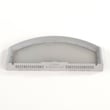
If you need a replacement lint filter for proper airflow, use the GE dryer lint screen WE03X23881.
Last updated: January 2026
What is the most common problem with a GE dryer?
On the GE GTD72GBSN0WS dryer, the most common customer complaints are long dry times, no heat, or the dryer not starting. For this model, restricted airflow (lint screen or venting) is a top cause, and the manual also notes that power or gas supply issues can mimic heating failures. See the GTD72GBSN0WS owner’s manual for model-specific troubleshooting.
- Clothes take too long to dry: obstructed ducting, kinked/crushed vent, outside damper not opening, lint filter buildup
- Dryer doesn’t heat: blown fuse or tripped circuit breaker, gas shutoff closed (gas models), incorrect temperature setting
- Dryer doesn’t start: control panel “asleep,” door not closed, dryer unplugged, fuse/breaker issue
- “Check Vent” light on (some models): reduced airflow from a blocked or restricted vent system
- Clean the lint screen before every load; wash it if you see a waxy film
- Inspect the entire vent run for lint buildup, kinks, or crushed ducting
- Verify the outside vent hood opens freely while the dryer is running
- Avoid overloading; large, heavy fabrics dry faster in smaller loads
- If electric, check the home electrical panel and make sure both dryer fuses/breakers are operating (the dryer may not heat if one is tripped)
If airflow and supply checks look good, these parts are common suspects for the related symptoms on GTD72GBSN0WS:
| Symptom | Part to suspect | Example compatible part for this model |
|---|---|---|
| Won’t start (door must be closed) | Door switch | Dryer door switch WE04X28977 |
| Long dry times from internal lint path restriction | Lint chute | Dryer lint chute assembly WE01X25335 |
| Overheating or heat control issues | High-limit thermostat or thermistor | Dryer high-limit thermostat WE04X26138 or dryer heating element control thermistor WE4M398 |
Airflow problems are the most common root cause behind “no heat” and “takes too long” complaints. Good venting helps the dryer dry faster, use less energy, and reduces overheating that can trip safety controls. Venting requirements are detailed in the GTD72GBSN0WS installation instructions.
Last updated: January 2026