 Owner’s manual
 Error Codes










How do you reset a Kenmore electric stove?
To reset a Kenmore electric range like model 79095662103, turn the range OFF, shut off power at the breaker (or unplug it) for about 1 minute, then restore power and reset the clock. After any power interruption, the range can resume operation when power returns, so always verify all controls are OFF.
Quick reset steps (recommended)
- Turn all surface element knobs to OFF.
- Turn the oven control OFF/CANCEL (if it is running a cycle).
- Switch the range circuit breaker OFF (or unplug the cord).
- Wait 60 seconds.
- Switch the breaker ON (or plug back in).
- Set the time of day using the instructions in the 79095662103 owner's manual.
What a reset fixes (and what it does not)
A power reset clears many temporary control glitches, but it will not repair a failed heating component.
| Symptom after reset | Most likely cause | What to check next |
|---|---|---|
| Display is normal but oven will not heat | Heating circuit problem | Test/inspect the frigidaire range bake element 316202200 and wiring connections |
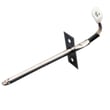
| Oven heats but temperature seems off | Sensor/probe issue | Check the oven probe 316233903 and run a temperature test |
| Cooktop element will not regulate heat | Control switch/element issue | Inspect the oven switch 316436000 (surface element control switch) and the element |
| Clock reset needed after outage | Normal behavior | Set clock and confirm all controls are OFF |
Safety notes during outages
The use and care guidance for this model is clear: do not try to operate the range during a power failure. If power returns and the range was left on, it can begin operating again.
Why it matters
Resetting the range the right way protects the electronic control, helps you confirm whether the issue is a simple control lockup, and reduces the risk of the oven or cooktop turning on unexpectedly after power is restored.
Last updated: February 2026
What causes a Kenmore oven to stop working?
On Kenmore electric range model 79095662103, the oven can stop working when the electronic oven control detects a fault and shuts the oven down (often with beeping and an F-code), after a power failure, or when a key heating circuit like the bake or broil circuit fails. See the 79095662103 owner's manual for the specific error-code and reset steps.
Most common causes (and what to check first)
- Power interruption or power failure: the manual warns not to operate the range during a power failure; turn the oven off, then reset the clock and cooking function when power returns.
- Control fault detected (F1, F3, F9): the control can stop operation and beep continuously when it senses a failure.
- Heating failure: a failed bake or broil circuit can prevent heating (element, wiring, or control).
- Temperature sensing problem: a bad sensor can cause incorrect temperature control or shutdown.
- Self-clean related lockout: after self-clean, the door stays locked until the oven cools (about 1 hour) and the LOCK light goes out.
Quick troubleshooting steps we recommend
- Check the display and listen: continuous beeping with an F-code points to an electronic control fault.
- Press CANCEL to stop beeping and clear the display; then reprogram Bake or Broil.
- If the fault returns, record the code and service the range (common next steps are checking wiring connections and testing components).
- If the oven will not heat but no code shows, inspect for a failed heating circuit; the frigidaire range bake element 316202200 and frigidaire range broil element 316203301 are common heat-source parts on this model.
What the symptoms usually mean
| Symptom | Most likely cause | Best next step |
|---|---|---|
| Beeps continuously, shows F1/F3/F9 | Electronic control detected a fault | Press CANCEL; if it repeats, schedule service |
| Oven dead after outage | Power failure behavior | Turn oven off; reset clock and function |
| Door won’t open after self-clean | Normal cool-down/lock | Wait about 1 hour for LOCK light to go out |
| Oven runs but won’t heat | Failed bake/broil circuit or sensor | Test elements and sensor; check wiring |
Why it matters
When the control shuts the oven down or a heating circuit fails, the range can appear “dead” even though the cooktop may still work. Identifying whether you have an error-code shutdown, a post-outage reset issue, or a no-heat component failure prevents unnecessary part replacement.
Last updated: February 2026
Where is the model number on a Kenmore electric range?
On Kenmore electric range model 79095662103, the model and serial number are printed on a serial plate located on the right side of the oven front frame, behind the Warmer Drawer or Storage Drawer compartment. The exact spot is shown in the 79095662103 owner's manual.
How to find it (fast)
- Turn the range off and let it cool.
- Pull out the Warmer Drawer or Storage Drawer fully.
- Look at the right side of the oven front frame (the vertical frame area behind the drawer opening).
- Find the serial plate label; it lists both model and serial numbers.
- Write the numbers down for parts lookup and service.
What the label looks like
Most Kenmore ranges use a small printed label (serial plate) with multiple lines of text.
| You need | Why you need it | Where it’s printed |
|---|---|---|
| Model number | Ensures you get the correct parts and diagrams | On the serial plate |
| Serial number | Helps match production details and revisions | On the serial plate |
Why it matters
Kenmore ranges often have similar-looking cooktops and control panels across model families. Using the exact model number (like 79095662103) helps us match the correct bake element, broil element, oven temperature sensor, control overlay, and other range parts.
Last updated: February 2026






