Error Codes



How do I fix the F5 E1 error code on a Whirlpool oven?
On a Whirlpool WFE540H0EW1 electric range, the F5 E1 error code points to the control detecting a stuck key or a failed keypad circuit. We fix it by doing a hard power reset, checking for a physically stuck button, then servicing the control area connections if the code returns.
Step-by-step checks (in order)
- Turn the range breaker OFF for 1 minute, then turn it back ON.
- Press each keypad button once; confirm none feel jammed, sticky, or continuously beeping.
- If the code appeared after cleaning or heavy steam, let the control panel area dry fully before retrying.
- With power OFF, reseat the control panel wiring connectors; look for loose plugs or corrosion.
- If F5 E1 returns quickly after these checks, replace the electronic oven control.
Parts that commonly solve F5 E1 on this model
If the keypad is not physically stuck and the wiring is secure, the electronic control is the most common fix for repeated F5 E1 on WFE540H0EW1.
| What you notice | What it usually means | Typical fix |
|---|---|---|
| F5 E1 returns immediately after reset | Stuck key signal or failed control logic | Replace electronic oven control |
| Random beeping or phantom key presses | Moisture intrusion or failing keypad circuit | Dry control area; replace control if it persists |
| Code appears after long baking | Heat stress at control panel | Inspect connections; replace control if repeatable |
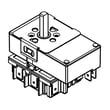
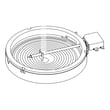
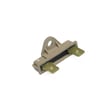
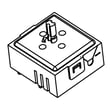
Recommended part for this model:
Why it matters
When the control senses a stuck key, it can disable baking to prevent unintended heating. Correcting the keypad signal issue restores normal oven operation and prevents repeat shutdowns.
Helpful DIY reference
- Use this guide to confirm Whirlpool range fault code meanings and next steps: Whirlpool error codes
Last updated: January 2026
How do I reset the error code on my Whirlpool oven?
On your Whirlpool WFE540H0EW1 electric range, you can usually clear an oven error code by pressing Cancel/Off. If the code stays on or comes back, reset power at the breaker for 1 minute to reboot the control; recurring codes point to a part or wiring problem that needs troubleshooting.
Quick reset steps (most common fixes)
- Press Cancel/Off once; wait 30 seconds.
- If the display still shows the code, turn the range circuit breaker OFF.
- Wait 60 seconds.
- Turn the breaker ON and set the clock.
- Try Bake at 350°F for 10 minutes to see if the code returns.
If the code returns after a reset
A repeating error code typically means the control is detecting a real fault, not a one-time glitch.
Common next checks:
- Power supply: confirm the range has a steady 240V supply (a tripped half-breaker can cause odd behavior).
- Overheating or no-heat symptoms: if the oven will not heat or heats unevenly, inspect the bake circuit and connections.
- Wiring: look for loose, overheated, or burned connections at the power cord connection point.
- Control issue: if multiple functions act up, the electronic control can be involved.
Parts that are often involved (by symptom)
| Symptom you see | What it often points to | Example part for WFE540H0EW1 |
|---|---|---|
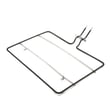
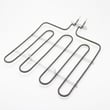
| Oven will not heat, long preheat, uneven baking | Failed bake heating circuit | Bake element W10779716 |
| Display glitches, random beeping, repeated codes | Electronic control problem | Lcc195 blue, WPW10586737 |
| Burning smell at back, intermittent power, error after moving range | Loose/burned power connection | Range terminal block WPW10245259 |
Why it matters
Resetting clears temporary control-board glitches, but a code that returns helps prevent unsafe operation and protects key components like the bake element, wiring harness, and oven control.
For code definitions and model-family troubleshooting steps, use Whirlpool error codes and match the code to the symptom you are seeing.
Last updated: January 2026
How to run self clean on a Whirlpool oven?
On the Whirlpool WFE540H0EW1 electric range, you start a self-clean cycle by removing racks and loose soil, selecting the Self Clean function on the control panel, choosing the clean time (if offered), and letting the door lock until the cycle and cool-down finish.
Before you start (important prep)
- Remove oven racks, thermometers, foil, and any cookware (self-clean heat can discolor racks).
- Wipe up heavy spills and loose crumbs; self-clean works best on baked-on soil, not thick puddles.
- Make sure the kitchen is ventilated (turn on the hood fan, crack a window).
- Keep the cooktop clear; the range can get hot during cleaning.
- Plan for extra time after the cycle ends; the door stays locked until the oven cools.
How to run self-clean (typical Whirlpool steps)
- Close the oven door.
- Press Self Clean (or Clean) on the control panel.
- Select a clean level or time if your control offers it.
- Press Start; the door lock indicator should come on.
- When the cycle ends, wait for the oven to cool and the lock to release.
- Wipe out ash with a damp cloth or sponge.
What you should see during the cycle
| What happens | What it means | What to do |
|---|---|---|
| Door locks | Normal safety lock | Do not force the door open |
| Light may not work | Some models disable it | Wait until cycle ends |
| Smoke or odor | Normal for heavy soil | Ventilate the room |
| Fan noise | Cooling/venting | Let it run |
If self-clean will not start
- Confirm the door is fully closed and not obstructed.
- Cancel and retry after 1 minute (some controls need a reset).
- Check for an error code on the display; use our Whirlpool freestanding range error codes reference to match the code to a fix.
- If the oven will not heat in bake or clean, a failed bake element W10779716 is a common cause on electric ranges.
Why it matters
Self-clean runs at very high temperatures; proper prep (removing racks, wiping heavy spills, ventilating) prevents excess smoke, protects parts like racks and door glass, and helps the cycle finish and unlock normally.
Last updated: January 2026