Owner’s manual
 Error Codes
How to get the bottom shelf out of a Samsung fridge?
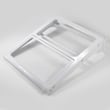
To remove the bottom glass shelf in your Samsung RF263BEAESG refrigerator, we slide the shelf forward to the stop, lift the front edge, then angle the shelf sideways to clear the cabinet notch and door opening. Use the steps in the RF263BEAESG user manual for shelf handling and safety.
- Remove food items and bins/drawers that block the shelf.
- Slide the shelf straight forward until it stops.
- Lift the front edge of the shelf to disengage it from the support rails.
- Rotate the shelf slightly (turn it sideways) to clear the interior notch/liner.
- Carefully pull the shelf out through the door opening.
- Set the shelf on a towel or flat surface to avoid chipping the glass edge.
A shelf usually binds because it is not fully forward, it is still seated in a rear support, or the door opening is too tight for a straight pull.
- Confirm the shelf is fully slid forward before lifting.
- Lift a little higher at the front, then try the sideways angle again.
- Check for a rear hook or tab still sitting in the track.
- Remove the crisper cover or nearby bins if they are pressing against the shelf.
- Do not force the glass; rocking gently while lifting reduces the chance of cracking.
| Task | What we do | What to watch for |
|---|---|---|
| Remove shelf | Slide forward, lift front, angle sideways, pull out | Notch clearance, glass edges |
| Reinstall shelf | Insert sideways, set rear in place, lower front, slide back | Shelf seated evenly on both rails |
Removing the shelf the right way prevents chipped glass, broken shelf supports, and liner damage. It also makes cleaning spills and accessing drawers much easier on the RF263BEAESG.
Last updated: January 2026
What is the most common problem with Samsung refrigerators?
For Samsung refrigerator model RF263BEAESG, the most common problem customers report is poor cooling caused by restricted airflow, often from frost or ice buildup around the evaporator area (a defrost-related issue). Ice maker and water-leak complaints are also common, but the exact ice maker style used in RF263BEAESG is not identified by the model-specific information we have; use the RF263BEAESG manual for feature and control details.
- Cooling or temperature swings: food warms, freezer softens, unit runs longer than normal
- Frost or ice buildup: reduced airflow, fan noise, warm fresh-food section
- Ice maker not producing: slow ice, no ice, clumping (often tied to water supply or freezing)
- Water leaks: puddles under crispers or in freezer (commonly a drain or water-line issue)
- Unusual noises: buzzing, rattling, or fan hitting ice
- Confirm temperature settings and any special modes using the RF263BEAESG manual.
- Make sure interior air vents are not blocked by food packages.
- Check door gaskets for gaps; verify doors close fully.
- If you hear scraping or ticking, inspect for ice buildup near the evaporator cover area.
- Clean condenser coils and confirm the condenser fan area is clear of dust.
| Symptom | Most likely area to check | What we usually do next |
|---|---|---|
| Fridge warm, freezer OK | Evaporator airflow restriction | Defrost, then check for recurring frost buildup |
| Both sections warm | Condenser airflow, controls, sealed system | Verify fans, coils, then diagnose compressor and refrigerant system |
| Water under drawers | Defrost drain | Clear drain path and check drain tube alignment |
| No ice but cooling OK | Water supply, filter, ice maker | Check water flow, filter condition, then ice maker function |
If the refrigerator is not cooling and you confirm fans and airflow are OK, sealed-system diagnosis may be needed. A model-matched component example is the refrigerator compressor MSV172AL2JSM3.
Cooling and airflow problems can spoil food quickly and can also trigger secondary issues like noise (fan hitting ice) or leaks (defrost water not draining). Early checks often prevent bigger repairs.
Last updated: January 2026
How do you reset the bottom ice maker on a Samsung refrigerator?
On the Samsung RF263BEAESG, there is not a separate bottom-freezer ice maker to reset; ice production is handled by the ice maker in the refrigerator (fresh food) section. You can reset that ice maker by running its built-in test cycle and then confirming temperatures and water supply.
- Remove the ice bucket from the refrigerator compartment ice maker.
- Locate the ice maker Test button on the ice maker assembly (its exact position can vary by version).
- Press and hold Test until the ice maker chimes or the mechanism starts cycling.
- Reinstall the ice bucket fully so it seats straight.
- Close the door and allow time for a harvest and refill.
- Confirm the freezer is set cold enough for ice production (target is about 0°F).
- Make sure the water supply shutoff valve is fully open.
- Check the water line behind the refrigerator for kinks or pinches.
- If cubes are small or hollow, suspect restricted water flow (filter, supply, or valve).
- If the ice maker cycles but never fills, focus on water delivery components.
| What happens when you press Test | What it usually means | What to do next |
|---|---|---|
| Chime and movement | Ice maker has power and can cycle | Wait for ice, then monitor fill |
| No chime or movement | Not enabled, door switch not made, or power issue | Close door firmly, retry, verify settings |
| Cycles but no water fill | Water supply or inlet valve problem | Check supply flow and related parts |
Resetting the ice maker test cycle helps us separate a simple control hiccup from common causes like warm freezer temps, a closed supply valve, or restricted water flow.
For your model’s control locations and ice maker layout, use the RF263BEAESG manual.
Last updated: January 2026