 Owner’s manual
 Error Codes

What is the capacity of Kenmore washer model 11047789700?
The Kenmore Elite washer model 11047789700 has a 3.2 cu. ft. capacity, which is a common size for a front-load washer designed for HE (High Efficiency) detergent. For cycle details and loading guidance that match this model, use the 11047789700 owner's manual.
How to use that capacity effectively
- Load loosely; don’t pack items tightly against the drum.
- Keep bulky items (comforters, jackets) balanced with a few smaller items.
- Use HE detergent only; too much soap can cause oversudsing and poor rinsing.
- Leave the door ajar after washing to help reduce odor and moisture buildup.
- If loads end up too wet, reduce load size and re-balance before spinning again.
Quick capacity guide (what fits)
| Load type | Typical examples | Best practice |
|---|---|---|
| Small | A few shirts, light towels | Avoid overdosing detergent |
| Medium | Mixed daily laundry | Distribute items evenly |
| Large | Towels or sheets | Don’t compress; keep airflow gaps |
Why it matters
Capacity affects cleaning performance, spin-out results, and vibration. When we match load size to the 3.2 cu. ft. drum, the washer can tumble properly, rinse thoroughly, and reach high spin speeds with less “walking” and noise.
Last updated: January 2026
How to force a Kenmore Elite washer to drain?
For Kenmore Elite washer model 11047789700, the built-in way to force a drain is to cancel the cycle and run Drain & Spin: press STOP twice, press POWER, select DRAIN & SPIN, then press and hold START for about 1 second. See the steps in the 11047789700 owner's manual.
Fast steps (control panel method)
- Press STOP twice to cancel the current cycle.
- Press POWER.
- Select DRAIN & SPIN.
- Press and hold START (about 1 second) to begin draining.
- Wait for the cycle to finish; the door unlocks after the spin completes.
If it still will not drain
A no-drain condition is usually caused by a restriction (coin, sock, lint), a kinked hose, or a failing drain pump.
- Check the drain hose for kinks, crushing, or being pushed too far into the standpipe.
- Make sure the drain hose has an air gap at the standpipe or laundry tub so water does not siphon back.
- If you hear the pump humming but water does not move, suspect a clog in the tub-to-pump path.
- If the washer is full of water and you need to remove water safely, unplug the washer before handling hoses.
- If draining is slow or intermittent, the drain pump can be the root cause.
Common causes and what to check
| Symptom | Most likely cause | What we recommend |
|---|---|---|
| Hums but does not drain | Clog at pump or hose | Inspect hose routing and check for blockage |
| Drains slowly | Partial restriction | Clear debris and confirm standpipe setup |
| No pump sound | Electrical issue or failed pump | Test power to pump; replace if needed |
| Drains, then refills | Siphoning | Correct drain hose height and air gap |
Parts that often fix a no-drain problem
If you confirm the pump is not moving water (or is leaking/noisy), replacement is a common repair.
- Pump 280187 (drain pump)
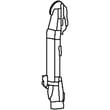
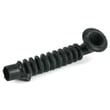
- Washer tub-to-pump hose WPW10467168 (common clog point)
- Clamp WP285655 (hose clamp used on drain connections)
Why it matters
Forcing a drain the correct way protects the door lock system, reduces spill risk, and helps prevent repeat issues like siphoning or pump overheating.
Last updated: January 2026
How to do a hard reset on a Kenmore washer?
For the Kenmore Elite washer model 11047789700, a reliable “hard reset” is to cancel the cycle at the control panel, then remove power briefly and restart. In many cases, selecting STOP twice powers the washer down and clears the current cycle so you can reselect and start fresh (see the 11047789700 owner's manual).
Quick hard reset steps (most effective)
- Press STOP twice to cancel the cycle.
- Wait for the washer to power down and the door to unlock (it may drain first if water is hot or high).
- Unplug the washer (or switch the breaker off) for 1 to 2 minutes.
- Restore power.
- Press POWER, reselect your cycle, then press and hold START for about 1 second.
If you need to clear a stuck cycle or drain first
If the washer is full of water or you want a clean restart, use the built-in drain routine:
- Press STOP twice.
- Press POWER.
- Select DRAIN & SPIN.
- Press and hold START for about 1 second.
What a reset does (and does not do)
| Action | What it helps with | What it will not fix |
|---|---|---|
| STOP twice + power cycle | Frozen controls, interrupted cycle, minor control glitches | Failed door lock, no-fill conditions, drain pump failures |
| DRAIN & SPIN then restart | Excess water preventing door unlock, restarting after an error | Leaks, repeated error codes caused by a bad part |
Why it matters
A proper reset prevents repeated “false” symptoms caused by a paused cycle, locked controls, or a control-board glitch. If the same problem returns immediately after a reset, troubleshooting the underlying cause is faster than repeating resets.
When a reset points to a parts issue
If the washer still will not start, fill, lock, or drain after resetting, common suspects on this model include:
- Door lock assembly: washer door lock WP8183270
- Drain pump: pump 280187
- Water inlet valve: washer water inlet valve WPW10156253
- Motor control (if it tumbles or spins erratically): washer motor control board WP8183196
Last updated: January 2026
What does F5 mean on my Kenmore Elite washer?
On the Kenmore Elite washer model 11047789700, an F5 code is treated as an “F” code outside the common F20 (fill), F21 (drain), and F22 (door lock) messages; the correct first response is to cancel the cycle, drain if needed, then restart. Use the 11047789700 owner’s manual for the exact reset steps and code list.
What to do right away (safe reset)
- Press STOP/CANCEL twice to clear the code.
- If there is water in the tub, select DRAIN & SPIN to remove it.
- Unplug the washer (or disconnect power) for 1 minute, then restore power.
- Re-select your cycle and press START.
- If the code returns, stop using the washer until you complete the checks below.
Common causes behind an F5-style fault
On this Kenmore Elite front-load platform, an F5 code usually points to a control detecting a problem it cannot correct during the cycle (often related to door locking, draining, or motor control feedback). Check these items first:
- Door not fully latched or latch mechanism sticking
- Excess suds causing the washer to pause and misread conditions
- Slow drain or intermittent drain (coin, lint, small sock in the drain path)
- Loose wiring connection at the door lock or control
- Control failure (less common)
Quick checks you can do without tools
- Close the door firmly; make sure no laundry is caught at the gasket.
- Run a Rinse/Spin with no detergent to clear oversudsing.
- Verify the drain hose is not kinked and is not routed too high.
Parts that commonly relate to “F” code symptoms
| Symptom you notice | Part to suspect | Why it matters |
|---|---|---|
| Door won’t lock, cycle won’t start | Washer door lock WP8183270 | The control will stop the cycle if it cannot confirm a locked door. |
| Washer won’t drain or drains slowly | Pump 280187 | A weak or jammed pump can trigger drain-related faults. |
| Intermittent stopping, odd cycle behavior | Washer motor control board WP8183196 | The board manages motor operation and can fault if feedback is abnormal. |
Why it matters
Clearing the code and addressing the underlying cause prevents repeat shutdowns, protects the motor and pump, and helps avoid water left in the tub.
Last updated: January 2026










