 Owner’s manual
 Error Codes
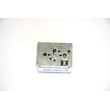


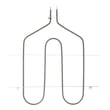



What causes a Kenmore oven to stop working?
On the Kenmore 91195582990 electric range, an oven that “stops working” is most often caused by a power problem (tripped breaker, blown fuse, unplugged cord), incorrect control settings, or a safety condition such as a self-clean door latch issue; failed heating or sensing parts can also stop heating.
- Reset the house breaker (ranges commonly use a 240V double breaker) and confirm the cord is fully plugged in.
- If the display shows PF, reset the clock and re-enter any bake or broil settings.
- Confirm the oven control is set correctly for Bake or Broil (a cooktop that works does not guarantee the oven is set correctly).
- If an F code flashes during self-clean, move the door latch fully to the right, turn the oven control to OFF, let the oven cool for 1 hour, then retry.
- If the oven was left on, check whether 12-hour automatic shutoff turned it off; it can be toggled by holding the MIN UP and DOWN arrows for about 4 seconds.
| Symptom | Likely cause | What to do next |
|---|---|---|
| Nothing works (no display, no heat) | No power to range | Check breaker/fuse, outlet, and cord connection |
| Cooktop works but oven will not start | Controls set incorrectly | Recheck bake/broil setup in the 91195582990 owner's manual |
| Oven starts but won’t heat | Failed bake/broil element, wiring issue | Inspect elements for blisters/breaks; test continuity |
| Temperature is erratic or shuts down | Temperature sensing problem | Check the sensor circuit; consider replacing the wall oven temperature sensor WB23X5340 |
Power interruptions, self-clean latch conditions, and control settings can make the oven appear “dead” even when parts are fine. Ruling those out first prevents unnecessary part replacement and gets you back to baking faster.
Last updated: February 2026
How do I tell what model Kenmore stove I have?
For Kenmore electric range model 91195582990, the model and serial number label is located on the front frame behind the storage drawer. Pull the storage drawer out and look on the front frame for the model number.
On most Kenmore ranges, the model number is on a sticker or metal tag in one of these spots:
- Behind the storage drawer on the front frame (most common on this style)
- Along the oven door frame when you open the door
- On the back panel of the range
- Under the cooktop (some models allow the top to lift)
For the exact location and how to record it, use the 91195582990 owner's manual.
Kenmore model numbers are typically a long number with no spaces (for example, 91195582990). We use the full model number to match the correct parts list, wiring layout, and features like self-clean, radiant cooktop controls, and oven control style.
| What you see on the tag | What it means | What to do next |
|---|---|---|
| Model number (example: 91195582990) | Identifies the exact range design | Use it to look up parts and diagrams |
| Serial number | Production code and build sequence | Keep it for service records |
| Partial number or missing digits | Not enough to guarantee part fit | Recheck the tag behind the drawer |
- Write the model number exactly as shown; don’t drop leading digits.
- If the tag is greasy or faded, wipe it gently and use a flashlight.
- If you see multiple numbers, use the one labeled MODEL.
Using the correct model number prevents ordering the wrong bake element, broil element, oven door gasket, or surface element control switch; parts can look similar but mount and wire differently.
Last updated: February 2026
How do you reset a Kenmore 91195582990 oven?
To reset a Kenmore 91195582990 electric range oven, we turn the oven control to OFF, then disconnect power to the range for at least 30 seconds and restore power. This clears many control glitches and is the recommended reset step after an F-code.
- Turn the OVEN CONTROL KNOB to OFF.
- Unplug the range or switch OFF the circuit breaker.
- Wait 30 seconds (60 seconds is fine too).
- Restore power.
- Set the clock if the display shows PF (power failure).
- Retry BAKE or BROIL.
For control and display details, use the 91195582990 owner's manual.
An F followed by a number means the control detected a fault. Resetting power is the first step; if the code returns, the issue is usually a sensor, wiring, or control problem.
| Display message | What it usually means | What we do first |
|---|---|---|
| PF | Power was interrupted | Touch CLOCK, then reset time and any cooking settings |
| F + number | Function error detected | Power reset (OFF, then 30 seconds with power disconnected) |
If the oven is overheating, underheating, or throwing temperature-related F-codes, checking the wall oven temperature sensor WB23X5340 is a common next step.
If an F-code shows up during self-clean, we reset power and also verify the door latch is fully engaged before retrying.
- Turn the OVEN CONTROL KNOB to OFF.
- Let the oven cool about 1 hour if it was in self-clean.
- Make sure the latch is moved fully to the right (do not force it).
- Restore power and retry the cycle.
A proper reset clears temporary control lockups after a power surge, PF event, or keypad glitch. If the same F-code returns after a reset, it points to a real component or wiring problem that needs diagnosis.
Last updated: February 2026




