 Owner’s manual


How to remove Jenn-Air dishwasher filter?
To remove the filter in your Jenn-Air dishwasher model JDB1250AWP, we recommend removing the lower rack first, then unlocking the filter assembly with a short counterclockwise twist and lifting it out so you can rinse away debris and reinstall it securely (see the JDB1250AWP owner's manual).
Steps to remove the filter
- Turn the dishwasher off; let it cool if it just ran.
- Pull the lower rack straight out and lift it off the rails.
- Locate the filter area in the bottom of the tub (center or rear-center on most units).
- Grasp the filter handle or filter housing and rotate it about 1/4 turn counterclockwise to unlock.
- Lift the filter straight up and out.
- If your filter has a plate/screen section, release the locking tabs and lift the plate out.
Cleaning and reinstalling tips
- Rinse the filter under warm running water; use a soft brush for stuck-on soil.
- Check the sump area for glass, labels, or food scraps before reinstalling.
- Reinstall the plate/screen first (if equipped), then set the filter in place.
- Rotate the filter clockwise until it locks; it should sit flat and feel secure.
Quick troubleshooting if it will not come out
| What you notice | Most likely cause | What to do |
|---|---|---|
| Filter will not turn | Debris binding the lock | Rinse around the base; try gentle back-and-forth rotation |
| Filter lifts but feels stuck | Plate tabs still engaged | Press both tabs and remove the plate/screen first |
| Poor cleaning after reinstall | Filter not fully seated | Reseat and lock the filter; confirm it sits level |
Why it matters
A clogged or mis-seated filter can reduce wash pressure, leave grit on dishes, and contribute to draining issues. Keeping the filter clean helps the circulation system move water efficiently and protects components like the chopper and pump.
Last updated: February 2026
What are the parts of a dishwasher called?
Dishwashers use a mix of wash, heat, fill, and door components. On the Jenn-Air JDB1250AWP, the most commonly referenced parts include the heating element, water inlet valve, spray arms, racks, detergent and rinse aid dispensers, filters, and the door latch and seal (see the JDB1250AWP owner's manual for your model’s component locations and use guidelines).
Common dishwasher parts (plain-English names)
Here are the names customers most often use when shopping for dishwasher parts or troubleshooting:
- Heating element (heats water and helps drying)
- Water inlet valve (fills the tub)
- Spray arms (spin and spray water)
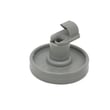
- Racks and rack adjusters/wheels (hold dishes)
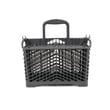
- Silverware basket (holds utensils)
- Filter and chopper (helps manage food soil)
- Control board and control pad (runs cycles)
- Door latch/strike and door seal (keeps the door closed and prevents leaks)
Examples of parts you may see for JDB1250AWP
These are real part names used on this model’s parts list; matching the name and ID helps you order the right item.
| What it’s called | What it does | Example part for this model |
|---|---|---|
| Water inlet valve | Lets water into the dishwasher | Dishwasher water inlet valve W11082871 |
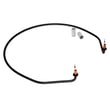
| Heating element | Heats water; aids drying | Heater element W10283681 |
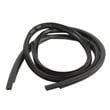
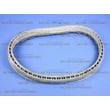
| Door sealing parts | Helps prevent leaks at the door | Door seal WP99003337 |
| Door latching parts | Keeps door shut so cycle can run | Latch WPW10275768; door strike WP99002644 |
Why the names matter when ordering parts
Dishwasher parts are often listed by function (like “water inlet valve”) and by exact identifier (part ID). Using both reduces wrong-part returns and helps you pinpoint the failure faster.
Quick tips we use to identify the right part
- Match the model number exactly: JDB1250AWP
- Use the symptom to narrow the system (fill, wash, drain, heat, or door)
- Compare the part name and part ID, not just the description
- For leak issues, check door sealing and latching parts first
- For poor cleaning, confirm spray arms spin freely and the filter area is clear
Last updated: February 2026
What is the life expectancy of a Jenn-Air dishwasher?
A Jenn-Air dishwasher typically lasts 10 to 15 years with normal household use. For model JDB1250AWP, consistent cleaning, correct detergent use, and fixing small leaks or heating issues early are the biggest factors that help it reach the upper end of that range; see the JDB1250AWP owner's manual for care and operating guidance.
Typical lifespan and what changes it
Most dishwashers wear out from heat, moisture, and pump or seal wear. These factors have the biggest impact:
- Water quality (hard water speeds up mineral buildup)
- How often it runs (daily use wears pumps, racks, and seals faster)
- Heating performance (poor drying can signal heater or control issues)
- Door sealing (leaks shorten the life of wiring and components)
- Maintenance (filter and spray arm cleaning prevents strain on the circulation system)
Signs your dishwasher is near end of life
If you see several of these at once, repairs can become less cost-effective:
- Repeated leaks around the door or bottom
- Dishes stay wet or cool at the end of heated cycles
- Persistent poor cleaning even after cleaning filters and spray arms
- Loud grinding or intermittent wash action (circulation problems)
- Frequent no-fill or slow-fill symptoms
Common repairs that can extend service life
When the tub and racks are still in good shape, replacing a few key parts often restores performance.
| Symptom | Common cause | Example part for JDB1250AWP |
|---|---|---|
| Water leaking at the door | Worn or deformed seal | Door seal WP99003337 |
| Poor drying or lukewarm water | Heating circuit issue | Heater element W10283681 |
| Won’t fill or fills slowly | Inlet valve problem | Dishwasher water inlet valve W11082871 |
Why it matters
Knowing the typical life expectancy helps you decide whether to repair or replace. If your JDB1250AWP is under about 10 years old, a targeted repair (seal, heater, inlet valve) often makes sense; beyond 15 years, multiple failures usually point toward replacement planning.
Last updated: February 2026





