Owner’s manual
 Error Codes




Can you reset a Samsung oven?
Yes. For the Samsung NE59J7630SG electric freestanding range, a reset is simply restarting the oven controls by turning the oven off and briefly removing power. This clears many minor control glitches without changing normal cooking features.
- Soft reset: Press OVEN OFF to stop the current cycle, then wait about 30 seconds and try again.
- Power reset: Turn the oven off, then disconnect power to the range for at least 30 seconds, restore power, and retest.
- After a power outage: Confirm the house lights work; then reset the circuit breaker if needed.
- Press OVEN OFF.
- Turn off the range circuit at the home breaker panel (or unplug the cord if accessible).
- Wait 30 seconds.
- Restore power.
- Set the clock if needed, then test Bake and Broil.
A reset helps when the control is “stuck,” but it will not fix a failed sensor, wiring issue, or control board problem. Use these checks next:
- Verify the range is plugged into a live, properly grounded outlet.
- Check for a blown fuse or tripped breaker and reset/replace as needed.
- Let the oven cool if it is overheated.
- If an error code returns right away, follow the troubleshooting steps in the NE59J7630SG owner's manual.
| Symptom | Reset likely helps | More likely cause |
|---|---|---|
| Keys unresponsive or acting odd | Yes | Membrane switch or control issue |
| Oven will not start after outage | Yes | Power supply or breaker |
| Temperature way off | Sometimes | Sensor issue (often DG32-00002B) |
| Error code returns immediately | Sometimes | Sensor, door lock, or control board |
Resetting safely is the fastest way to rule out a temporary control glitch before spending time on deeper troubleshooting or replacing parts like an oven temperature sensor or oven control board.
Last updated: January 2026
What does C bake mean on a Samsung oven?
On the Samsung NE59J7630SG range, “C Bake” means Convection Bake. It uses a fan to circulate hot air for more even browning and often faster cooking than standard Bake. For exact button locations and display icons, use the NE59J7630SG owner's manual.
- Convection bake (C Bake): fan circulates heated air for more even heat distribution.
- Bake: heat rises naturally; no fan-driven air movement.
- Convection bake can reduce cook time for many foods.
- Pan choice matters more in convection; low-sided pans help airflow.
- Dark or nonstick pans can brown faster.
| Feature | Bake | Convection bake (C Bake) |
|---|---|---|
| Air movement | Natural | Fan-circulated |
| Browning | Standard | More even, often quicker |
| Best for | Cakes, breads, casseroles | Cookies, biscuits, roasting-style baking |
- Preheat when the recipe calls for it.
- Use low-sided cookie sheets for cookies and biscuits.
- Start checking doneness early (often 5 to 10 minutes sooner).
- If food browns too fast, lower the set temperature by about 25°F and retest.
- Avoid blocking airflow with oversized pans or foil.
Choosing C Bake helps the NE59J7630SG cook more evenly, especially on multi-rack loads, and it can improve browning and texture on baked goods that benefit from steady air circulation.
Last updated: January 2026
What is the bAd LinE on my Samsung electric oven?
On the Samsung NE59J7630SG electric freestanding range, a bAd LinE message points to a power supply problem (incorrect voltage, unstable power, or a wiring issue). Start by resetting power at the breaker, then confirm the outlet and supply wiring are correct and tight.
- Reset the range by switching the range breaker OFF for 2 to 5 minutes, then back ON.
- Confirm the range is plugged into a live, properly grounded outlet.
- Check for a tripped breaker or blown fuse feeding the range circuit.
- If the display returns during storms or outages, check whether other house lights or appliances also flicker.
- If you see any damaged cord, loose outlet, or burning smell: stop and disconnect power.
A bAd LinE condition is typically triggered when the control detects line power that is not within the expected range for normal operation. Common causes include a loose connection at the terminal block, a failing breaker, or incorrect supply wiring.
If the home power checks out and the error keeps returning, the issue can be inside the range, such as the electronic control or wiring connections.
| Symptom | Most likely direction | What we recommend |
|---|---|---|
| Error appears after a power outage | Incoming power quality | Reset breaker; verify outlet and grounding |
| Error appears randomly while cooking | Loose connection or failing breaker | Inspect terminal block and breaker (power off) |
| Error appears immediately at power-up | Supply wiring or control issue | Verify voltage; then evaluate control components |
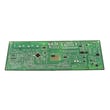
If you are troubleshooting internal electronics, use the wiring and troubleshooting guidance in the NE59J7630SG owner's manual. If a control failure is suspected after power is verified, the Samsung range oven control board DE92-03761B is the model-matched control component commonly associated with power and display-related faults.
Line-voltage problems can cause repeated shutdowns, error codes, and damage to electronic components. Correcting the power supply issue first prevents unnecessary part replacement and helps protect the control board.
Last updated: January 2026