



Where is the model number on a Hotpoint dryer?
On a Hotpoint dryer like model DLB2650RAL, we typically find the model number on the door opening area: check the label on the inside of the dryer door or on the front frame (door jamb) right around the opening.
Most common places to look
- Inside the door on the door panel itself
- On the front frame (door jamb) near the latch area
- Along the edge of the door opening where the door closes
- Occasionally behind the lower access panel on some designs
What the model number label looks like
The label is usually a small sticker or metal tag that lists:
- Model number (example: DLB2650RAL)
- Serial number
- Electrical ratings (volts/amps)
| Location | What you will see | Best time to check |
|---|---|---|
| Inside of door | Model and serial tag | Door open, drum stopped |
| Door frame (jamb) | Model and serial tag | Door open, flashlight handy |
| Lower front area (less common) | Service tag | When troubleshooting or servicing |
Why it matters
We use the exact model number to match the correct Hotpoint dryer parts and diagrams, since items like a start switch, motor, or idler pulley can vary by series.
If the label is missing or unreadable
- Look for an imprint or outline where a sticker used to be
- Check for a secondary tag near the front opening
- Use the appliance details to narrow parts by design (door style, control type, drum light)
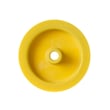
- If you are diagnosing a symptom, start with common wear items like the dryer idler pulley WE12X83
Last updated: February 2026
What are the common problems with Hotpoint dryers?
Common Hotpoint dryer problems on model DLB2650RAL fall into a few buckets: the drum runs but there’s no heat, drying takes too long, the dryer won’t start, or it makes unusual noises. Most fixes start with airflow checks, then basic electrical and drive-system inspection.
Most common symptoms and what usually causes them
- Turns but doesn’t heat: failed heater circuit component, restricted venting, or a safety device opening due to overheating (often triggered by poor airflow).
- Not drying efficiently: clogged lint screen, crushed or long vent run, blocked exterior hood, or a weak blower wheel.
- Unusual noises (squeal, thump, rumble): worn idler pulley, drum support bearing surfaces, or a loose blower wheel.
- Won’t start: power supply issue, start switch problem, door switch issue, or motor problem.
- Dial won’t advance/odd cycling: timer or heat/airflow issues that prevent normal cycling.
Quick checks we recommend before replacing parts
- Clean the lint screen and confirm strong airflow at the outside vent.
- Inspect the vent path for kinks, lint buildup, or a stuck vent flap.
- Listen for noise location (front near drum, rear near blower, or motor area).
- If electric, confirm the dryer has full 240V supply (a tripped breaker can leave you with 120V and no heat).
- Unplug the dryer before opening panels or handling wiring.
Parts that commonly solve these problems (when testing confirms failure)
| Symptom | Common suspect part | Example part for DLB2650RAL |
|---|---|---|
| Squealing or belt slip | Idler pulley | Dryer idler pulley WE12X83 |
| No heat (electric) | Heater assembly | Htr asm 240v WE11X103 |
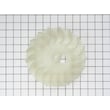
| Long dry times, weak airflow | Blower wheel | Blower wheel WE16M15 |
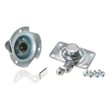
| Won’t start (knob pressed/turned) | Start switch | Dryer rotary start switch WE4X782 |
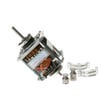
| Humming, no run, intermittent start | Drive motor | Motor WE17X10010 |
Why it matters
Airflow problems can mimic “bad heat” and also overheat the dryer, which can shorten the life of the heater assembly, motor, and thermostats. Fixing venting first often restores normal drying and prevents repeat failures.
Last updated: February 2026
Why is my Hotpoint dryer making a loud banging sound?
A loud banging sound in a Hotpoint DLB2650RAL dryer almost always comes from the drum or blower area: a worn drum support/bearing, a loose blower wheel, or an idler pulley that is wobbling and letting the belt slap. Stop using the dryer until you find the source to prevent further damage.
Quick checks we recommend first
- Run it empty for 30 to 60 seconds: if the bang is still there, it is usually a mechanical part (not the load).
- Check the load: shoes, zippers, and heavy items can thump; redistribute and try again.
- Listen for when it happens:
- Only at startup: belt or idler issue
- Constant with rotation: drum support/bearing issue
- With airflow “whoosh”: blower wheel issue
- Inspect the drum light area (if equipped): a loose bulb cover can rattle; replace the bulb if it is broken.
Most common causes on this style of dryer
| Noise pattern | Likely cause | What you will notice |
|---|---|---|
| Heavy bang once per drum revolution | Worn drum bearing/support | Drum feels slightly loose or out of round |
| Rapid banging or slapping | Belt riding wrong or idler pulley wobble | Noise changes with tension and speed |
| Banging with a fan-like sound | Loose or cracked blower wheel | Vibration near the blower housing |
| Metallic knock | Foreign object in drum or blower | Coin, screw, or debris intermittently hits |
Parts that commonly fix banging
If inspection points to a worn or loose drive component, these model-matched parts are good starting points:
- Dryer idler pulley WE12X83: keeps proper belt tension; a worn pulley can wobble and bang.
- Dryer blower wheel WE16M15: a damaged wheel can hit the housing and thump.
- Bearing WE3X75: worn bearing support can let the drum shift and knock.
Why it matters
A banging dryer is not just noisy; it can quickly wear the belt, damage the blower housing, or strain the motor. Catching a failing idler pulley, bearing, or blower wheel early usually keeps the repair smaller and less expensive.
Last updated: February 2026
How long should a Hotpoint tumble dryer last?
A Hotpoint tumble dryer typically lasts 10 to 15 years. For your Hotpoint DLB2650RAL, consistent airflow care (lint removal and vent cleaning) and fixing wear parts early helps you reach the high end of that range.
Typical lifespan and what affects it
Most dryers fail early because of heat stress, restricted airflow, or worn drum support and drive components.
- Airflow maintenance (lint screen every load; vent path cleaned regularly)
- Load habits (avoid chronic overloading and heavy, wet loads)
- Heat source stress (long dry times overwork the heater and motor)
- Wear parts condition (idler pulley, bearings, blower wheel)
- Electrical health (tight connections; no burnt terminals)
Quick “is it wearing out?” checklist
If you see these symptoms, the dryer may still be worth repairing, but it is signaling wear:
- Squealing, chirping, or rumbling during tumbling
- Clothes taking much longer to dry than before
- Burning smell or unusually hot cabinet
- Drum not turning consistently
- Weak airflow at the outside vent hood
Common wear parts that can extend life
When noise or poor tumbling starts, these model-matched parts are often involved:
| Symptom | Common cause | Example part for DLB2650RAL |
|---|---|---|
| Squeal or belt slip | Worn idler pulley | Dryer idler pulley WE12X83 |
| Long dry times, weak airflow | Damaged blower wheel | Blower wheel WE16M15 |
| No heat or poor heat | Heater issue | Htr asm 240v WE11X103 |
Why it matters
A dryer that is drying slowly is usually running hotter and longer than designed. Restoring airflow and replacing worn drive or blower parts reduces strain on the motor and heater, which is the easiest way to keep a Hotpoint dryer in the 10 to 15 year lifespan range.
Last updated: February 2026
What are the main parts of a dryer?
The main parts of a Hotpoint dryer like model DLB2650RAL are the drum system (drum and supports), the drive system (motor and belt path), the heating and temperature-safety system, and the airflow system that moves moist air out through the vent. These parts work together to tumble, heat, and exhaust.
Core dryer systems (and what they do)
- Airflow system: pulls room air in, moves it through the drum, then pushes hot, damp air out the exhaust duct.
- Heating system (electric models): creates heat for drying; typically includes a heater assembly and safety thermostats.
- Drive system: turns the drum using a motor, belt, and idler pulley to keep belt tension.
- Drum support system: keeps the drum stable and quiet using bearings, glides, rollers, or a rear bearing design.
- Controls and start components: timer/controls and a start switch to begin the cycle.
- Door and light components (if equipped): door switch and drum lamp for visibility.
Common DLB2650RAL parts you may replace
These are examples of key components we commonly see replaced on this model:
- Dryer idler pulley WE12X83 (keeps belt tension so the drum can turn)
- Motor WE17X10010 (drives the belt and blower)
- Blower wheel WE16M15 (moves air through the dryer and vent)
- Htr asm 240v WE11X103 (electric heat source)
- Dryer rotary start switch WE4X782 (starts the motor when you press/turn to start)
- Lamp WE05X20431 (drum light bulb, if your dryer has a light)
Quick “system to symptom” guide
| If you notice this symptom | Most likely system involved | Example part on this model |
|---|---|---|
| No heat or weak heat | Heating and safety | Htr asm 240v WE11X103 |
| Long dry times | Airflow and venting | Blower wheel WE16M15 |
| Squealing or thumping | Drum support or belt path | Dryer idler pulley WE12X83 |
| Won’t start | Controls/start circuit | Dryer rotary start switch WE4X782 |
Why it matters
Knowing the main dryer parts helps you troubleshoot faster: most drying complaints trace back to airflow restrictions, a failed heating component, or a worn drive or support part that stops the drum from tumbling correctly.
Last updated: February 2026
What does F06 mean on a Hotpoint tumble dryer?
On a Hotpoint DLB2650RAL tumble dryer, F06 typically points to a door lock or door switch fault. The dryer may not start because it is not sensing the door as securely closed, or the door may not latch and release normally.
What to check first (quick fixes)
- Open the door and remove any lint, clothing, or debris around the latch area.
- Firmly close the door and listen for a solid “click” from the latch.
- Power reset: unplug the dryer (or switch off the breaker) for 2 minutes, then restore power.
- Check that the door is not sagging; a misaligned door can prevent the lock from engaging.
- If the drum light stays on with the door closed, the door switch may not be changing state.
Likely causes and what they look like
| Likely cause | Common symptom | What you can do |
|---|---|---|
| Lint or obstruction in latch/strike area | Door will not fully close | Clean and re-test |
| Door switch not actuating | Dryer will not start, light behavior is odd | Inspect door switch lever alignment |
| Wiring connection issue at door switch/lock | Intermittent F06 | Check for loose connectors (power off) |
| Control not seeing “door closed” signal | F06 returns quickly after reset | Move to electrical testing or service |
When parts testing makes sense
If the door closes correctly but F06 returns, electrical testing helps confirm the failure.
- Use a meter to check continuity of the door switch circuit with the door open vs. closed.
- Inspect harness routing for pinched or rubbed wires near the front panel.
- If your model uses a drum light, replacing the bulb will not fix F06, but it can help you confirm door switch behavior; see lamp WE05X20431.
For safe meter use and basic diagnostics, follow how to use a multimeter to test electrical parts video.
Why it matters
The dryer is designed to stop operation if it cannot confirm the door is closed and latched. Fixing the door lock or door switch issue restores normal starting and prevents nuisance shutdowns.
Last updated: February 2026





