Installation guide
 Owner’s manual
 Error Codes








What is the most common problem with a GE dryer?
The most common GE dryer complaints (including model GTX52GASP0WB) are long dry times, no heat, the dryer not starting, and noisy operation. In many homes, restricted venting and a clogged lint screen are the biggest day-to-day causes because they reduce airflow and drying performance.
Most common problems and what usually causes them
- Clothes take too long to dry: kinked, crushed, or clogged exhaust duct; outside damper not opening; lint screen blocked
- No heat (gas models): airflow restriction causing overheating protection to trip; heating system components failing
- Won’t start: door not fully closed; failed start switch; power issue
- Noisy or thumping: worn drum support parts, belt, or idler components
Quick checks we recommend first (fast, high-impact)
- Clean the lint screen before every load; never run the dryer without the filter installed.
- Confirm the vent path is clear and the outside hood flaps move freely.
- Make sure the dryer sits level; some shaking/noise is normal if it’s uneven.
- Avoid overloading; large, heavy fabrics dry slower and can seem like a “dryer problem.”
- If you smell gas, follow the safety steps in the installation guide.
Common symptoms, likely fixes, and parts that often solve them
| Symptom | Most likely cause | What to do next | Example part for GTX52GASP0WB |
|---|---|---|---|
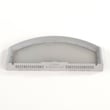
| Long dry times | Obstructed ducting, full lint screen | Verify venting setup and clean duct | GE dryer lint screen WE03X23881 |
| Drum won’t turn | Broken/slipping belt | Inspect belt and idler for wear | Dryer drum belt WE03X29897 |
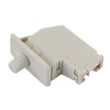
| Won’t start | Door switch or start switch issue | Test switch continuity, check door closure | Dryer door switch WE04X28977 |
| Squealing/grinding | Worn glides or idler | Inspect drum support points | Dryer idler pulley WE03X31620 |
Why it matters
Airflow problems do more than slow drying; they can make the dryer run hotter than intended and trigger safety thermostats. Keeping the lint screen and exhaust duct clean helps drying performance, reduces wear on the drive motor, and lowers energy use.
Last updated: February 2026
Where to find part number on GE dryer?
On your GE dryer model GTX52GASP0WB, the model and serial label is located on the front of the dryer behind the door. Use the model number and serial number from that label when looking up the correct replacement parts and diagrams in the GTX52GASP0WB owner's manual.
What to look for on the label
The label typically includes several identifiers. For ordering parts, these are the most important:
- Model number (example: GTX52GASP0WB)
- Serial number (helps confirm production details)
- Electrical ratings (useful for installation checks)
- Gas information (on gas models, helps confirm fuel setup)
How to use the number to get the right part
Once you have the model number, match the symptom to the most common wear parts for this dryer.
- If the drum will not tumble or you hear slipping: check the dryer drum belt WE03X29897
- If the dryer will not start: check the door switch and start circuit (for example, the dryer door switch WE04X28977)
- If drying is slow: inspect and clean the lint path and venting; a damaged screen can be replaced with the GE dryer lint screen WE03X23881
Quick ID guide (what each number is for)
| Identifier | Where you find it | What it’s used for |
|---|---|---|
| Model number | Label behind the door | Ensures parts fit your exact dryer |
| Serial number | Same label | Helps confirm version and production run |
| Part number | Printed on the part itself | Identifies the exact replacement component |
Why it matters
GE often uses similar-looking parts across multiple dryer series. Using the model number from the label behind the door prevents ordering a belt, door switch, timer, or thermostat that looks right but does not fit or wire up correctly.
Last updated: February 2026
How do I know if my GE dryer heating element is bad?
If your GE dryer model GTX52GASP0WB tumbles but doesn’t heat, the heating circuit is the first thing to check. A bad heating element typically shows no continuity (open circuit) when tested with a multimeter, and the dryer will run with little to no warm air.
Quick checks before you test parts
Before testing the element, rule out the most common “no heat” causes listed for this dryer type in the GTX52GASP0WB owner’s manual.
- Confirm the dryer is set to a heated cycle (not Air Fluff/No Heat)
- Check the home breaker or fuses; some dryers can tumble with heat power missing
- For gas models: confirm the gas shutoff valves are fully open
- Clean the lint screen and verify strong airflow at the exhaust hood
- Inspect and clean the exhaust duct; restricted venting can cause heating problems and overheating
How to test the heating element (continuity method)
- Unplug the dryer (or shut off power at the breaker).
- Access the heater terminals (location varies; follow the access steps in the GTX52GASP0WB installation guide).
- Pull at least one wire off the element terminal so you don’t read back through the circuit.
- Set your meter to continuity (or the lowest ohms range available).
- Touch one probe to each heater terminal.
- Good element: meter beeps (continuity) or shows a low resistance reading.
- Bad element: no beep and/or “OL” or very high resistance (open circuit).
What symptoms point to the element vs. something else?
| Symptom | More likely cause | What to check next |
|---|---|---|
| Tumbles, no heat | Power supply issue or heating circuit fault | Breaker/fuses, thermostats, element |
| Heats briefly then stops | Overheating from poor airflow | Lint screen, vent duct, blower |
| Long dry times, clothes still damp | Restricted exhaust | Duct cleaning, hood flap movement |
| Won’t start at all | Start/door circuit | Dryer door switch WE04X28977, start switch |
Why it matters
A failed heating element stops drying performance, but vent restriction can mimic “bad element” symptoms and can also trip safety thermostats. Keeping the lint screen and exhaust duct clean helps the dryer heat safely and dry faster.
Last updated: February 2026
How to reset GE dryer heating element?
On the GE GTX52GASP0WB dryer, there is no manual “reset” button for the heating element. The practical reset is to remove power by turning the dryer’s breaker off, then turning it back on; if heat still does not return, a heat circuit problem (power, airflow, or a safety thermostat) is stopping heating.
Safe reset steps (power cycle)
- Turn the dryer off.
- Turn off the dryer circuit breaker(s) at the electrical panel.
- Wait 1 minute.
- Turn the breaker(s) back on.
- Run a timed cycle with heat and verify warm air at the exhaust.
For model-specific control and cycle details, follow the GTX52GASP0WB owner’s manual.
If it still tumbles but won’t heat
Many dryers can run the motor but lose heat when only part of the power supply is available (common on electric models) or when airflow is restricted.
- Check the home electrical supply; some electric dryers use two fuses/breakers, and one can trip while the drum still turns.
- Clean the lint filter and confirm strong airflow.
- Inspect the vent path for kinks, crushed duct, or heavy lint buildup.
- On gas versions, confirm the gas shutoff valves are fully open.
- If the dryer overheats, a safety device such as a high-limit thermostat can open and stop heat.
Quick symptom-to-check table
| What you see | Most likely check first | Why |
|---|---|---|
| Drum turns, no heat | Both breakers/fuses | Heat needs full supply; motor may still run |
| Long dry times | Lint screen and venting | Poor airflow prevents proper heating and drying |
| Heat cuts in and out | Vent restriction or thermostat issue | Overheating can trip safety controls |
Parts that commonly relate to “no heat” symptoms
If airflow and power are good, these model-compatible parts are common suspects during diagnosis:
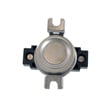
- Dryer high-limit thermostat WE04X26138 (opens if the dryer overheats)
- Lint handling parts such as the lint screen and lint chute (airflow related)
Why it matters
A simple power cycle can clear a control glitch, but most “no heat” complaints come from power supply issues or restricted exhaust airflow, which also increases drying time and can trigger safety thermostats.
Last updated: February 2026