 Installation guide
 Owner’s manual
 Error Codes









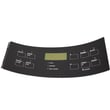
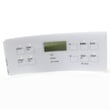

How do you reset a Kenmore electric stove?
To reset your Kenmore electric range model 7909421240E, turn the range off, cut power at the breaker (or unplug it) for about 1 minute, then restore power and reset the clock and any oven settings as needed. See the steps in the owner's manual.
Quick reset steps (power cycle)
- Turn all surface burner knobs to OFF.
- Switch the range circuit breaker OFF (or unplug the power cord).
- Wait 60 seconds.
- Restore power (breaker ON or plug back in).
- Reset the clock and reselect any cooking mode (Bake, Broil, Timed Bake).
If the display shows “LOC” (control lockout)
This model’s control can be locked. If you see “LOC” or the keypad will not respond, cancel lockout:
- Press and hold the oven lockout pad for 3 seconds.
- Wait about 15 seconds for the door lock motor to finish moving.
| What you see | What it means | What to do |
|---|---|---|
| Blank display after reset | No power to range | Check breaker, cord, and outlet; confirm other kitchen loads work |
| “LOC” in display | Control lockout is on | Hold lockout pad 3 seconds to unlock |
| Oven heats wrong temp | Calibration offset | Use the oven temperature adjustment steps in the manual |
Why it matters
A power cycle clears many temporary control glitches after a power interruption. The manual also notes that if power fails, you should turn the range off; when power returns, you will need to reset the clock and oven function.
Last updated: February 2026
Where can I find my Kenmore electric range model number?
On Kenmore electric range model 7909421240E, the model and serial number are printed on the identification (serial) plate on the right side of the oven front frame, inside the storage or warmer drawer compartment. Open the lower drawer or lower panel to see the label; confirm the full model number before ordering parts.
Where to look on model 7909421240E
Check these spots in this order:
- Open the warmer drawer (some models) or storage drawer (some models) and look along the right side of the front frame
- If your range has a lower cover panel instead of a drawer, remove/open that lower panel and look on the right side
- Use a flashlight; the plate is often on the frame edge where the drawer slides in
Quick steps to find it fast
- Turn the range off and let it cool.
- Pull the storage or warmer drawer fully open.
- Look at the right side of the oven front frame for a sticker or metal plate.
- Write down the full model number and serial number exactly as shown.
What the label typically includes
| Label item | What it’s used for |
|---|---|
| Model number | Matching the correct Kenmore parts list and diagrams |
| Serial number | Identifying production details for service and compatibility |
| Electrical ratings | Confirming power requirements during troubleshooting |
Why it matters
Kenmore ranges often share similar styling across model families (including 790-prefix models), but parts like a bake element, control overlay, or oven temperature sensor can vary by exact model. Using the full model number prevents ordering the wrong part and saves time on repairs.
For additional diagrams and identification details, use the owner's manual.
Last updated: February 2026
What causes a Kenmore oven to stop working?
On the Kenmore 7909421240E electric range, an oven that “stops working” is usually caused by a power problem, a control fault that needs to be cleared and re-set, or a failed heating or sensing component (bake element, broil element, or oven temperature sensor). Use the owner's manual troubleshooting and control-reset steps first.
Quick checks first (most common)
- Confirm the range has power; check the house breaker(s) for a tripped circuit.
- If the display is beeping or showing a fault, press STOP/CLEAR to stop beeping and clear the display.
- Reprogram the oven (set Bake temperature again) after clearing.
- If the oven was used during a power interruption, turn the oven off; once power is stable, reset the clock and try Bake again.
- Make sure the controls are set correctly for the function you want (Bake vs Broil).
Likely failed parts when the oven will not heat
If the control panel works but the oven will not heat, these parts are the most common suspects for this model:
- Frigidaire range bake element 316413800 (no bake heat)
- Frigidaire range broil element 316203301 (no broil heat, sometimes poor preheat)
- Frigidaire range oven temperature sensor 316490000 (wrong temperature, cycling issues, error codes)
Symptom-to-part guide
| Symptom | What it usually points to | What to do next |
|---|---|---|
| Oven will not heat on Bake | Bake element or control issue | Inspect element for damage; test/replace if failed |
| Broil does not work | Broil element | Test/replace broil element |
| Temperature is way off | Oven temperature sensor | Check sensor connection; replace sensor |
| Beeping or fault code | Electronic control detected a fault | Press STOP/CLEAR; reprogram; record code if it returns |
Why it matters
An electric range can look “dead” even when it has partial power. Clearing a control fault and confirming full power prevents unnecessary part replacement; if heat is still missing, focusing on the bake element, broil element, and temperature sensor targets the most common no-heat causes.
Last updated: February 2026
Why is the element not working on my Kenmore stove?
On Kenmore electric range model 7909421240E, a surface element usually stops heating because the control is set incorrectly, the element or receptacle connection is burned/loose, or the surface element switch has failed. Start with basic power and control checks, then inspect and test the heating circuit.
Quick checks first (no tools)
- Confirm the correct knob is being used for that burner; the ELEMENT ON light should glow when the burner is turned on (see the owner's manual).
- Turn the knob from OFF to a heat setting and back; a worn switch can act intermittent.
- Try the same element on another receptacle (if your coil element is removable) to see if the problem follows the element or stays with the burner position.
- Check for a household power issue; an electric range can have lights but still lose one leg of power, which affects heating.
What to inspect (power off)
Turn off the breaker before opening anything.
- Look for scorching, melted plastic, or loose terminals at the element receptacle (common cause of “element not working”).
- Inspect the coil element for blisters, cracks, or separated spots.
- If the burner only heats on HIGH or won’t regulate, the infinite switch is the likely failure.
Common causes and the most likely fix
| Symptom | Most likely cause | Typical fix |
|---|---|---|
| Element does not heat at all | Burned receptacle or failed element | Replace receptacle or element |
| Element heats erratically | Loose/burned connection | Repair connection; replace receptacle |
| Element stays too hot or not hot enough | Failed surface element switch | Replace switch |
Parts that commonly solve this on 7909421240E
- If the burner control is dead or inconsistent, replace the frigidaire range small surface element control switch 316436000.
- If the receptacle is heat-damaged, replace the block 5303935058 (surface element receptacle).
- If the coil itself is bad, match the size and replace with either the frigidaire range coil surface element, 8-in 316442301 or the range coil surface element, 6-in 318372211.
Why it matters
A weak connection at the receptacle or a failing switch can overheat wiring and cause repeated element failures. Fixing the root cause restores normal heating and helps prevent further electrical damage.
Last updated: February 2026
What is the F1 code on a Kenmore oven?
On Kenmore electric range model 7909421240E, an F1 (and sometimes similar F-codes) means the electronic oven control detected a fault condition. The fastest next steps are to clear the code, retest, and then focus on the control, sensor circuit, and wiring using the owner's manual.
What to do first
- Press STOP/CLEAR to stop beeping and clear the display.
- Set BAKE and a temperature to reprogram the oven; watch to see if the code returns.
- If it comes back, write down the exact code and when it happens (idle, preheat, during bake).
- Turn off power at the breaker for 1 minute, restore power, and retest.
- If the oven is hot (after cooking or self-clean), let it cool completely and try again.
Common causes of an F1-type fault
F1 is most often tied to the electronic control system or an input the control relies on.
| Likely cause | Typical symptom | What we check next |
|---|---|---|
| Electronic oven control (clock/control board) issue | Beeping at random, code appears with no cooking | Power reset; if it repeats, diagnose control and keypad circuit |
| Oven temperature sensor circuit problem | Temperature swings, long preheat, code during heating | Inspect sensor connector and harness; test sensor if you have a meter |
| Wiring/connector damage or loose plug | Code after moving the range or when the door is used | Look for pinched wires, heat damage, loose connections |
Parts that often relate to F1 symptoms
If troubleshooting points to temperature sensing, the oven sensor is a common repair item.
Why it matters
When the control detects a fault, it can shut off heating or cycle incorrectly. Fixing the underlying cause prevents nuisance beeping and helps keep baking temperatures accurate.
More code help
For additional Kenmore range F-code explanations and symptom-based checks, use Kenmore 790 self-cleaning range error codes.
Last updated: February 2026





