 Owner’s manual
 Error Codes



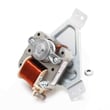
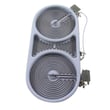

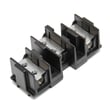
What are common Samsung oven problems?
Common problems we see on the Samsung NE58K9850WG electric slide-in range include the oven not turning on, not heating to temperature, uneven baking/roasting, and rack or door-related issues (hard-to-slide racks, door switch or latch problems). Many of these trace back to power supply, control settings, sensors, or heating components; the NE58K9850WG owner's manual outlines checks and adjustments.
- Oven will not turn on: power issue (plug, breaker/fuse), control settings, or wiring problem
- Food bakes unevenly: rack position/leveling, cookware size/type, or temperature sensing/calibration
- Slow preheat or not reaching temp: temperature sensor drift, heating element issue, or control problem
- Broil not working well: broil element or control issue
- Racks hard to move: rack guides need light lubrication or cleaning (gliding rack care matters)
- Door-related problems (won’t start, self-clean won’t lock/unlock): door switch or latch issue
- Confirm the range is fully plugged into a properly grounded outlet.
- Reset the circuit breaker (or replace a blown fuse) and try again.
- Recheck cooking mode, temperature, and timer settings.
- For baking performance, verify the rack is level and in the recommended position.
- Try a different pan (warped or oversized cookware commonly causes uneven results).
If basic checks do not fix the symptom, these model-matched parts are common repair paths:
| Symptom | Common part to inspect/replace | Example part for this model |
|---|---|---|
| Oven temperature inaccurate | Oven temperature sensor | Range oven temperature sensor DG32-00004C |
| Broil not heating | Broil element | Samsung range broil element DG47-00058A |
| Oven won’t start when door state is wrong | Oven door switch | Range oven door switch DG34-00006A |
| Self-clean lock issues | Door latch | Range oven door latch DG94-01157A |
You can order replacement parts from the parts list for your model, or search by model number on Sears PartsDirect.
An oven that is not heating correctly or baking unevenly wastes energy and ruins results; a door switch or latch problem can also prevent the oven from operating as designed. Addressing the root cause early helps avoid repeat failures and protects key components like the control board.
Last updated: February 2026
How to find Samsung electric range model?
On your Samsung electric slide-in range, the model number is printed on the appliance’s rating label. For model NE58K9850WG, the quickest place to check is typically behind the bottom drawer area; pull the drawer out and look for the label on the frame.
Check these common label locations first (in order):
- Behind the bottom drawer (warming/storage drawer); pull the drawer fully out and look on the frame
- Along the oven door frame; open the door and look around the front frame edges
- On the side trim or lower front panel area near the drawer opening
- On the back panel (harder to access once installed)
The rating label usually includes several identifiers. Use the model number for parts lookup.
| Label item | Example | What to use it for |
|---|---|---|
| Model number | NE58K9850WG | Find the correct parts list and manual |
| Version code | /AA-00 (may appear on the label) | Helps match exact configuration |
| Serial number | Varies | Manufacturing and service identification |
- Use a flashlight and take a photo, then zoom in
- Wipe dust or grease lightly with a damp cloth (do not soak the label)
- Write down the model number exactly as shown, including any suffix like /AA-00
Samsung ranges can look similar across model families, but parts like a surface element control switch, oven door switch, or control board can vary by version. Using the exact model from the label helps ensure the replacement part fits and functions correctly.
For diagrams and additional identification details, use the NE58K9850WG owner's manual. If you need to order parts after you confirm the model, you can shop by model on Sears PartsDirect.
Last updated: February 2026
What type of plug does a Samsung electric range use?
For the Samsung NE58K9850WG electric slide-in range, the range typically uses a 240/120V (or 208Y/120V), 60 Hz single-phase connection with either a 3-prong or 4-prong range cord and matching outlet; the power cord is usually not included, so you choose the cord that matches your home’s receptacle (3-wire or 4-wire). See the electrical connection details in the NE58K9850WG owner's manual.
In most homes, the outlet type determines the cord type.
- 3-prong outlet (3-wire): older installations; cord has 3 prongs
- 4-prong outlet (4-wire): newer installations; cord has 4 prongs
- Match the cord to the outlet; do not use adapters
- If you are replacing an existing range, use the same outlet style unless the circuit is being updated
Most electric ranges like this Samsung model are designed for a dedicated range circuit.
| Item | Typical requirement for an electric range like NE58K9850WG |
|---|---|
| Voltage | 240/120V or 208Y/120V AC |
| Frequency | 60 Hz |
| Phase | Single-phase |
| Cord style | 3-wire or 4-wire range cord |
Because range wiring carries high voltage and high current, we recommend these steps before installing or reconnecting.
- Turn OFF the range breaker before touching the cord or terminal block
- Confirm the range is properly grounded
- Do not pinch the cord behind the range or route it over sharp metal edges
- If you notice burning smell, smoke, or damaged wiring, unplug immediately and stop using the range
- If the connection area looks overheated or loose, inspect the terminal block and wiring before operating
Using the correct 3-wire or 4-wire cord and a properly grounded connection helps prevent nuisance tripping, overheating at the terminal block, and shock risk; it also helps the oven and cooktop heat consistently.
If you need electrical connection parts for this model, you can order replacement parts from the parts list for NE58K9850WG, or search by model number on Sears PartsDirect.
Last updated: February 2026
How do I reset my Samsung oven control board?
To reset the control board on your Samsung NE58K9850WG electric slide-in range, power-cycle the range: turn off power at the breaker (or unplug if accessible) for at least 30 seconds, then restore power. This reboot clears many temporary control glitches; see the NE58K9850WG owner's manual.
- Turn the oven off.
- Switch the range circuit breaker OFF (or unplug the cord if you can reach it).
- Wait at least 30 seconds.
- Switch the breaker ON (or plug back in).
- Set the clock if prompted, then test Bake or Broil.
A reset is the right first step when the control is frozen, the oven will not start, or an information code appears.
Common examples for this model:
- -dC-: partition inserted/removed while operating; reseat the partition, then reset power.
- C-d0: key appears stuck/shorted; press OFF, then reset power if it returns.
- After a brief power interruption: restore power, then retry normal operation.
A power-cycle will not correct a failed part or loose wiring. Check these next:
- Confirm the breaker is fully on and the range has full power.
- Let the oven cool if it is too hot to start certain functions.
- If temperature is inaccurate, test the range oven temperature sensor DG32-00004C.
- If heating is erratic or the oven will not heat, the range oven relay control board DE92-03960C is commonly involved.
| Symptom | Part to check | What it affects |
|---|---|---|
| Oven will not heat | Range oven relay control board DE92-03960C | Sends power to heating circuits through relays |
| Oven too hot/too cold | Range oven temperature sensor DG32-00004C | Reports oven temperature to the control |
Resetting by removing power forces the electronic control to reboot. That clears many one-time software lockups and helps you confirm whether the issue is a temporary glitch or a component problem.
You can order replacement parts from the parts list for NE58K9850WG, or search by model number on Sears PartsDirect.
Last updated: February 2026




