Installation guide
 Owner’s manual
 Error Codes



How to replace Kenmore Range oven control board?
To replace the oven control board on your Kenmore 66592142300 electric range, we disconnect power, access the control panel, label and move each wire one at a time to the new board (including the ribbon cable), then reassemble and restore power. Use the 66592142300 owner's manual for panel access and safety notes.
- Unplug the range or switch OFF the circuit breaker before opening any panels
- Confirm the cooktop and oven are cool; remove hot cookware
- Use cut-resistant gloves; sheet-metal edges behind panels are sharp
- Take a clear photo of the wiring before you move anything
- If you smell burning insulation or see melted wiring, stop and have the wiring repaired before installing a new board
- Shut off power at the breaker (or unplug).
- Access the control area: remove the rear control-panel cover (or backguard cover) screws and lift the cover off.
- Document wiring: take photos and label connectors.
- Transfer wires one at a time from the old board to the new board so nothing gets crossed.
- Reconnect the ribbon cable: fully insert it into the connector, then lock/snap the retainer into place.
- Reinstall the rear cover, restore power, then test Bake, Broil, and the clock/timer.
- Display dead: recheck breaker, power cord, and that the ribbon cable is fully seated
- Wrong temps or long preheat: run a bake test; if temps swing widely, check the oven sensor WPW10181986
- No bake heat but broil works: inspect the bake element WPW10308477 for cracks or blisters
- Error code appears: look up the code in Kenmore 665 error codes
| Symptom | More likely cause | What we check first |
|---|---|---|
| Oven overheats or underheats | Temperature sensor issue | Sensor resistance and harness fit |
| Bake not heating | Failed bake element or wiring | Element continuity and terminals |
| Random beeping, error codes | Keypad/ribbon/board connection | Ribbon seating, connector corrosion |
The control board is the “brain” for bake, broil, and timing. Correct wire placement and a fully seated ribbon cable prevent misfires, error codes, and no-heat problems.
Last updated: February 2026
Where can I find my Kenmore electric range model number?
On Kenmore electric range model 66592142300, the model and serial number label is on the oven frame behind the storage drawer panel. Pull the bottom storage drawer out so you can see the rating plate on the frame; record both the model and serial number for parts and service. See the 66592142300 installation guide.
- Turn the range off and let it cool completely.
- Pull the storage drawer straight out; lift slightly if it stops on the drawer glides.
- Look at the oven frame behind the drawer opening for the model/serial rating plate.
- Write down the full model number and serial number exactly as shown.
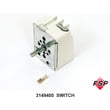
- Use that exact model number when ordering parts like a bake element, oven sensor, or surface element switch.
Most freestanding electric ranges also place the model/serial label in one of these spots:
- Door jamb area when you open the oven door
- Back panel near the power cord entry
- Side frame behind the lower kick area
| Item | What it’s used for | Example format |
|---|---|---|
| Model number | Ensures correct part fit and diagrams | 66592142300 |
| Serial number | Helps match production series and service info | Letters and numbers |
| Purchase date | Useful for maintenance history | Month/day/year |
Kenmore model numbers can look similar across different 665-series ranges, but internal parts and wiring can vary. Using the exact model number helps us match the correct replacement parts and troubleshooting information the first time.
Last updated: February 2026
Why is my Kenmore electric range not heating up?
If your Kenmore electric range model 66592142300 is not heating, the most common causes are a tripped breaker or loose power connection, a failed bake or broil element, or a temperature-sensing problem. Start with the power supply checks in the 66592142300 installation guide, then test heating components.
- Confirm the range is plugged in and the outlet is supplying power.
- Reset the range circuit breaker (ranges often use a 240V, double-pole breaker).
- Make sure the oven is set to Bake (not Delay Start or a locked mode).
- If the cooktop works but the oven does not, focus on oven heating parts.
- If nothing works (no display, no heat), focus on power supply and wiring.
When power is good but the oven stays cold, these parts are the usual suspects:
- Bake element: look for blisters, cracks, or a burned spot; replace if damaged (common no-heat cause). Consider the bake element WPW10308477.
- Broil element: if broil also will not heat, the broil element or control may be involved.
- Oven temperature sensor: a bad sensor can cause incorrect temperature control or no heat. Consider the oven sensor WPW10181986.
- Wiring/connectors: burned terminals at the element or sensor can stop heating.
| What you observe | Most likely cause | What to do next |
|---|---|---|
| Range is completely dead | Breaker tripped, cord not connected, supply issue | Follow the “range does not operate” checks in the 66592142300 installation guide |
| Oven will not heat, broil works | Bake element or bake circuit issue | Inspect and continuity-test the bake element |
| Oven will not heat, broil also will not heat | Power issue to oven, control, sensor, wiring | Verify power first; then check sensor and wiring |
| Oven heats but temperature is way off | Oven sensor out of range | Test/replace the oven sensor |
An electric oven needs correct power and a working heating circuit to reach and hold temperature. Fixing the power supply issue or replacing a failed bake element or oven sensor restores safe, consistent baking and prevents repeated breaker trips or overheating.
Last updated: February 2026